
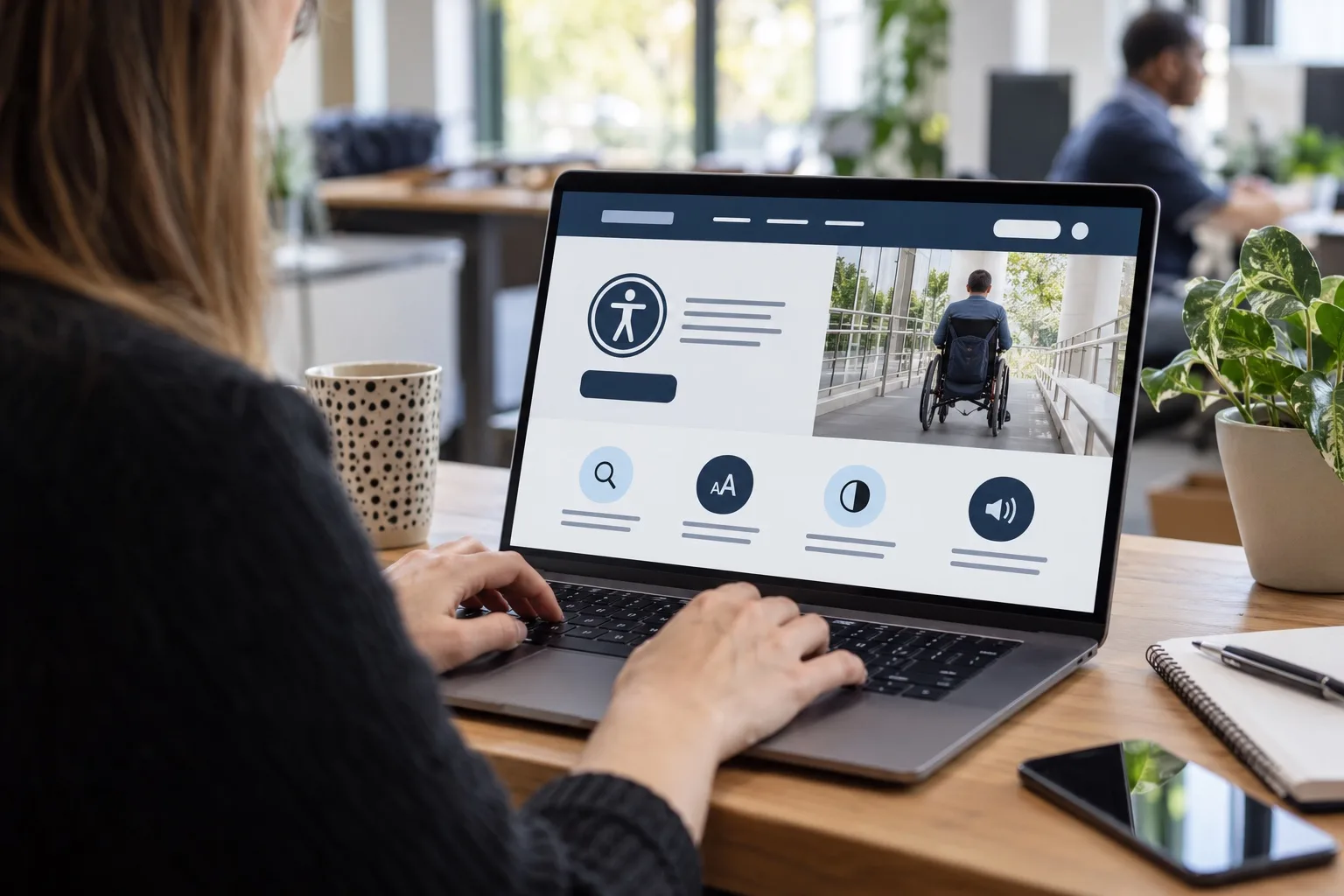
Accessibility-first design has moved from being a specialist consideration to a standard expectation for business websites in 2026. For UK organisations planning a new website, refreshing an existing one or improving digital marketing performance, accessibility is no longer only about compliance. It affects how easily people can understand your offer, complete enquiries, buy products, compare services, follow your social content and trust your brand.
An accessible website supports people with visual, hearing, motor, cognitive and neurodivergent needs, but the benefits go much wider. Clear navigation helps busy visitors. Strong colour contrast helps people using phones outdoors. Captions help viewers watching social videos without sound. Well-structured pages help search engines understand content. Forms that work properly reduce abandoned leads. When accessibility is considered from the start, the whole digital experience becomes clearer, faster and more commercially effective.
Why accessibility-first design is becoming the expected approach
Many businesses used to treat accessibility as a final technical check before launch. That approach often led to expensive fixes, awkward design compromises and missed issues in content, forms and user journeys. Accessibility-first design changes the sequence. It considers inclusive use at the planning, design, content, development and marketing stages, rather than trying to retrofit improvements later.
This matters because customers increasingly expect online experiences to work smoothly across devices, browsers, assistive technologies and personal preferences. A visitor may use a screen reader, keyboard navigation, browser zoom, voice control, dark mode, captions, reduced motion settings or translation tools. They may also be tired, distracted, under time pressure or comparing several suppliers at once. Accessible design makes it easier for more people to take the next step.
There is also a legal and reputational dimension. In the UK, the Equality Act 2010 requires organisations to make reasonable adjustments for disabled people, and digital services can form part of that duty. Businesses selling into the EU should also be aware of the European Accessibility Act requirements that apply to certain products and services from June 2025. While individual obligations vary, the direction is clear: accessible digital experiences are becoming a normal part of responsible business practice.
For many website projects, the Web Content Accessibility Guidelines, particularly WCAG 2.2, provide the most useful benchmark. The aim is not to make every page visually identical or strip away brand personality. The aim is to create experiences that are perceivable, operable, understandable and robust, while still reflecting the organisation’s positioning, tone and commercial goals.
The business value of building accessibility in from the start
Accessibility-first design supports better outcomes because it reduces friction. A website can have strong branding and persuasive copy, but if visitors cannot read the text, use the menu, complete a form or understand the next step, potential enquiries are lost.
For service businesses, accessibility can improve lead generation by making calls to action clearer, contact options easier to find and enquiry forms simpler to complete. For e-commerce websites, it can reduce avoidable barriers in product filtering, basket flows, payment steps and order confirmations. For membership organisations, charities and local businesses, it can make information easier to find for people with different needs and levels of digital confidence.
There are also operational advantages. Accessible components are usually more consistent and easier to maintain. When buttons, form fields, colour systems, headings and content blocks are designed properly, teams can create new pages with fewer mistakes. This is particularly useful for growing organisations that regularly publish blogs, landing pages, case studies, recruitment content or campaign pages.
Accessibility can also protect brand trust. Visitors often judge a business by small details: whether the site feels calm and easy to use, whether content is readable, whether errors are explained clearly and whether mobile pages behave predictably. An accessible website communicates professionalism, care and confidence before a visitor speaks to your team.
What accessibility-first design looks like in practice
Accessible design is not one feature. It is a set of decisions that work together across content, visual design, development and user experience. The strongest results come when accessibility is considered before wireframes and page layouts are signed off.
Clear structure and meaningful content
Every page should have a logical structure. Headings need to describe the content beneath them, rather than simply acting as decorative text. Paragraphs should be concise, with important information presented in a way that can be scanned quickly. Links should explain where they lead, so wording such as read our website design services is more useful than click here.
Plain English is also an accessibility choice. This does not mean oversimplifying specialist subjects, but it does mean avoiding unnecessary jargon, long sentences and vague statements. UK business owners often visit a website with a specific task in mind: checking suitability, understanding services, comparing expertise or getting in touch. Clear content helps them move forwards.
Readable visual design
Colour contrast is one of the most visible accessibility considerations. Text must be easy to read against its background, including buttons, banners, navigation items and form labels. Brand colours can still be distinctive, but they should be tested in real layouts, not only in a logo or palette document.
Typography also matters. Small text, tight line spacing, long line lengths and low-contrast grey copy can make pages harder to use. A strong website design system should include accessible font sizes, spacing rules, focus states, error messages and content widths. It should also allow users to zoom without breaking the layout.
Keyboard and assistive technology support
Not every visitor uses a mouse or touchscreen. Menus, forms, filters, pop-ups, accordions and checkout steps should work using a keyboard. Focus indicators need to be visible, so users can see where they are on the page. Interactive elements should be built with correct semantic HTML wherever possible, rather than relying on fragile custom code.
Screen reader support depends on good structure, useful alternative text for meaningful images, correctly labelled form fields and sensible page order. Decorative images do not need long descriptions, but images that communicate information should have alt text that helps the user understand the same message.
Forms that help rather than hinder
Forms are often where commercial value is won or lost. An accessible form has clear labels, helpful instructions, logical tab order and error messages that explain what needs to be corrected. It should not rely on colour alone to show an error. Required fields should be obvious, and users should not lose their progress if they make a mistake.
For lead generation websites, even small improvements can make a meaningful difference. A shorter enquiry form with clear labels and a reassuring confirmation message is often more effective than a complex form that asks for too much too soon.
Accessibility and search marketing work together
Accessibility-first design and search engine optimisation are closely connected. They are not the same discipline, but they support many of the same goals: clear structure, useful content, fast performance and a better experience for visitors.
Search engines need to understand what each page is about. Proper heading hierarchy, descriptive page titles, relevant internal linking and well-written body content all help. These choices also help users who scan pages, rely on assistive technology or navigate by headings. Similarly, descriptive alt text can support image understanding when it is written for users first, not stuffed with keywords.
Core web performance remains important in 2026. Slow pages, unstable layouts and intrusive elements create barriers for everyone, including disabled users. Accessibility-focused design encourages lighter interfaces, predictable layouts and fewer unnecessary distractions. This can support stronger engagement signals and better conversion from organic traffic.
For local SEO, accessibility also affects practical tasks. A visitor looking for opening hours, service areas, directions, phone numbers or booking options should be able to find that information quickly on mobile. If important details are hidden in images, awkward PDFs or inaccessible widgets, both users and search visibility can suffer.
Content strategy should also reflect inclusive search behaviour. People use different phrases depending on their confidence, needs and stage of decision-making. A page about website design services might need to answer questions about accessibility audits, mobile usability, content management, hosting, domain registration and ongoing support. The more clearly those topics are explained, the easier it is for the right visitors to choose the next step.
Social media marketing needs accessible creative too
Accessibility does not stop at the website. Social media marketing often forms the first point of contact with a brand, so posts, videos and campaign assets should be created with accessibility in mind.
Videos should include accurate captions where the platform supports them, and key information should not rely on sound alone. Short-form video, product demonstrations, announcements and educational content all benefit from captions, especially as many people watch without audio. If a video includes important on-screen text, it should be large enough to read on a phone and displayed for long enough to be understood.
Image posts should avoid placing essential messages in tiny text or low-contrast designs. When platforms provide alt text options, they should be used to describe meaningful visual content. Hashtags are easier to read when each word starts with a capital letter, such as #AccessibleDesign rather than a string of lowercase words.
Campaign landing pages should match the promise made in social posts. If an advert promotes a downloadable guide, booking form or event registration, that journey should be accessible from the first click through to confirmation. Consistency between social media creative, landing page content and follow-up emails helps build confidence and reduces drop-off.
Domain registration, naming and accessibility
Domain registration may not appear to be an accessibility issue at first, but naming choices influence how easily people can find, remember and share a website. A clear domain name supports brand recognition, word-of-mouth referrals and offline marketing.
When choosing a domain, aim for something easy to spell, pronounce and type. Avoid unnecessary hyphens, confusing abbreviations and words that are commonly misspelt. If your business serves the UK market, consider whether a UK-focused domain extension supports trust and relevance. If you trade internationally, think about how the name works across regions and languages.
It is also sensible to check how the domain looks in lowercase, how it sounds when spoken aloud and whether it could be misread when printed on signage, packaging, vehicles or social profiles. A domain used in radio adverts, podcasts or networking conversations needs to be easy to communicate without repeated explanation.
From a digital marketing perspective, domain decisions should sit alongside wider brand and search strategy. The name should be distinctive enough to build recognition, but practical enough for customers to use. Before registration, check for potential trademark issues, social handle availability and consistency with your planned email addresses. Avoid basing the whole decision on exact-match keywords; a credible brand name with useful content and a well-built website is usually stronger in the long term.
How to plan an accessibility-first website project
A successful accessibility-first website project starts with discovery. Before design begins, identify the key audiences, tasks, content types and conversion goals. Consider what visitors need to do on the website and what might stop them. For a professional services firm, that might include understanding expertise, checking credibility and sending an enquiry. For a retailer, it may include filtering products, comparing options and completing checkout. For a community organisation, it may include finding events, reading guidance and contacting the right person.
Design teams should then create accessible foundations: colour contrast rules, heading styles, button states, form patterns, navigation behaviour and responsive layouts. Content teams should write in a way that supports comprehension, scanning and search intent. Developers should build with semantic structure, keyboard access and performance in mind.
Testing should happen throughout the project, not only at the end. Automated accessibility tools are useful for identifying certain issues, but they cannot judge everything. Manual checks are still needed for keyboard navigation, screen reader behaviour, content clarity, focus order and real user journeys. Testing on mobile is essential, as many accessibility and usability issues only become obvious on smaller screens.
After launch, accessibility should become part of ongoing website governance. New blog posts, landing pages, images, videos and campaign forms can introduce barriers if teams are not trained. A simple publishing checklist can help maintain standards without slowing down marketing activity.
Common mistakes that make websites harder to use
Several accessibility problems appear repeatedly on business websites. Low-contrast text is one of the most common, particularly when pale brand colours are used for buttons or captions. Another frequent issue is missing or unclear focus states, which makes keyboard navigation frustrating.
Overly complex navigation can also create barriers. Large menus, hidden links and inconsistent page structures make it harder for visitors to build confidence. Pop-ups that interrupt the user before they have understood the page can be especially problematic if they are difficult to close or do not work well with a keyboard.
PDFs deserve particular care. Many businesses still use PDFs for brochures, forms and important information. Where possible, key content should also be available as accessible HTML pages. If PDFs are necessary, they should be created with proper structure, readable text and meaningful order, rather than uploaded as flat image scans.
Another mistake is treating accessibility as purely technical. Developers play a vital role, but accessible outcomes also depend on design decisions, copywriting, photography, video production, SEO planning and content management. The whole team needs to understand the standard expected.
A practical shift in digital quality
The rise of accessibility-first design reflects a broader shift in what a good website is expected to do. A visually appealing site is not enough if people struggle to use it. Strong digital performance now depends on clarity, speed, inclusion, trust and measurable commercial purpose.
For UK business owners, the opportunity is straightforward. By considering accessibility from the beginning of a website or digital marketing project, you can create an experience that serves more people, supports search visibility, improves conversion paths and strengthens your brand. It is not about adding complexity. It is about removing unnecessary barriers.
Accessibility-first design is becoming a mark of quality because it aligns good ethics with good business. When your website is easier to read, navigate, understand and act on, more visitors can become customers, supporters or long-term advocates for your organisation.