A software requirements specification helps a small business explain what a system must achieve before development becomes expensive. It gives the business and its development partner a shared reference for decisions, estimates and acceptance. The document does not need to resemble a technical textbook, but it must be clear enough to distinguish a completed requirement from an attractive demonstration.
The most useful specification connects real user tasks to business outcomes, data rules and testable behaviour. It also records what the first release excludes. This matters whether you are commissioning a customer portal, replacing a spreadsheet or adding a bespoke integration between existing tools.
Start with the problem and the evidence behind it
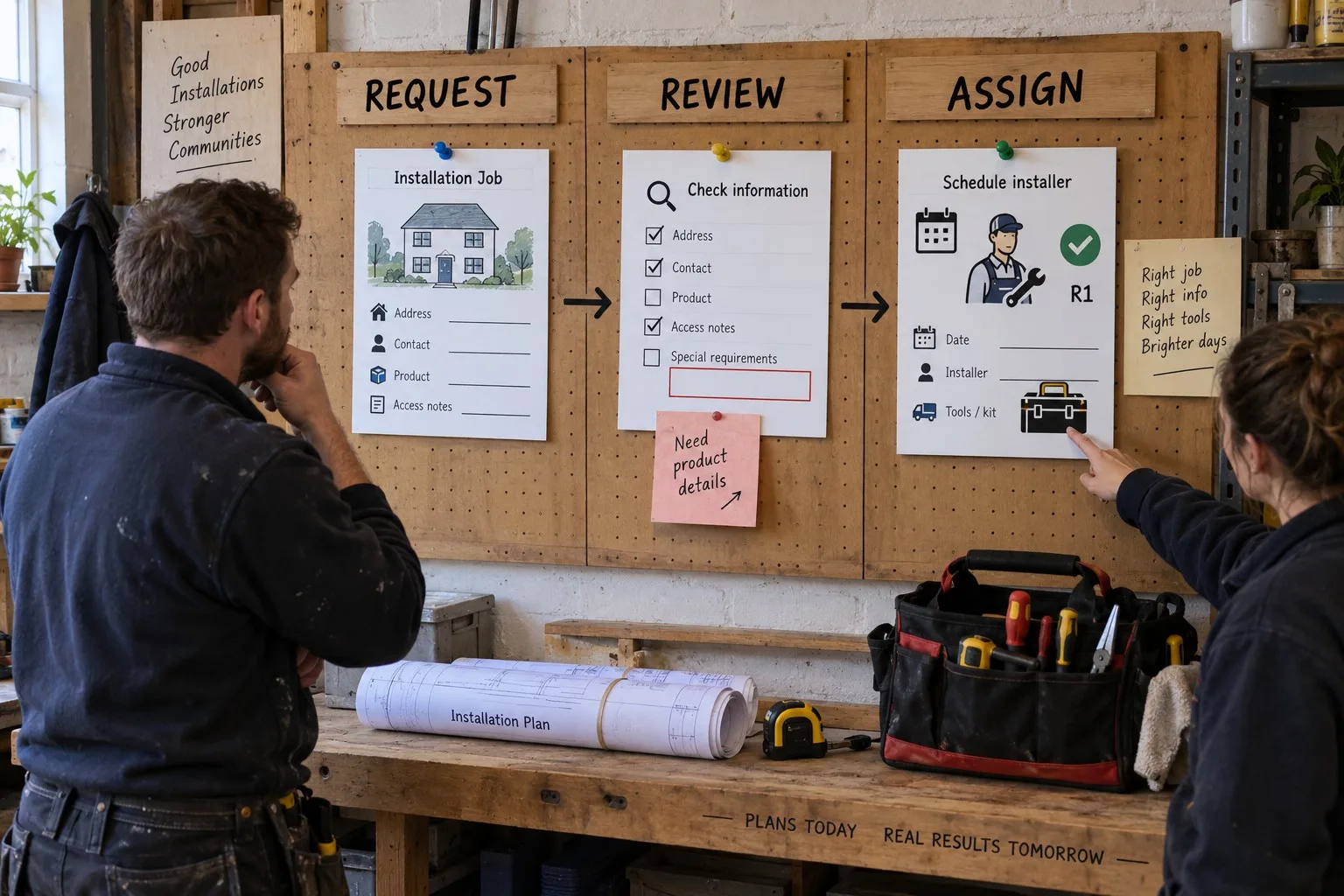
Describe the current process, its users and the difficulty the software should address. For example, an installation company might receive booking requests by email, copy them into a spreadsheet and telephone customers when information is missing. The problem is not simply that the company lacks a portal. It is that staff cannot reliably see which requests are complete and ready to schedule.
Record evidence such as duplicated records, missed handovers, time spent chasing information or customer confusion. Use representative examples without including unnecessary personal information. This gives developers a basis for asking useful questions and helps the business judge whether a proposed feature addresses the original problem.
Define a few success measures. These might include the proportion of requests submitted with complete information or the time between receipt and assignment. State how the baseline will be measured. Avoid promising improvements that have not yet been tested.
Identify user roles and their actual tasks
List the people who will use the system and what each role needs to do. A customer may submit a request and view progress. An administrator may check details and assign work. A manager may review outstanding requests. A developer or support provider may need limited access for maintenance.
Describe permissions explicitly. Viewing a record, editing its details, cancelling it and exporting a list are different capabilities. Do not assume that every staff member should receive the same access merely because the organisation is small.
The GOV.UK Service Manual's guidance on writing user stories provides a useful way to connect a user's task with its purpose. A practical example might explain that a dispatcher needs to see incomplete requests so that they can obtain missing information before allocating an installer. The story gives context; the specification must then define the detailed behaviour.
Describe the main journeys from beginning to end
Map the core journeys before listing individual screens. A booking journey might cover starting a request, entering details, reviewing them, submitting, receiving confirmation and later checking the status. Include staff actions after submission. A polished customer form is insufficient if the internal team cannot process the request.
For each journey, describe the starting condition, actions, system responses and final state. Include an alternative route where the normal flow cannot complete. What happens if the customer leaves halfway through, submits twice or discovers an error after confirmation?
Use a simple diagram or numbered sequence where it helps. Mark assumptions that need checking with actual users. This prevents a development team from having to infer business policy from a rough screen sketch.
Write functional requirements as observable behaviour
Functional requirements state what the software must do. Give each requirement a reference, owner and priority. Use a short, specific description followed by acceptance criteria. Terms such as easy to use or fully automated are too broad to establish whether a feature is complete.
For example, a request submission requirement could specify mandatory contact fields, permitted attachment types, a unique request reference and a confirmation message. Its acceptance criteria should also cover missing fields, invalid information and unsuccessful submission. Decide whether a failed email notification affects the saved request or creates a separate retry task.
Keep business rules separate from interface preferences. A rule might require an authorised staff member to approve a cancellation. The interface might present that action as a button in a record view. Treating these as distinct decisions leaves room to improve the design while preserving the business requirement.
A requirement should not quietly bundle several unrelated features. Splitting it into smaller items makes estimates, testing and prioritisation more useful. It also makes it easier to release a coherent first version.
Specify data, validation and record ownership
List the principal records, such as customers, requests, appointments and uploaded documents. Explain the important fields, required values and relationships. Decide which system is authoritative for each type of information if several tools are involved.
Define what the software should do with duplicate or conflicting records. A matching email address may suggest an existing customer, but it is not always enough to merge records automatically. Record the decision rather than leaving it to an implementation guess.
Describe the data lifecycle. Which records can be corrected, archived, exported or removed, and who can perform those actions? Agree any retention requirements with the person responsible for the business's information governance. A specification should identify that responsibility without inventing a universal retention period.
If existing data will be imported, include an example export and describe known problems. Ask for an import rehearsal, an exception report and a reconciliation check. Moving a spreadsheet into a database does not automatically repair inconsistent information.
Make integration requirements precise
For each connection to another tool, state the purpose, direction of data flow, trigger and expected timing. Identify the account owner and any dependency on access, licences or supplier support. A phrase such as integrates with our CRM leaves too many important questions unanswered.
Explain what happens when an external service is unavailable. Should the system queue the update, show a warning or stop the transaction? How will staff see unresolved failures? Specify how duplicate deliveries are handled so that a repeated notification does not create a second booking or customer record.
Include test arrangements. Developers may need a separate test account or representative sample data. Clarify which actions are safe during testing and which could send real messages or alter live records. These details often affect the delivery schedule more than the visible interface does.
Include quality requirements that can be tested
Non-functional requirements describe qualities such as accessibility, security, performance and recoverability. They are essential to the result, even though they are not features users select from a menu. Convert broad aspirations into checks that fit the intended workload and audience.
For performance, describe the expected number of users, the size of typical records and the task being measured. Agree acceptable response times under stated conditions with the development team. A single loading-time target with no workload or measurement method can create misleading expectations.
For accessibility, identify the agreed standard and the representative journeys that must be assessed. Include keyboard operation, clear error messages and usable forms in the acceptance plan. Discuss the relevant obligations with appropriate advisers where needed, while keeping the specification focused on concrete delivery requirements.
For recovery, ask how backups are taken, restored and tested. Define the business's acceptable interruption and data loss for discussion with the technical team. Include how account access is controlled, how important changes are logged and who receives operational alerts.
Prioritise a useful first release and record exclusions
Group requirements into essential launch capabilities, valuable follow-up improvements and ideas that need further evidence. The first release should support a complete usable journey. Removing the final staff processing step to save time may leave an attractive form attached to the same manual bottleneck.
Record exclusions explicitly. If payment collection, a mobile app or historical document conversion is outside the initial scope, say so. Describe what the business will do instead during the first release. This avoids treating an assumption as a later surprise.
Maintain a decision log for changes. Record why the requirement changed, who approved it and its effect on cost, timing or other requirements. A specification should evolve through controlled decisions. It becomes less useful when people quietly edit it without telling the team.
Agree acceptance, handover and ongoing ownership
Set out who will accept the completed work and what evidence they need. Arrange a test period using representative records and users. Record defects separately from new feature requests, and agree how each will be handled. Acceptance criteria should help both parties resolve questions about completion.
Include the practical handover: account ownership, documentation, support arrangements, deployment instructions, monitoring and a method of retrieving business data. Ask who maintains integrations when suppliers change and how urgent problems will be reported. Ownership of these tasks matters beyond launch day.
Finally, connect the project to the wider customer journey. A portal, website and CRM should support compatible processes rather than duplicate conflicting records. Giraffe Digital's digital strategy service considers how websites, content, tools and measurement work together, while website design helps shape clear customer-facing journeys. A well-written software requirements specification gives those discussions a concrete basis and gives development a result the business can verify.