For many small businesses, a website is no longer simply an online brochure. It is a sales tool, a customer service channel, a lead generator and often the first place a potential customer goes before making contact. That makes cyber security a commercial issue as much as a technical one. A secure website protects customer trust, supports search visibility, keeps enquiries flowing and reduces the risk of avoidable disruption.
Cyber security can sound complex, particularly if your business does not have in-house technical support. The good news is that many of the most important steps are practical, affordable and easy to plan into your website management routine. Whether you are launching a new website, refreshing an existing one or reviewing your wider digital marketing, security should be considered from the start rather than bolted on after a problem occurs.
Why cyber security matters to a small business website
A compromised website can cause far more than a short period of embarrassment. If an attacker gains access to your site, they may deface pages, add spam links, redirect visitors to harmful websites, steal data from enquiry forms or use your hosting account to send unwanted email. Even if no customer data is taken, the damage to confidence can be significant.
For a business that relies on enquiries from search, social media or local recommendations, downtime can quickly turn into missed opportunities. A customer who clicks through from Google, Facebook, Twitter or LinkedIn and finds a warning message, broken page or suspicious content is unlikely to spend time working out what has happened. They will usually choose another supplier.
There are search marketing considerations too. Search engines aim to protect their users. If a website is found to be distributing malware or hosting hacked content, it may be flagged in search results, temporarily removed or shown with warnings in browsers. Recovery can take time, especially if the site owner has not kept good records, verified the website with search engine tools or maintained recent backups.
Security also supports your brand. A well-designed website should feel professional, trustworthy and easy to use. That trust is weakened if your contact forms are unprotected, your software is out of date or your domain name is at risk because renewal details are poorly managed. Cyber security is therefore part of good website design, not a separate afterthought.
Start with the website platform and keep it updated
Many small business websites are built using content management systems such as WordPress, Joomla or Drupal. These platforms are popular because they make it easier to add pages, publish articles and manage images without editing code. Their popularity also means that attackers look for websites running old versions, vulnerable extensions or poorly maintained themes.
Updates are one of the simplest and most important cyber security habits. Your website platform, theme and any plugins or extensions should be kept current. Updates often include security fixes as well as new features. Leaving an old contact form plugin or image gallery running for months after a vulnerability has been fixed gives attackers an easy route in.
Before updating, it is sensible to check that a reliable backup exists and that the update will not break key functionality. For a business website, updates should be treated as routine maintenance, in the same way you would service equipment or renew insurance. If your site is business-critical, ask your web provider how updates are tested, who is responsible for applying them and how quickly security updates are handled.
It is also worth removing anything you no longer use. Old themes, inactive plugins, forgotten test installations and unused administrator accounts all increase risk. A leaner website is usually easier to maintain and may also perform better, which helps visitors and search engines alike.
Use strong passwords and sensible access controls
Password security remains a common weak point for small business websites. Simple passwords, reused passwords and shared logins make it much easier for an attacker to gain access. A strong password should be long, unique and difficult to guess. It should not be based on your company name, a pet, a local place, a favourite team or a predictable pattern.
Each person who needs access to the website should have their own account. This makes it easier to remove access when a staff member leaves, and it gives a clearer record of who has made changes. Avoid sharing one administrator login between several people. Where possible, give users only the level of access they need. Someone writing blog posts does not always need full administrator privileges.
Two-factor authentication is also worth considering for important accounts, particularly website administration, email, hosting control panels and social media profiles. It adds an additional step beyond the password, such as a code generated on a mobile device. It is not a complete solution on its own, but it can make unauthorised access much harder.
Do not forget email. Password reset links, hosting notices and domain renewal messages often go to a business email address. If that email account is compromised, your website and social media accounts may be at risk too. Secure email accounts with strong passwords and, where available, additional verification.
Protect data collected through forms and e-commerce
Even a simple small business website may collect personal information through contact forms, newsletter sign-ups, booking requests or quote forms. If you ask visitors to submit their name, email address, telephone number or message, you have a responsibility to handle that information carefully.
Only collect the information you actually need. A general enquiry form may not need a date of birth, full postal address or other unnecessary details. The less sensitive information you collect, the less you need to protect and manage. Forms should be configured so that submitted data is not exposed publicly, sent to the wrong email address or stored indefinitely without purpose.
If you sell online, security becomes even more important. Payment details should be handled using appropriate, secure payment processing methods rather than stored casually on your website. Businesses taking card payments need to be aware of their obligations under payment card security requirements. If your e-commerce website uses third-party payment pages or hosted payment forms, check how the process works and what data your own website stores.
Your privacy information should also be clear. UK businesses should understand their responsibilities under the Data Protection Act 1998 and follow guidance from the Information Commissioner's Office. Good privacy practice is not only about compliance; it reassures customers that you take their information seriously.
Use SSL certificates and make visitors feel safe
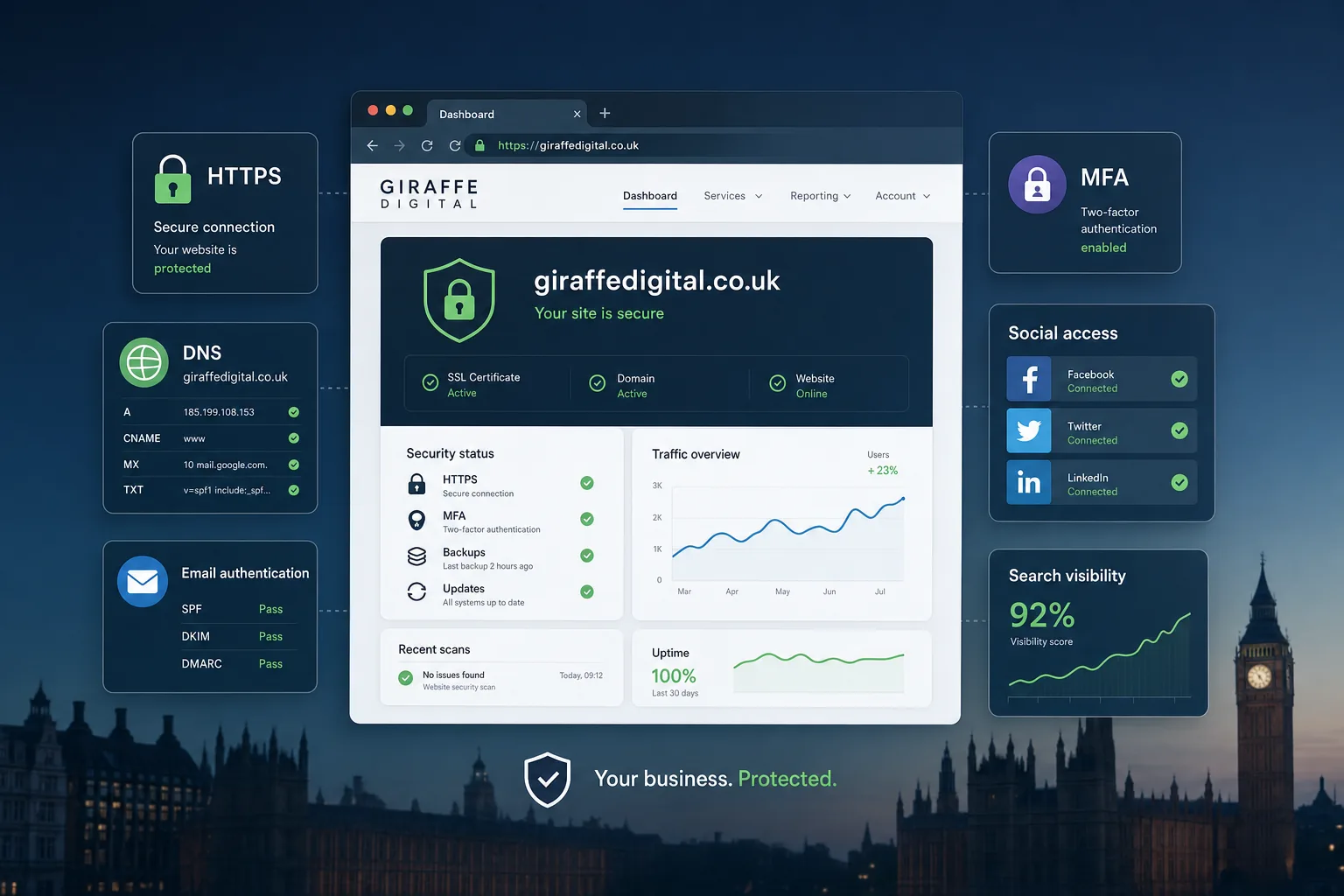
An SSL certificate allows a website to use HTTPS, which encrypts data sent between the visitor's browser and your website. Visitors usually see a padlock in the browser address bar when the connection is secure. For websites with logins, contact forms or e-commerce functions, HTTPS is an important trust signal.
Search engines have also been encouraging secure websites, and HTTPS can support a professional online presence. It is not a replacement for proper website maintenance, but it is an important layer of protection and reassurance. If you are planning a redesign or building a new site, SSL should be included from the outset rather than added later.
When moving a website from HTTP to HTTPS, the change should be handled carefully. Internal links, images, scripts, redirects, analytics settings and search engine submissions may need updating. A poorly managed move can create broken pages, mixed content warnings or temporary disruption to tracking. Done properly, it gives visitors a more secure experience and helps present the business as credible.
Choose hosting with security in mind
Website hosting has a direct impact on reliability, speed and cyber security. Cheap or poorly managed hosting can leave your site more vulnerable to downtime, weak server configuration or slow support when something goes wrong. The right hosting arrangement depends on the size of your website, visitor levels, technical requirements and how important the site is to your business.
Ask practical questions before choosing or renewing hosting. How are server updates managed? Are backups included? How often are they taken? How quickly can a website be restored? Is support available when you are likely to need it? Are hosting accounts separated properly from one another? What security monitoring is in place?
For content management systems, hosting should support the required versions of PHP, databases and other technical components. Running a modern website on an outdated server environment can limit performance and increase risk. Your web designer or developer should be able to advise whether your hosting is suitable for the site you have, not just whether it is technically able to display the pages.
Security and speed often work together. A well-maintained hosting environment can help pages load more quickly, which improves user experience and can support search engine optimisation. Visitors are more likely to stay on a fast, reliable, professional website.
Keep control of your domain name
Your domain name is a valuable business asset. If it expires, is registered with incorrect details or is controlled by someone who is no longer involved with the business, your website and email can be disrupted. Domain management is therefore a cyber security and business continuity issue.
Make sure your domain is registered using accurate business contact details and an email address that is actively monitored. Renewal reminders should not go to an old employee, a closed mailbox or an agency account you cannot access. Keep a record of where the domain is registered, when it renews and who has permission to make changes.
Use a strong password for the domain account and consider any additional account protection offered by the registrar. Be cautious about unexpected renewal messages, transfer requests or emails claiming urgent action is required. Domain-related scams can look convincing, particularly when they use your actual domain name in the message.
If you work with a web design or digital marketing provider, agree clearly who manages the domain and how access is handled. It is often convenient for a provider to help with technical settings, but the business should understand ownership and retain appropriate control. A domain should never become a mystery that only one person understands.
Backups are your safety net
No security measure can guarantee that a website will never experience a problem. Backups give you a practical route to recovery if your site is hacked, damaged by an update, affected by hosting failure or accidentally changed. Without backups, even a small issue can become a major rebuild.
A good backup routine should include both website files and the database. For content management systems, the database contains pages, posts, settings and form entries, while files include themes, uploads and code. Both are needed for a full recovery.
Backups should be taken regularly and stored separately from the live website. If backups are kept only on the same hosting account, they may be affected by the same problem as the website. It is also important to test restoration from time to time. A backup that cannot be restored is not much use in an emergency.
The right frequency depends on how often the website changes. A brochure website updated once a month may not need the same backup schedule as an e-commerce site receiving orders every day. What matters is having a clear plan, knowing who is responsible and ensuring the process is not forgotten.
Secure your social media and marketing accounts
Website security does not stop with the website itself. Social media profiles, email marketing systems, analytics accounts and advertising accounts are all part of your digital presence. If an attacker gains access to these channels, they can damage your brand, send misleading messages or redirect traffic away from your website.
Use strong, unique passwords for every marketing account and avoid sharing logins casually. Where platforms allow different roles, give staff and suppliers appropriate access rather than handing over the main account credentials. Review access regularly, especially when employees leave or agency relationships change.
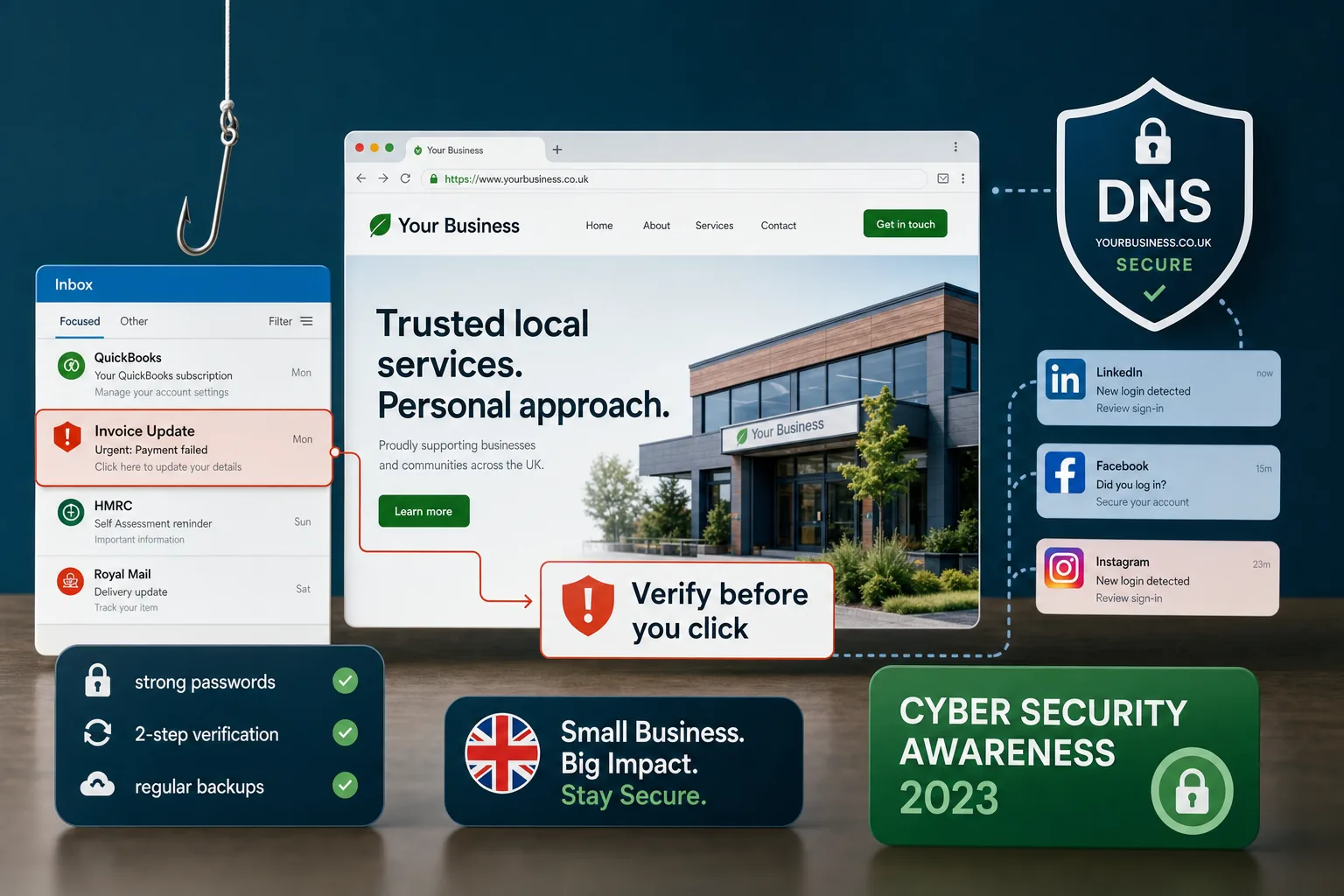
Be alert to phishing messages. These may claim that your social media page will be closed, your advert has been rejected or your account requires immediate verification. The aim is often to make you click a false login page. Train staff to pause before entering credentials and to check web addresses carefully.
From a marketing point of view, trust is built through consistency. If your website, social media profiles and email campaigns all look professional and behave reliably, customers feel more confident. Cyber security helps protect that consistency.
Make security part of website design and SEO planning
Security should be discussed during website design, not left until after launch. A well-planned site structure, reliable forms, clean code, appropriate hosting and clear maintenance arrangements all contribute to a safer website. Design decisions can also reduce risk: for example, using fewer unnecessary plugins, avoiding overcomplicated features and ensuring enquiry forms are properly configured.
Search engine optimisation also benefits from good technical housekeeping. Secure, fast, well-maintained websites are easier for visitors to use and easier for search engines to crawl. Broken redirects, hacked pages, spam content and malware warnings can all undermine organic visibility. If your business invests time in content marketing, local SEO or paid campaigns, protecting the website that receives that traffic is essential.
It is sensible to verify your website with major search engine webmaster tools so that you can receive messages about crawl issues, security warnings and indexing problems. Analytics should also be monitored for unusual changes in traffic, unexpected referral sources or sudden drops in conversions. These signs do not always indicate a security issue, but they are worth investigating.
A cyber security checklist for small businesses
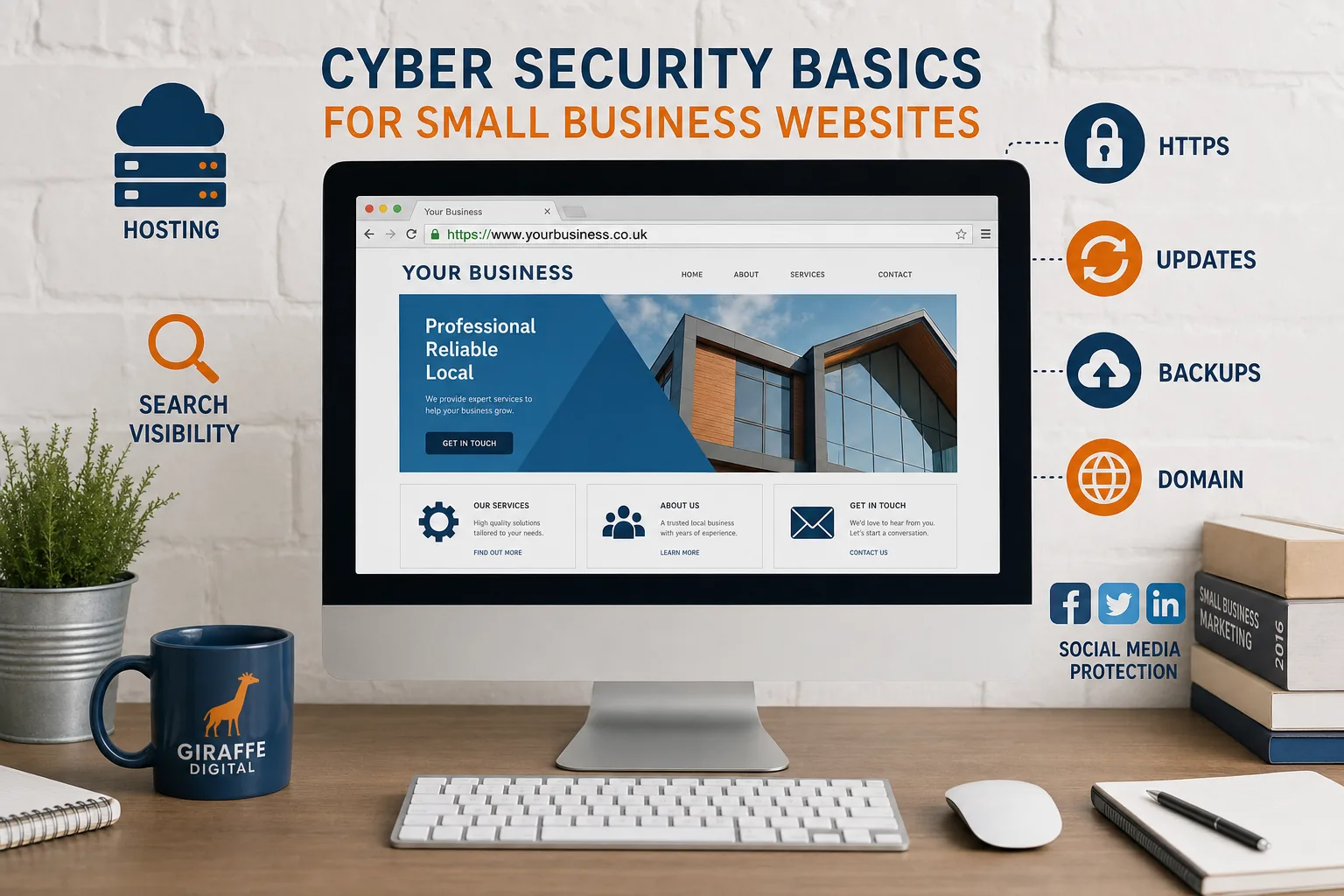
If you are unsure where to begin, start with a straightforward review of the basics. The following checklist is a useful foundation for most small business websites:
- Keep your website platform, themes, plugins and extensions up to date.
- Remove unused plugins, themes, test sites and old user accounts.
- Use strong, unique passwords for website, hosting, email, domain and social media accounts.
- Give each user their own login and limit access to what they need.
- Use HTTPS with a correctly installed SSL certificate.
- Choose hosting that is reliable, supported and maintained properly.
- Keep accurate records for domain registration and renewal.
- Back up website files and databases regularly, and store backups separately.
- Check contact forms and e-commerce processes for sensible data handling.
- Monitor search engine, analytics and marketing accounts for warnings or unusual activity.
- Train staff to recognise suspicious emails and login pages.
- Agree who is responsible for updates, backups and emergency support.
For some businesses, it may also be worth looking at the UK Government-backed Cyber Essentials scheme, which sets out basic technical controls designed to help protect organisations against common online threats. It can be a useful framework for thinking about security across your business, not only your website.
Building trust through better security
Cyber security is not about creating fear or making every business owner become a technical expert. It is about reducing avoidable risk and protecting the value of your online presence. A secure website supports your brand, keeps your marketing working and gives customers more confidence when they make an enquiry, complete a form or buy from you.
The most effective approach is consistent and practical. Keep software updated, use strong access controls, manage your domain carefully, maintain backups and choose suppliers who take security seriously. When these basics are built into your website design and digital marketing strategy, your business is better placed to grow online with confidence.
Frequently asked questions
What should we consider when building trust through better security?
Cyber security is not about creating fear or making every business owner become a technical expert. It is about reducing avoidable risk and protecting the value of your online presence. A secure website supports your brand, keeps your marketing working and gives customers more confidence when they make an enquiry, complete a form or buy from you. The most effective approach is consistent and practical. Keep software updated, use strong access controls, manage your domain carefully, maintain backups and choose suppliers who take security seriously. When these basics are built into your website design and digital marketing strategy, your business is better placed to grow online with confidence.