Your website is often the first place a potential customer checks before they enquire, book, buy or recommend you. If that site runs on WordPress or another content management system, cyber security is not just a technical task for a developer; it is a core part of protecting your brand, your search visibility and your customer relationships.
For many UK businesses, a CMS makes publishing easier. Teams can update service pages, post blogs, add case studies, manage landing pages and support social media campaigns without rebuilding the whole website. The same flexibility that makes a CMS valuable also creates responsibility. User accounts, plugins, themes, forms, media libraries, integrations and hosting settings all need sensible controls. Good Cyber Security for WordPress and Content Management Systems reduces avoidable risk while keeping your website useful for marketing and growth.
Why CMS cyber security matters for business performance
A compromised website can cause far more than temporary inconvenience. Attackers may inject spam pages, redirect visitors, steal form submissions, place malicious scripts, deface content or use the site to send unwanted emails. Even a short incident can affect customer confidence, lead generation and organic search performance.
Search engines aim to protect users. If a website is flagged for malware, deceptive content or unsafe redirects, rankings and click-through rates can suffer. Paid advertising may be paused if landing pages are considered unsafe. Social media links can be blocked or carry warnings if platforms detect suspicious behaviour. For a business investing in SEO, content marketing, social media marketing or paid campaigns, cyber security is part of keeping that investment working.
There is also a design and user experience impact. A secure website is more likely to be stable, fast and consistent. Poorly maintained plugins, outdated themes and bloated scripts can create both vulnerabilities and performance issues. In 2026, when users expect fast mobile experiences and search visibility is influenced by page experience signals such as Core Web Vitals, security and technical quality should be planned together.
Common risks for WordPress and other CMS platforms
WordPress is widely used because it is flexible, familiar and supported by a large ecosystem. Other CMS platforms, including open-source and hosted systems, have their own strengths. No platform is automatically secure simply because it is popular, commercial or open-source. Risk usually comes from how the system is configured, maintained and used over time.
Outdated core software, themes and plugins
Updates often include security fixes. Delaying them for months can leave known vulnerabilities exposed. This is especially risky when plugins manage forms, payments, memberships, SEO settings, page builders or file uploads. A plugin does not need to be obscure to become a risk; even reputable tools can require urgent updates.
Updates should be handled carefully, not ignored. A business website should have a maintenance process that includes backups, testing and review. For important sites, updates are best checked in a staging environment before they are applied to the live website. This helps avoid broken layouts, failed forms or lost functionality.
Weak passwords and excessive user access
Many CMS breaches begin with a login. Reused passwords, old staff accounts and shared administrator credentials make it easier for attackers to gain control. Every user should have their own account, and access should match their role. A team member who only writes blog posts should not normally need full administrator permissions.
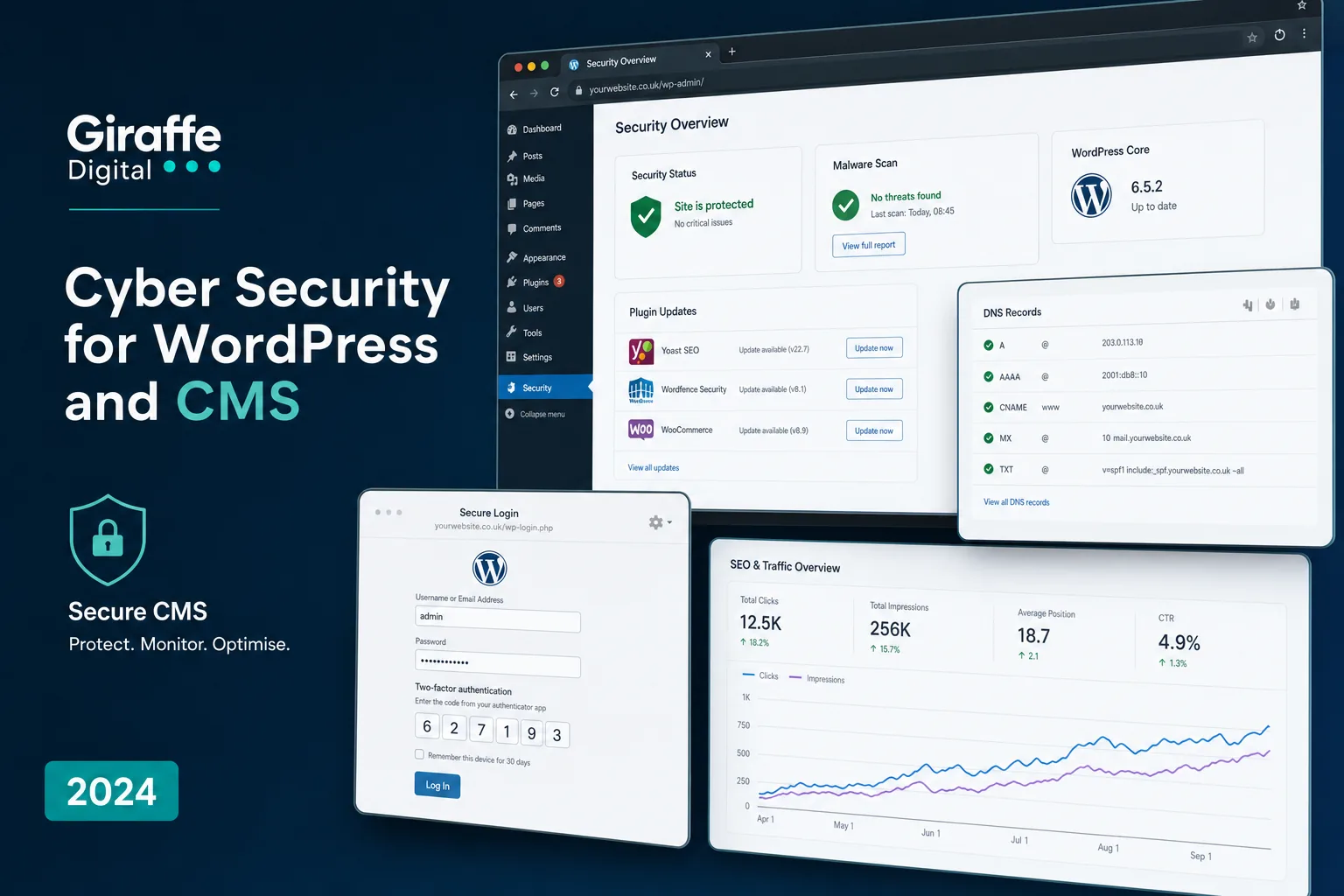
Multi-factor authentication should be used wherever possible, especially for administrators, developers and marketing staff who manage key content. Strong passwords, password managers and regular access reviews are simple but effective steps. When an employee or supplier leaves, their access should be removed promptly.
Insecure forms, uploads and integrations
Contact forms, quote forms, newsletter sign-ups and booking tools are valuable for lead generation, but they can also be abused. Spam submissions, script injection, file upload attacks and data leakage can all start with poorly protected forms. Forms should use appropriate validation, spam protection and secure handling of personal data.
Integrations also deserve attention. A CMS may connect with email marketing platforms, analytics tools, CRM systems, payment services, live chat, social feeds and automation tools. Each connection increases the need for sensible permissions, secure API keys and regular checks. If an integration is no longer used, remove it rather than leaving it in place.
Security should be built into website design
Security is most effective when it is considered during website planning and design, not added as an afterthought. A new website project should include decisions about CMS choice, hosting, user roles, content workflow, plugin selection, privacy requirements and maintenance. These choices influence how safe and manageable the website will be after launch.
A design that relies on many overlapping plugins may look impressive at first but become harder to maintain. A more considered approach often uses fewer, better-supported components and a cleaner technical structure. This can improve security, speed, accessibility and long-term flexibility.
For example, a business launching a new service area might need landing pages, enquiry forms, downloadable guides, testimonials and campaign tracking. Each element should be designed to work securely. Downloads should not expose private files. Forms should collect only the data needed. Tracking scripts should be reviewed so they do not slow pages unnecessarily or conflict with consent requirements. Admin access for campaign teams should be limited to the content they need to manage.
Hosting, backups and recovery planning
Reliable hosting is a major part of CMS cyber security. The hosting environment should support current versions of PHP and database software, provide secure server configuration, include SSL certificates, offer malware monitoring and make it easy to restore from backups. Cheap or poorly managed hosting can turn a small issue into a major outage.
Backups should be automatic, frequent and tested. It is not enough to assume that backups exist. A business should know how often they run, how long they are retained, where they are stored and how quickly the website can be restored. Backups should include files and databases, because CMS content is usually stored across both.
Recovery planning is especially important for businesses that rely on their website for enquiries, bookings or e-commerce. Decide who to contact, who can approve emergency changes, how customers will be updated and how marketing campaigns will be paused if necessary. A short plan written in plain English is better than uncertainty during an incident.
Protecting your domain name and DNS
Your domain name is a critical business asset. If someone gains access to your domain account or DNS settings, they may be able to redirect your website, interrupt email, impersonate your organisation or damage customer trust. Domain security should be treated with the same seriousness as CMS security.
Use a reputable domain registration provider with strong account security, multi-factor authentication and clear renewal controls. Keep ownership details accurate, store login details securely and avoid using a single personal email address as the only point of control. Make sure renewals are monitored so the domain does not lapse unexpectedly.
DNS settings should be documented and changed carefully. Records for the website, email, verification tools and campaign platforms all matter. Where available and appropriate, enable domain locking and DNSSEC to reduce the risk of unauthorised changes or spoofing. Limit access to people who genuinely need it, and review that access when staff or suppliers change.
How CMS security supports SEO and digital marketing
Strong security helps protect the foundations of digital marketing. Search engines need to crawl and trust your pages. Users need to land on the right content without warnings, redirects or broken functionality. Marketing teams need dependable analytics and forms so they can measure results accurately.
Security problems can create hidden SEO issues. Injected spam pages may be indexed. Malicious redirects can send visitors away from your site. Slow scripts may affect user experience. Broken updates can remove metadata, change headings or disrupt structured content. If a hacked website starts sending spam, email deliverability may also suffer, affecting newsletters and customer communications.
Security checks should therefore sit alongside regular SEO health checks. Review indexation, crawl errors, page speed, redirects, analytics, form tracking and conversion paths. If your business runs social media campaigns, check that shared landing pages remain secure, mobile-friendly and consistent with the campaign message. A polished social post cannot compensate for a landing page that is slow, unsafe or broken.
CMS cyber security checklist for UK businesses
The most effective security programmes are usually consistent rather than dramatic. A few disciplined habits can prevent many common issues.
- Keep the CMS core updated: Apply security updates promptly and test major updates before making them live.
- Review plugins and themes: Remove anything unused, unsupported or duplicated. Choose well-maintained tools with a clear purpose.
- Use multi-factor authentication: Protect administrator and editor accounts with an extra verification step.
- Limit user permissions: Give each person the lowest level of access needed for their role.
- Use secure hosting: Choose hosting that supports current software, SSL, monitoring, backups and recovery.
- Test backups: Confirm that backups can be restored, not just created.
- Secure forms: Use validation, spam protection and careful data handling for enquiries and downloads.
- Monitor the website: Watch for uptime problems, unexpected file changes, malware warnings and unusual traffic patterns.
- Protect the domain: Enable strong account security, manage DNS carefully and monitor renewals.
- Document key processes: Keep a simple record of access, suppliers, hosting, domain settings and recovery contacts.
Working with developers, designers and marketers
CMS cyber security works best when developers, designers and marketers share responsibility. Developers can manage updates, configuration and technical protection. Designers can choose patterns that reduce unnecessary complexity. Marketers can keep content workflows tidy, avoid installing unreviewed tools and report suspicious behaviour quickly.
If your website is central to lead generation, it is worth scheduling regular reviews. These should cover technical maintenance, SEO, analytics, user experience, content quality and campaign needs. Security should not block marketing activity; it should make it safer and more reliable. A well-maintained CMS allows your team to publish confidently, test landing pages, improve services and support brand visibility without taking unnecessary risks.
A secure CMS is not only harder to attack; it is easier to manage, easier to trust and easier to grow.
For UK business owners, the key is to treat the website as an active business system rather than a one-off project. WordPress and other CMS platforms can support strong digital marketing, but they need care. With the right structure, hosting, access controls, maintenance and recovery planning, your website can remain a dependable asset for search, social media, enquiries and long-term brand reputation.