Cyber Security Awareness Month is a useful reminder that a business website is not simply a marketing asset. It is also a public-facing technology platform, a trust signal, a data collection point and, in many cases, the first place a potential customer decides whether your organisation looks credible. For UK business owners planning a new website, improving SEO or refreshing a digital strategy, cyber security awareness should be part of the conversation from the start, rather than an afterthought once something has gone wrong.
Good security does not have to mean frightening language or complicated technical documents. In practice, it means reducing avoidable risk, protecting customer confidence and making sensible decisions about the platforms, passwords, content and third-party tools your business relies on every day. The same website that supports your search visibility, enquiries and brand reputation can also become a weak point if it is poorly maintained, badly configured or treated as a one-off project.
Why cyber security awareness matters for business websites
Most business owners understand the value of professional website design. Clear navigation, strong messaging, fast-loading pages and a recognisable brand all help visitors feel they are in the right place. Security is part of that same trust-building process. If a visitor sees a browser warning, receives a suspicious email that appears to come from your domain, or lands on a website that has been compromised, the damage is not just technical. It affects reputation, enquiries and confidence.
Cyber security awareness is especially important because many common website risks are preventable. Weak passwords, neglected software updates, poorly managed user accounts and unmonitored contact forms are everyday issues. They may not sound dramatic, but they create opportunities for attackers, spammers and automated scripts. A small local business can be affected just as easily as a larger organisation because many attacks are automated and target known weaknesses rather than specific brands.
There is also a legal and customer service dimension. Since the introduction of the General Data Protection Regulation and the UK Data Protection Act 2018, businesses have had clearer responsibilities around personal data. A contact form, newsletter sign-up, booking form or e-commerce checkout can all involve personal information. Security awareness helps ensure the website collects only what it needs, stores it appropriately and explains its approach clearly through privacy information that customers can understand.
Start with the foundations: HTTPS, hosting and maintenance
For any modern business website, HTTPS should be treated as standard. A secure connection helps protect information passing between the visitor and the website, and browsers such as Chrome clearly mark non-secure pages. From a marketing perspective, a visible security warning can be enough to stop a potential customer submitting an enquiry. From an SEO perspective, HTTPS has also been a recognised ranking signal for several years, although it is only one part of a much wider search strategy.
Security certificates need to be installed correctly and renewed when required. Mixed content, where a secure page still loads some insecure images, scripts or embedded resources, should also be resolved. It is common to see older websites moved to HTTPS without every internal link, image path or redirect being tidied up. That can lead to an inconsistent user experience and unnecessary warnings.
Hosting is another important foundation. Reliable hosting should offer appropriate server security, regular backups, sensible access controls and support when something goes wrong. The cheapest hosting arrangement is rarely the best basis for a business-critical website. If the website supports enquiries, online sales or customer service, downtime and poor recovery processes can quickly become more expensive than investing in a robust set-up.
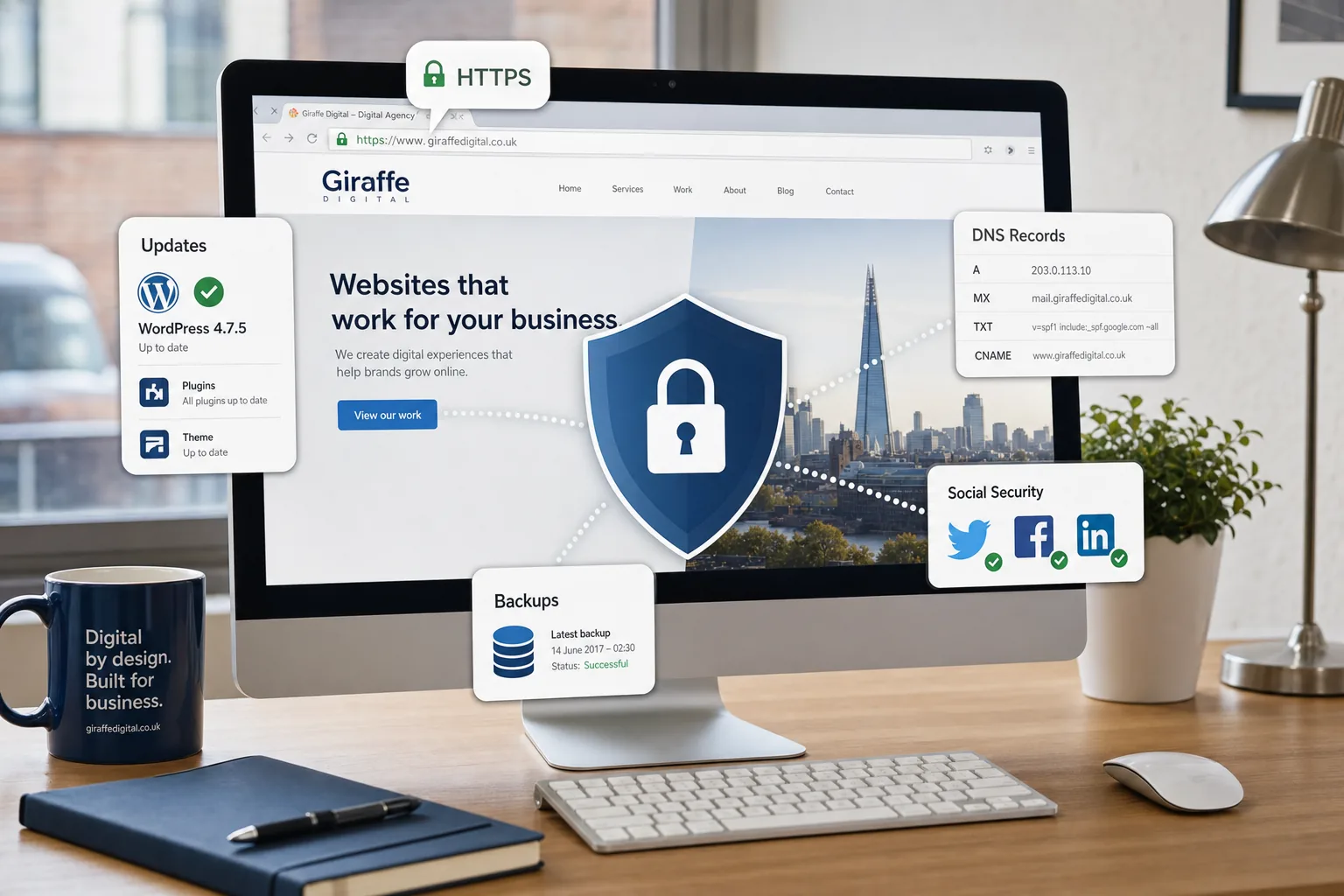
Maintenance is equally important. A website built on a content management system needs ongoing attention. Core software, themes, plugins and extensions should be reviewed and updated in a controlled way. This is particularly relevant for WordPress sites, where the platform itself is widely used and well supported, but poor plugin choices and neglected updates can create avoidable risk. Updates should not be ignored, but they should be managed carefully, with backups in place before significant changes are made.
Design decisions can support better security
Website design is often discussed in terms of appearance, conversion and brand positioning, but design choices can also influence security and trust. A well-designed website helps visitors understand what is genuine. Consistent branding, clear contact details, professional copy and logical page structures make it easier for customers to recognise your official website and spot suspicious imitations.
Forms deserve particular attention. Contact forms, quote requests, file uploads and newsletter sign-ups should be designed to collect the information the business genuinely needs. Asking for excessive personal information can create unnecessary risk and reduce conversion rates. For many service businesses, a short, well-labelled form is both more user-friendly and more sensible from a data protection point of view.
It is also worth thinking about error messages and confirmation pages. A form should confirm that an enquiry has been sent without revealing sensitive technical details. If something fails, the message should be helpful to the user, but it should not expose information about the website’s underlying system. Small details like this contribute to a more professional and secure experience.
Trust signals should be accurate and current. If you display professional memberships, payment information, review links or accreditations, they should be kept up to date. Old badges, broken links and outdated copyright dates may not be security issues in themselves, but they can make a website look neglected. A neglected website may lead visitors to question whether the organisation is equally careless with their information.
Passwords, user accounts and access control
Many website problems begin with poor access management. A website may have administrators, editors, agency users, freelance developers, hosting logins, email accounts, analytics access and social media profiles all connected to the business. Cyber security awareness means knowing who has access, what level of access they have and whether that access is still needed.
Every user should have their own account where possible. Shared logins make it difficult to track activity and harder to remove access when a staff member or supplier changes role. Administrator privileges should be limited to the people who genuinely need them. For most day-to-day content work, editor-level access is usually enough.
Strong, unique passwords remain essential. Reusing the same password across website, email and social media accounts is risky because a breach elsewhere can quickly become a website problem. A reputable password manager can help teams create and store complex passwords without writing them down or using simple patterns. Two-factor authentication, where available, should be enabled for website administration, email, domain accounts, social media platforms and advertising accounts.
It is sensible to review access regularly. A quarterly check can identify old users, dormant accounts and unnecessary permissions. This is particularly important after staff changes, supplier changes or a website redesign. Access control is rarely exciting, but it is one of the most practical ways to reduce risk.
Domain registration and brand protection
Your domain name is one of the most valuable digital assets your business owns. It supports your website, email, search visibility, printed marketing and brand recognition. Losing control of a domain, allowing it to expire or failing to keep registration details up to date can cause serious disruption.
Businesses should know who registered the domain, which email address controls it and when it is due for renewal. The domain should be registered in the correct business name, not solely under an individual employee or temporary supplier. Renewal reminders should go to a monitored business email address, and account access should be protected with a strong password and two-factor authentication if the provider offers it.
It is also worth considering related domain names where appropriate. A UK business may wish to secure relevant versions of its trading name to reduce confusion and protect the brand. This does not mean registering every possible variation, but it does mean making deliberate decisions rather than leaving obvious opportunities for impersonation or misdirection.
Domain privacy and contact information should be reviewed in line with the needs of the organisation. The key point is accountability: the business should be able to prove and maintain control of its own web address. A professional website strategy should always include a check of domain ownership, renewal arrangements and DNS access before major design or hosting changes begin.
Email, phishing and social media risks
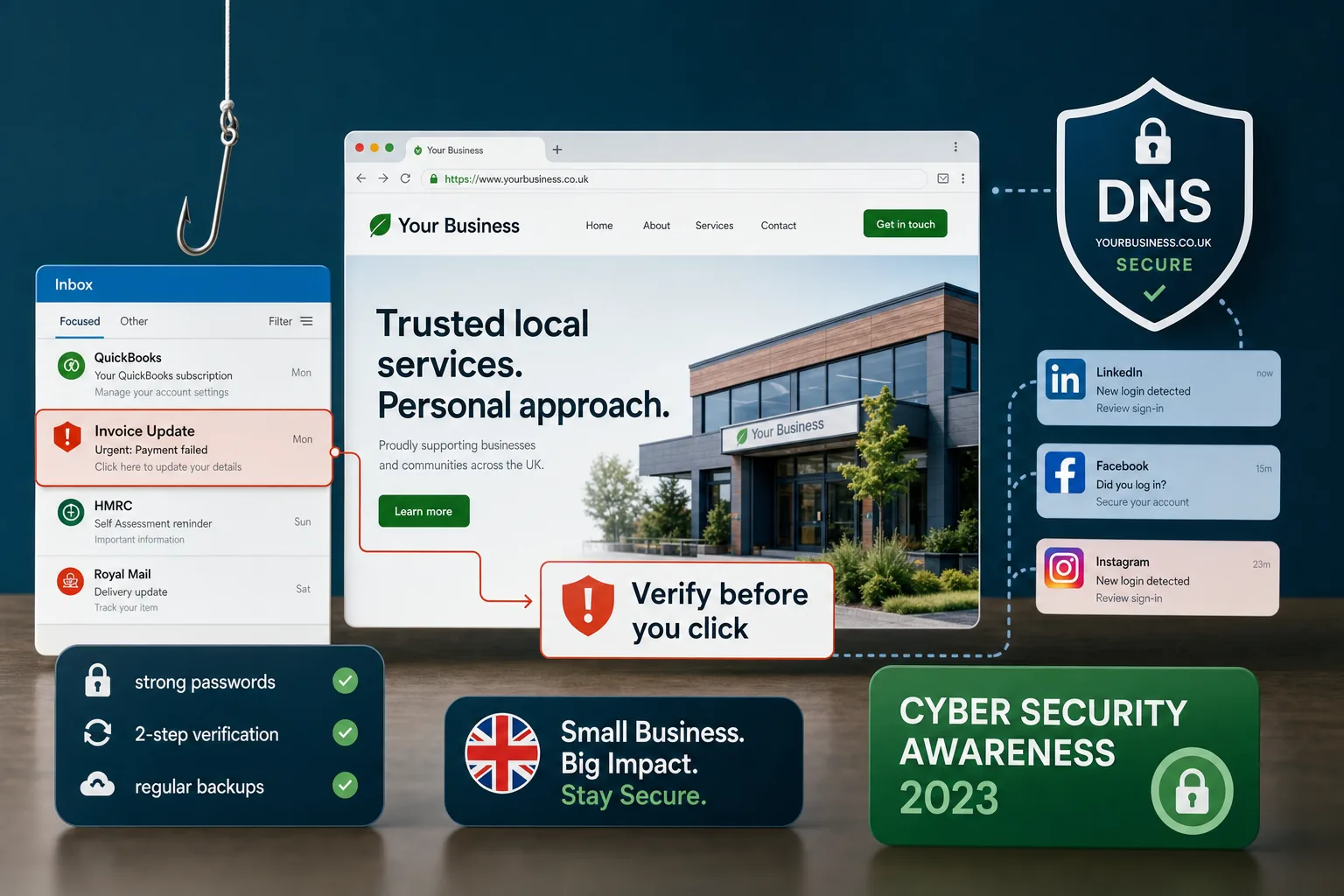
Many cyber security incidents begin away from the website itself. A convincing phishing email can persuade someone to reveal a password, approve a fake invoice or click a malicious link. Cyber Security Awareness Month is a good opportunity to remind teams that attackers often use ordinary business language: overdue invoices, delivery notifications, shared documents, password resets and urgent account warnings.
Email security should be part of the wider website and brand conversation. Correctly configured domain records can help reduce email spoofing and improve confidence that messages are genuinely from your organisation. SPF, DKIM and DMARC are technical settings that can support email authentication when configured properly. They are not a complete solution, but they are useful measures for businesses that send regular customer emails, newsletters or transactional messages.
Social media accounts also need protection. Facebook, Instagram, LinkedIn and Twitter profiles are often connected to advertising accounts, customer messages and brand reputation. A compromised social account can be used to publish misleading posts, send suspicious links or damage trust very quickly. Strong passwords, careful admin access and two-factor authentication should be standard practice.
Staff should also be aware of impersonation. Fake profiles, lookalike pages and misleading messages can affect customers as well as the business. Clear links from the official website to genuine social media profiles help visitors identify the correct accounts. Likewise, social profiles should link back to the official website so that users can verify they are dealing with the right organisation.
SEO, content and security work together
Search marketing and cyber security are often treated as separate disciplines, but they overlap in several important ways. Search engines want to direct users towards useful, trustworthy pages. A website that is slow, full of broken links, not mobile-friendly or affected by security warnings is unlikely to provide the best possible experience.
If a site is compromised, it may be used to host spam pages, malicious redirects or hidden links. This can damage organic visibility and may result in warnings appearing in search results or browsers. Cleaning up after such an incident can take time, especially if the compromise has affected multiple pages or generated large numbers of unwanted URLs.
Regular website audits help protect both search performance and security. Checks should include crawl errors, indexation issues, unexpected pages, unusual traffic patterns, broken forms, outdated plugins and suspicious changes to page titles or meta descriptions. Analytics and Search Console data can provide useful clues, but they should be reviewed by someone who understands what normal behaviour looks like for the business.
Content quality also plays a role. Clear service pages, accurate contact information, well-maintained blog posts and up-to-date policies all contribute to credibility. A website that is actively managed is more likely to receive attention when something looks wrong. From a digital marketing point of view, that ongoing attention supports SEO, conversion and security at the same time.
Practical cyber security awareness actions for UK businesses
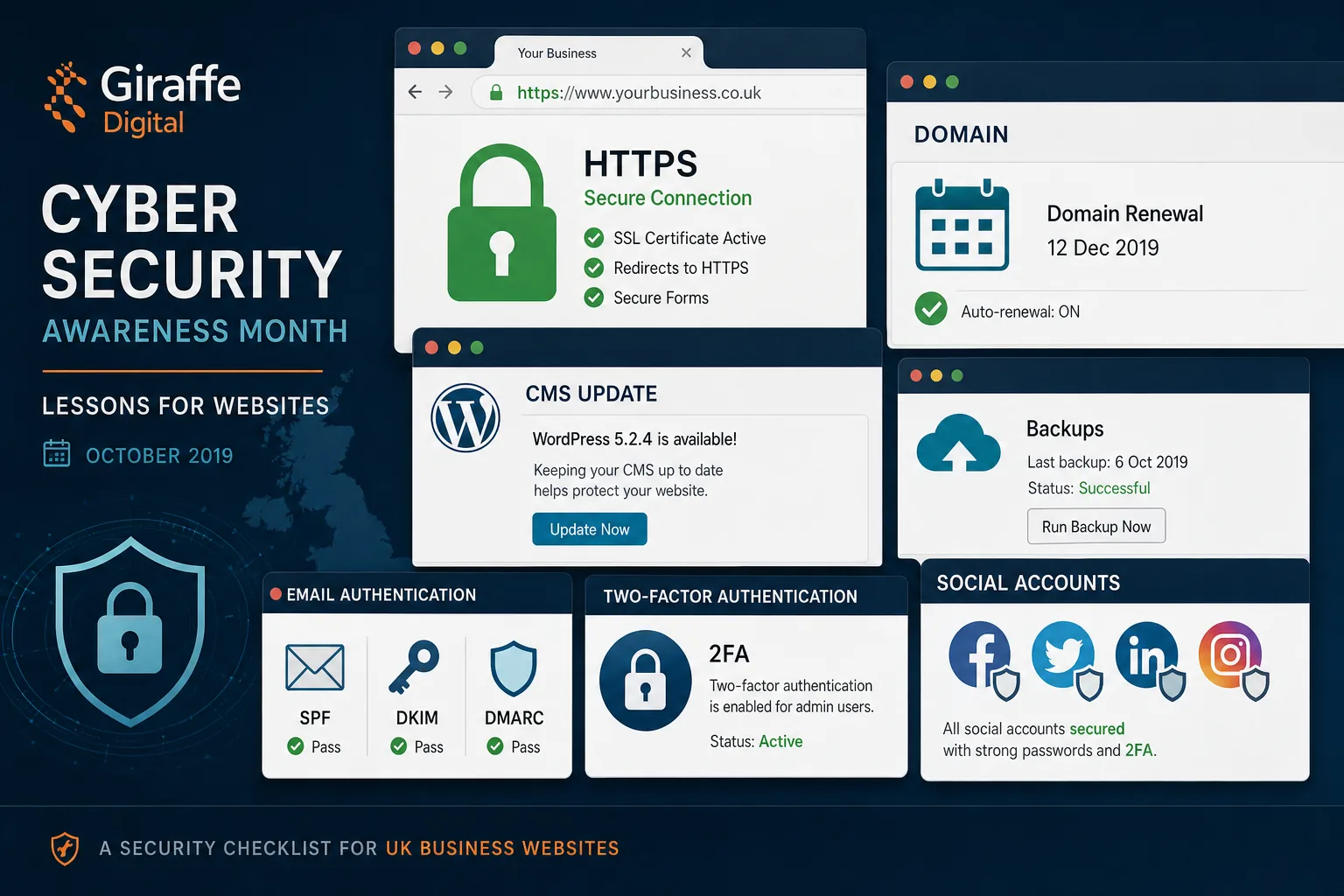
Cyber security can feel broad, so it helps to turn awareness into a short list of practical actions. The following steps are a sensible starting point for many UK businesses with an existing website or a redesign on the horizon.
- Check HTTPS: Make sure every important page loads securely and redirects correctly from older HTTP versions.
- Review website access: Remove old users, reduce unnecessary administrator access and avoid shared logins.
- Update software carefully: Keep the CMS, themes, plugins and extensions maintained, with backups before major updates.
- Protect key accounts: Use strong, unique passwords and enable two-factor authentication for website, email, social and advertising accounts.
- Confirm domain ownership: Ensure the business controls the domain, renewal details and DNS access.
- Test forms: Check that contact forms, newsletter sign-ups and booking forms work properly and only collect necessary information.
- Review backups: Confirm what is backed up, how often it happens and how quickly the website can be restored.
- Train staff: Remind the team how to spot phishing emails, suspicious links and unusual login requests.
- Monitor search presence: Watch for unexpected indexed pages, warnings, unusual traffic drops or suspicious search snippets.
- Keep policies current: Review privacy information, cookie notices and data handling explanations so they reflect how the website actually operates.
Make security part of your digital strategy
The most effective approach is to build cyber security awareness into everyday digital decision-making. When commissioning a new website, ask how updates, backups, forms, user accounts, hosting and analytics will be managed after launch. When planning SEO activity, include technical health and security checks in the schedule. When launching a campaign on social media, confirm who has access and how accounts are protected.
This does not mean every business owner needs to become a cyber security specialist. It does mean asking better questions and choosing suppliers who treat security, usability and marketing performance as connected parts of the same digital presence. A secure website is easier to trust, easier to maintain and better placed to support long-term growth.
Cyber Security Awareness Month is a timely prompt, but the lesson should last beyond October. A professional website is never truly finished once it goes live. It needs care, review and improvement. By taking practical steps now, UK businesses can reduce risk, protect their reputation and give customers greater confidence when they visit, enquire and buy online.
Frequently asked questions
Why does cyber security awareness matter for business websites?
Most business owners understand the value of professional website design. Clear navigation, strong messaging, fast-loading pages and a recognisable brand all help visitors feel they are in the right place. Security is part of that same trust-building process. If a visitor sees a browser warning, receives a suspicious email that appears to come from your domain, or lands on a website that has been compromised, the damage is not just technical. It affects reputation, enquiries and confidence. Cyber security awareness is especially important because many common website risks are preventable. Weak passwords, neglected software updates, poorly managed user accounts and unmonitored contact forms are everyday issues. They may not sound dramatic, but they create opportunities for attackers, spammers and automated scripts.