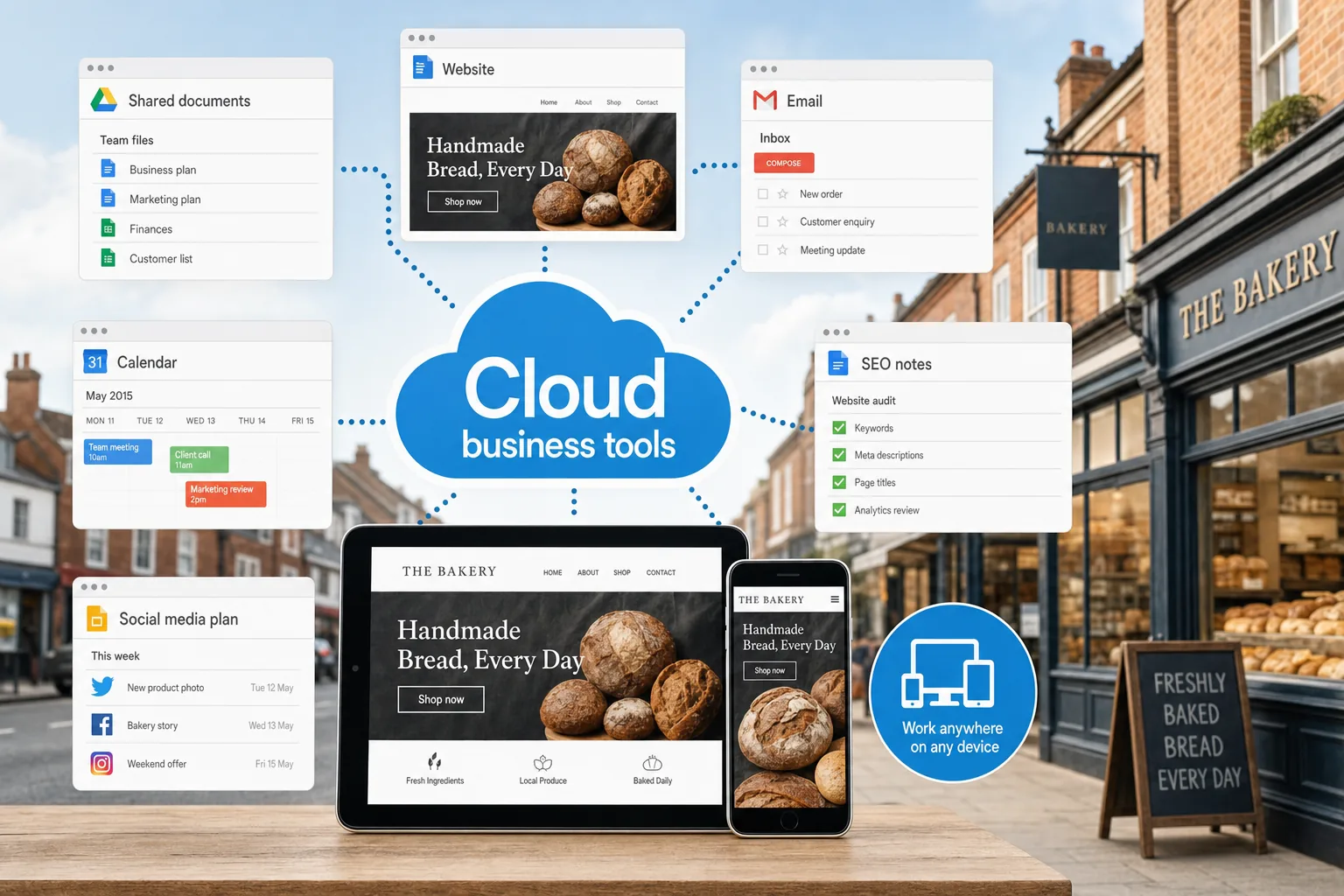
Cloud business tools are no longer reserved for large organisations with complicated IT departments. For many UK small businesses, they offer a practical way to work more flexibly, keep important information accessible and support a more joined-up approach to marketing, sales and customer service. Whether you run a local service business, a growing online shop or a small professional firm, using the right cloud tools can help your team spend less time chasing files and more time serving customers.
What cloud business tools mean for a small business
In simple terms, cloud business tools are online services that let you store, manage and use business information through a web browser or connected app. Instead of keeping everything on one office computer, your documents, emails, contacts, calendars, accounts, marketing assets and project notes can be accessed securely from different locations.
That does not mean every system has to move online at once. A sensible approach is to identify the tasks that slow your business down and consider whether a cloud-based tool could make them easier. Common examples include shared calendars, online document storage, email hosting, customer relationship management, bookkeeping, task management and social media scheduling.
For a small business owner, the main value is often flexibility. If a member of staff is visiting a client, working from home or checking something outside normal office hours, they can still access the information they need. This can be particularly useful for businesses with part-time staff, remote suppliers, mobile sales teams or seasonal peaks in demand.
Why flexibility matters to your customers as well as your team
Flexible working is not only an internal benefit. It can also improve the experience your customers receive. If enquiries from your website are stored in one place, followed up promptly and visible to the right people, fewer opportunities are missed. If your team can access the latest version of a proposal, product sheet or service brief, your communication becomes more consistent.
Cloud tools can also make a small business appear more professional. Shared calendars help avoid double bookings. Online file storage helps prevent outdated brochures being sent to prospects. Cloud-based email and contact management can make it easier to respond to customers in a timely, organised way.
This matters because many buying journeys now begin online. A potential customer may find your website through a search engine, compare your services, read your social media posts and send an enquiry before speaking to anyone directly. Behind the scenes, your tools need to support that journey. A well-presented website, clear branding and reliable cloud systems should work together rather than sit in separate silos.
Choosing the right cloud tools without overcomplicating things
There is no single perfect toolkit for every organisation. A trades business, a consultancy, a retailer and a charity will all have different needs. Before choosing software, it is worth mapping how your business currently works. Look at how you handle enquiries, create quotes, share files, update your website, manage social media, send email campaigns and track sales activity.
A useful starting point is to ask three practical questions:
- What information do we need to access more easily? This could include project files, customer notes, marketing images, product details or reports.
- Where do delays or mistakes usually happen? For example, old documents being used, missed follow-up calls or confusion over who is responsible for a task.
- Who needs access? Consider owners, employees, freelancers, agencies and any external specialists who help with design, SEO or marketing.
Once you understand the workflow, it becomes easier to choose tools that fit. Some businesses will benefit from a broad office suite with email, calendars and document sharing. Others may need specialist tools for accounts, project management, customer databases or email marketing. The most important point is that the tools should reduce friction, not create another layer of administration.
Cloud tools and your website design process
A well-planned website project often involves content, images, design feedback, technical decisions and search marketing considerations. Cloud tools can make that process much smoother. Instead of sending large files by email or losing track of comments across different messages, a business can use shared folders, collaborative documents and task lists to keep everyone aligned.
For example, if you are preparing a new website, you might keep page copy, staff profiles, photography, brand guidelines and product descriptions in a shared online space. Your web design team can then see what has been approved, what is still missing and which pages need attention. This helps avoid delays and keeps the project moving.
Cloud-based collaboration is also useful after a website has launched. Many businesses need to update pages, add blog posts, upload case studies or change seasonal information. A clear process for drafting, reviewing and approving content helps ensure your site remains accurate and useful.
Keeping brand assets consistent
Brand consistency is a common challenge for growing businesses. Logos, colours, fonts, image styles and written tone can become inconsistent when files are stored in several different places. A shared brand folder can help your team and suppliers use the correct assets.
This is especially important online. Your website, social media profiles, email campaigns, printed leaflets and advertising should all feel like they belong to the same business. Cloud storage can hold approved logo files, photography, advert templates, email headers and copy guidelines, helping everyone work from the same source.
Using cloud tools to support SEO in 2015
Search engine optimisation remains a long-term process rather than a one-off task. Cloud business tools can support SEO by making it easier to plan, produce and review useful content. A shared content calendar, for instance, can help you plan blog posts around seasonal searches, customer questions and important business dates.
For small businesses, sensible SEO in 2015 should focus on clear page structure, useful written content, relevant page titles, local information where appropriate, fast-loading pages and mobile-friendly design. Search engines are increasingly rewarding websites that provide a good experience for users, particularly as more people browse and search on smartphones.
Cloud documents and spreadsheets can help track target pages, keyword themes, title tags, meta descriptions, content ideas and publishing dates. This does not need to be complicated. Even a simple shared spreadsheet can give a business owner and digital agency a clear view of what has been done and what needs attention next.
It is also useful to keep records of login details, hosting information, website changes and content approvals in a secure, organised way. This helps when a new team member joins, when a supplier changes or when a marketing campaign needs to be reviewed.
Social media marketing and scheduling from the cloud
Social media can be time-consuming if it is managed in a rushed or unplanned way. Cloud-based scheduling and monitoring tools can help small businesses prepare posts in advance, coordinate activity across channels and keep a record of what has been published.
In 2015, many UK businesses are using platforms such as Facebook, Twitter, LinkedIn, Instagram and YouTube to reach different audiences. The right mix depends on where your customers spend time and what kind of content you can maintain. A business-to-business consultancy may focus heavily on LinkedIn and useful articles, while a café, retailer or leisure business may find visual updates more effective.
A cloud-based social media plan can include post ideas, campaign dates, image requirements, links to website pages and notes about tone of voice. This makes it easier to connect social updates with wider business goals. For example, a new service page on your website can be supported by a short run of social posts, an email newsletter and a relevant blog article.
However, scheduling should not replace genuine engagement. Customers may ask questions, leave comments or raise concerns publicly. Someone in the business still needs to check notifications and respond appropriately. Cloud tools help with organisation, but the human element remains essential.
Email, customer data and sensible organisation
Email remains one of the most important communication channels for small businesses. Cloud-based email, shared calendars and contact systems can make day-to-day work more reliable, particularly when several people need to see appointments, customer conversations or follow-up reminders.
A small customer relationship management system can be especially useful once enquiries start coming from multiple sources: website contact forms, telephone calls, networking, social media, email campaigns and referrals. Keeping notes in one place helps avoid duplication and ensures prospects are not forgotten.
Good organisation also supports marketing. If you understand where enquiries come from and what customers are interested in, you can make better decisions about website content, advertising and email campaigns. For example, if a particular service page generates regular questions, that may be a sign that the page needs clearer explanations, stronger calls to action or a helpful downloadable guide.
Domain names, hosting and business continuity
Your domain name is a key part of your business identity online. When registering a domain, choose something clear, memorable and easy to spell. For many UK businesses, a .co.uk or .uk domain is a natural choice, while a .com may also be useful depending on the market and availability. It is sensible to register close variations where appropriate, especially if your business name could be misspelt or confused with another organisation.
Avoid choosing a domain solely because it contains a keyword. A clear brand name is often stronger in the long term than a forced, awkward phrase. Think about how the domain will look on business cards, vans, email addresses, signage and search results. Shorter is usually better, provided it remains meaningful.
Keep ownership details, renewal dates and administrative access carefully recorded. Many website problems begin when a business loses track of who registered the domain, which email address controls it or when it is due for renewal. Cloud-based record keeping can help, but access should be limited to trusted people and protected with strong passwords.
Hosting should also be chosen with reliability, support and future growth in mind. A well-designed website still needs a solid technical foundation. Slow pages, frequent downtime or poor mobile performance can affect customer confidence and may limit the value of your wider digital marketing.
Security, access and good habits
Moving more work into the cloud requires sensible security habits. Small businesses should use strong, unique passwords and avoid sharing one login between several people. Where a service offers additional sign-in protection, it is worth considering. Access should also be reviewed when staff leave or suppliers no longer need to work on a project.
It is wise to understand where important information is stored and how it can be recovered if something goes wrong. Cloud services can reduce the risk of data being lost on a single computer, but that does not remove the need for good procedures. Keep organised folders, clear file names and regular checks of important documents.
Businesses should also think carefully about customer information. Only collect what you need, store it responsibly and make sure staff understand how it should be used. Good data habits protect your customers and help maintain trust.
Building a practical cloud toolkit around your business goals
The best use of cloud business tools is not simply to follow a trend. It is to create a more efficient, responsive and professional business. Start with the areas that will make the biggest difference: handling enquiries, managing website content, sharing files, planning marketing, keeping customer notes or improving internal communication.
For many small businesses, the first step might be as simple as creating a shared content calendar, organising brand assets in one approved location or moving project notes into a tool that the whole team can access. From there, you can build a more connected approach to website design, SEO, social media and customer management.
If you are planning a new website or reviewing your digital marketing, it is worth considering the tools and processes that sit behind it. A strong online presence is not only about how your website looks. It is also about how easily your business can update information, respond to enquiries, publish useful content and measure what is working.
Cloud tools work best when they support clear processes. Choose tools that help your team communicate, serve customers and keep your online presence moving in the right direction.
Used well, cloud business tools can give small businesses the confidence to work from more places, collaborate with the right people and keep marketing activity organised. The result is a business that is better prepared for growth, more consistent online and more responsive to the customers it wants to reach.
Frequently asked questions
What should we consider when choosing the right cloud tools without overcomplicating things?
There is no single perfect toolkit for every organisation. A trades business, a consultancy, a retailer and a charity will all have different needs. Before choosing software, it is worth mapping how your business currently works. Look at how you handle enquiries, create quotes, share files, update your website, manage social media, send email campaigns and track sales activity. A useful starting point is to ask three practical questions: What information do we need to access more easily? This could include project files, customer notes, marketing images, product details or reports; Where do delays or mistakes usually happen? For example, old documents being used, missed follow-up calls or confusion over who is responsible for a task; Who needs access?
What should we know about domain names, hosting and business continuity?
Your domain name is a key part of your business identity online. When registering a domain, choose something clear, memorable and easy to spell. For many UK businesses, a.co.uk or.uk domain is a natural choice, while a.com may also be useful depending on the market and availability. It is sensible to register close variations where appropriate, especially if your business name could be misspelt or confused with another organisation. Avoid choosing a domain solely because it contains a keyword. A clear brand name is often stronger in the long term than a forced, awkward phrase. Think about how the domain will look on business cards, vans, email addresses, signage and search results.
What should we consider when building a practical cloud toolkit around our business goals?
The best use of cloud business tools is not simply to follow a trend. It is to create a more efficient, responsive and professional business. Start with the areas that will make the biggest difference: handling enquiries, managing website content, sharing files, planning marketing, keeping customer notes or improving internal communication. For many small businesses, the first step might be as simple as creating a shared content calendar, organising brand assets in one approved location or moving project notes into a tool that the whole team can access. From there, you can build a more connected approach to website design, SEO, social media and customer management. If you are planning a new website or reviewing your digital marketing, it is worth considering the tools and processes that sit behind it.