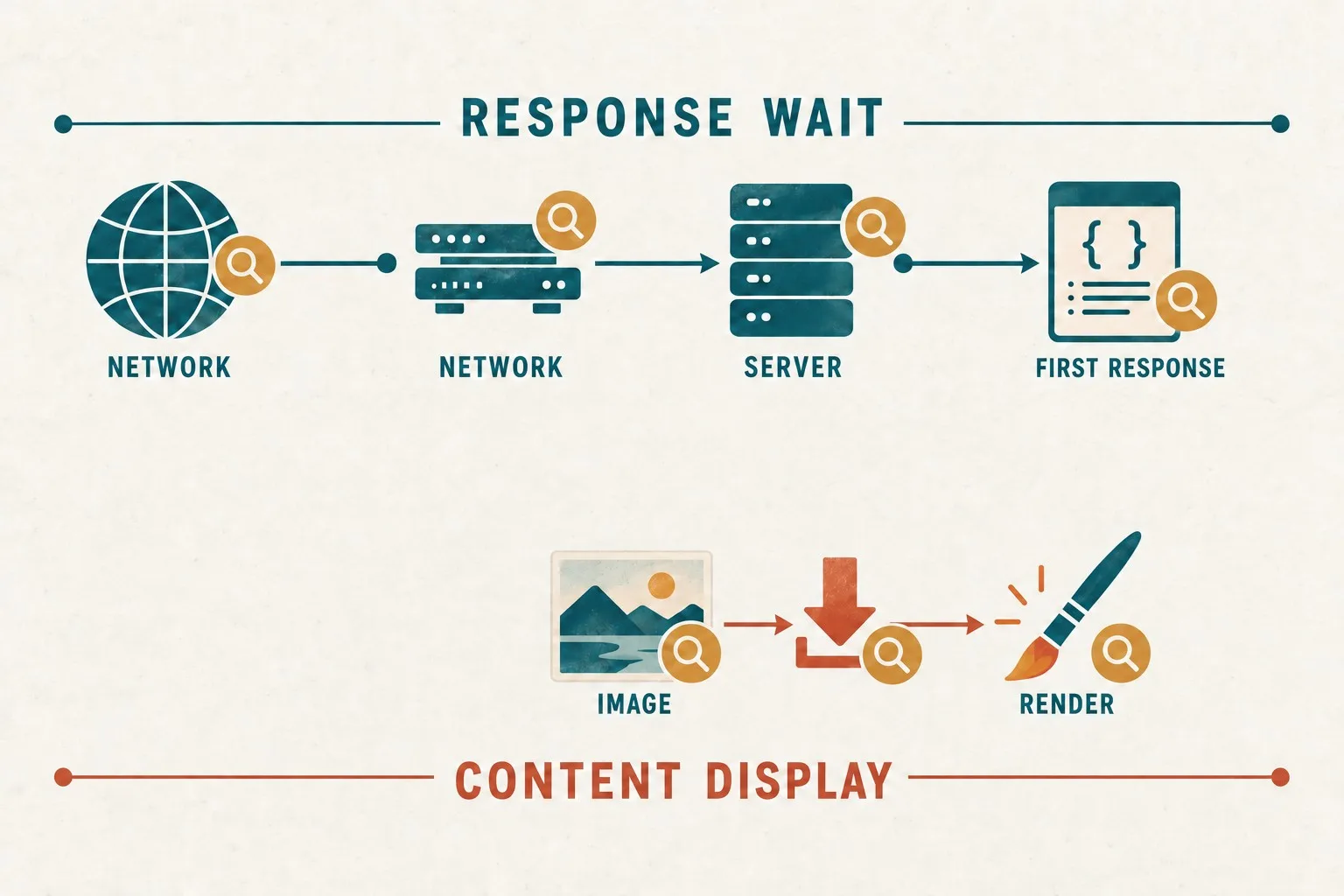
A slow website often triggers a simple suggestion: move to faster hosting. Sometimes that is the right response. In other cases, the server delivers the page promptly, but the browser spends several seconds downloading oversized images or processing scripts. Buying more server capacity will not resolve every delay in that second scenario.
The useful question is where the time goes during a real customer journey. A website can be slow to produce a response, slow to display its main content, slow to react to an interaction or slow to complete a transaction. Each symptom points towards a different investigation.
Hosting and code also interact. Inefficient database queries can exhaust otherwise adequate resources, while a sound application can struggle on a platform with unsuitable limits. Diagnose the work and the environment together before deciding which investment will give the business a useful improvement.
Describe the problem in customer terms
Write down the affected journey, page, device and time. “The site is slow” is difficult to investigate. “New visitors on mobile wait before the service heading and photograph appear” gives the team something more specific to reproduce. “The quote form takes twelve seconds to confirm” describes a separate problem.
Ask whether the issue happens consistently or mainly during busy periods. Note whether logged-in users, first-time visitors and returning visitors experience it differently. These distinctions can reveal differences in caching, personalisation, network conditions or workload without proving a particular cause on their own.
Establish the business impact. A delay on a frequently used enquiry route may deserve attention before a rarely visited administrative screen. However, a slow internal task can still have substantial operational cost when staff repeat it all day. Prioritise the journey rather than its visibility to the public.
Keep a record of changes around the time the problem appeared. New tracking scripts, a larger image library, an integration, a hosting move or growing data volumes may provide useful leads. Timing helps form a hypothesis, but test the hypothesis before treating the change as the cause.
Separate waiting for the response from displaying the page
Time to First Byte, or TTFB, measures the interval from starting navigation until the first response byte arrives. It can include redirects, connection setup and other phases. A high value is a diagnostic clue rather than a direct measurement of server processing alone. Our website performance diagnosis guide provides the related checks.
If TTFB is repeatedly high, examine redirects, network distance, caching and application response work. The browser's network timing and the server's own measurements answer different questions. Combining them helps distinguish waiting on the network from time spent generating the page.
If the first response arrives quickly, but the main content appears late, inspect what happens afterwards. The page may request a large hero image late, depend on blocking resources or wait for JavaScript before displaying useful information. These delays can remain after an expensive hosting upgrade.
Investigate Largest Contentful Paint through response time, resource discovery delay, resource transfer and rendering delay. Identify the slow part before selecting a remedy. Different causes need different changes and verification. Our LCP and performance investigation guide provides the related checks.
Use comparable tests and real visitor evidence
Run repeatable tests on representative pages rather than testing only the homepage once. Include an important service page, a content page and any transaction or enquiry route. Record the device, connection settings, location, cache state and test time, so later comparisons mean something.
A lab test gives a controlled view that helps identify causes. Real visitor measurements describe the range of experiences on actual devices and connections. Where sufficient field data is available, compare it with your lab results. Where it is absent, state that limitation and gather appropriate evidence.
Keep first visits separate from repeat visits during diagnosis. A warmed browser cache or server cache can make a second test look much better. Both experiences matter, but they should not be mixed into a conclusion that the problem has disappeared for new customers.
Check the page behaviour as well as a score. A fast-looking page can still have an unresponsive menu, a late-moving button or a form that silently waits on another service. Record the task outcome and any visible failures alongside loading measurements.
Find evidence that hosting capacity is the constraint
Ask the hosting provider which relevant resource measurements are available. Useful evidence may include processor use, memory pressure, storage performance, worker limits and request queues. The exact indicators depend on the platform, so compare them with the limits of the actual package rather than another provider's terminology.
Look for a relationship between workload and degraded responses. If response times deteriorate when concurrent requests increase and the platform reports a reached limit, additional capacity may be justified. If resources remain comfortable, an upgrade needs a different explanation.
Check whether the package suits the application. A mostly cached brochure site and an uncached customer portal have different requirements. Storage capacity alone says little about the number of dynamic requests a site can serve promptly. Ask about the features and limits that govern your actual workload.
Any load testing should be agreed with the provider and conducted in an appropriate environment. Use a realistic mix of pages and actions, starting conservatively. A test that simply hammers the homepage can be disruptive and may say little about the journeys that matter.
Identify expensive application work
A developer can inspect how long the application spends on database queries, template generation and external services. One slow dependency can hold up the whole response. For example, a form that waits for a third-party system before confirming receipt may feel slow even when the main website server is healthy.
Review queries against realistic data volumes. A feature can perform well with a small demonstration database and poorly after years of customer records accumulate. Investigate indexes, repeated queries and unnecessary work before assuming the server needs to grow indefinitely.
Consider caching where the content and workflow allow it. Public information that changes infrequently may be suitable for a different cache policy from account-specific content. Agree invalidation and freshness rules, so performance improvements do not serve outdated prices or another customer's information.
Look at the browser workload too. Remove unnecessary scripts, request suitably sized images and investigate features that block useful content. Prioritise changes supported by measurements. Removing a business-critical feature without understanding its purpose can create a different problem.
Compare fixes through a controlled trial
Prepare a short finding for each proposed change: the observed bottleneck, the supporting evidence, the expected effect and the verification method. This makes a hosting recommendation reviewable and gives a code improvement the same standard of scrutiny.
Change one meaningful variable at a time when practical. Compare the same journeys before and after an image improvement, a query change or a capacity adjustment. If several things change simultaneously, acknowledge that it may be difficult to attribute the result to one of them.
Include operating consequences in the comparison. A move may introduce migration work, new support arrangements and different backup responsibilities. A code change may require maintenance and regression testing. Evaluate the continuing effort as well as the immediate performance result.
Test successful and unsuccessful journeys after the fix. Confirm that forms still deliver, login boundaries remain correct and important content updates appear as intended. A faster response is useful when the website continues to carry out its business tasks accurately.
Make performance part of ongoing ownership
Agree who monitors important journeys and what should trigger a review. Establish a baseline, record major changes and revisit performance when traffic, content or functionality changes. This turns a one-off complaint into a manageable part of website operations.
Set expectations around meaningful customer outcomes rather than a perfect test score. Faster visible content, responsive interactions and reliable enquiry confirmation may require several coordinated improvements. Avoid promises that every visitor will experience the same timings on every network.
Giraffe Digital's digital strategy service considers the website and the systems supporting its customer journey. A measured performance investigation helps decide whether the next step belongs in hosting, application work, page design or a combination of those areas.
Frequently asked questions
How should we describe the problem in customer terms?
Write down the affected journey, page, device and time. "The site is slow" is difficult to investigate. "New visitors on mobile wait before the service heading and photograph appear" gives the team something more specific to reproduce. "The quote form takes twelve seconds to confirm" describes a separate problem. Ask whether the issue happens consistently or mainly during busy periods. Note whether logged-in users, first-time visitors and returning visitors experience it differently. These distinctions can reveal differences in caching, personalisation, network conditions or workload without proving a particular cause on their own. Establish the business impact. A delay on a frequently used enquiry route may deserve attention before a rarely visited administrative screen.
How should we use comparable tests and real visitor evidence?
Run repeatable tests on representative pages rather than testing only the homepage once. Include an important service page, a content page and any transaction or enquiry route. Record the device, connection settings, location, cache state and test time, so later comparisons mean something. A lab test gives a controlled view that helps identify causes. Real visitor measurements describe the range of experiences on actual devices and connections. Where sufficient field data is available, compare it with your lab results. Where it is absent, state that limitation and gather appropriate evidence. Keep first visits separate from repeat visits during diagnosis. A warmed browser cache or server cache can make a second test look much better. Both experiences matter, but they should not be mixed into a conclusion that the problem has disappeared for new customers.
How should we find evidence that hosting capacity is the constraint?
Ask the hosting provider which relevant resource measurements are available. Useful evidence may include processor use, memory pressure, storage performance, worker limits and request queues. The exact indicators depend on the platform, so compare them with the limits of the actual package rather than another provider's terminology. Look for a relationship between workload and degraded responses. If response times deteriorate when concurrent requests increase and the platform reports a reached limit, additional capacity may be justified. If resources remain comfortable, an upgrade needs a different explanation. Check whether the package suits the application. A mostly cached brochure site and an uncached customer portal have different requirements. Storage capacity alone says little about the number of dynamic requests a site can serve promptly.
How should we identify expensive application work?
A developer can inspect how long the application spends on database queries, template generation and external services. One slow dependency can hold up the whole response. For example, a form that waits for a third-party system before confirming receipt may feel slow even when the main website server is healthy. Review queries against realistic data volumes. A feature can perform well with a small demonstration database and poorly after years of customer records accumulate. Investigate indexes, repeated queries and unnecessary work before assuming the server needs to grow indefinitely. Consider caching where the content and workflow allow it. Public information that changes infrequently may be suitable for a different cache policy from account-specific content.
How should we make performance part of ongoing ownership?
Agree who monitors important journeys and what should trigger a review. Establish a baseline, record major changes and revisit performance when traffic, content or functionality changes. This turns a one-off complaint into a manageable part of website operations. Set expectations around meaningful customer outcomes rather than a perfect test score. Faster visible content, responsive interactions and reliable enquiry confirmation may require several coordinated improvements. Avoid promises that every visitor will experience the same timings on every network. Giraffe Digital's digital strategy service considers the website and the systems supporting its customer journey. A measured performance investigation helps decide whether the next step belongs in hosting, application work, page design or a combination of those areas.