Core Web Vitals are not just a technical SEO topic. They are a practical way to understand whether your website feels fast, stable and easy to use for real people. For UK business owners, that matters because your website is often the first meaningful interaction a potential customer has with your brand. If a page takes too long to load, moves around as someone tries to tap a button, or responds slowly to an action, the experience can undermine trust before your message has had a chance to land.
In June 2023, Core Web Vitals remain an important part of good website design, search marketing and digital strategy. They are not the only factor that determines rankings or commercial success, but they help businesses focus on improvements that customers can genuinely feel. A faster, smoother website can support enquiries, e-commerce sales, booking forms, newsletter sign-ups and social media campaigns by reducing the friction between interest and action.
What Core Web Vitals measure
Core Web Vitals are a set of user experience metrics used to assess the loading performance, interactivity and visual stability of a web page. They sit within a broader approach to page experience, but they are particularly useful because they turn common frustrations into measurable signals.
Largest Contentful Paint
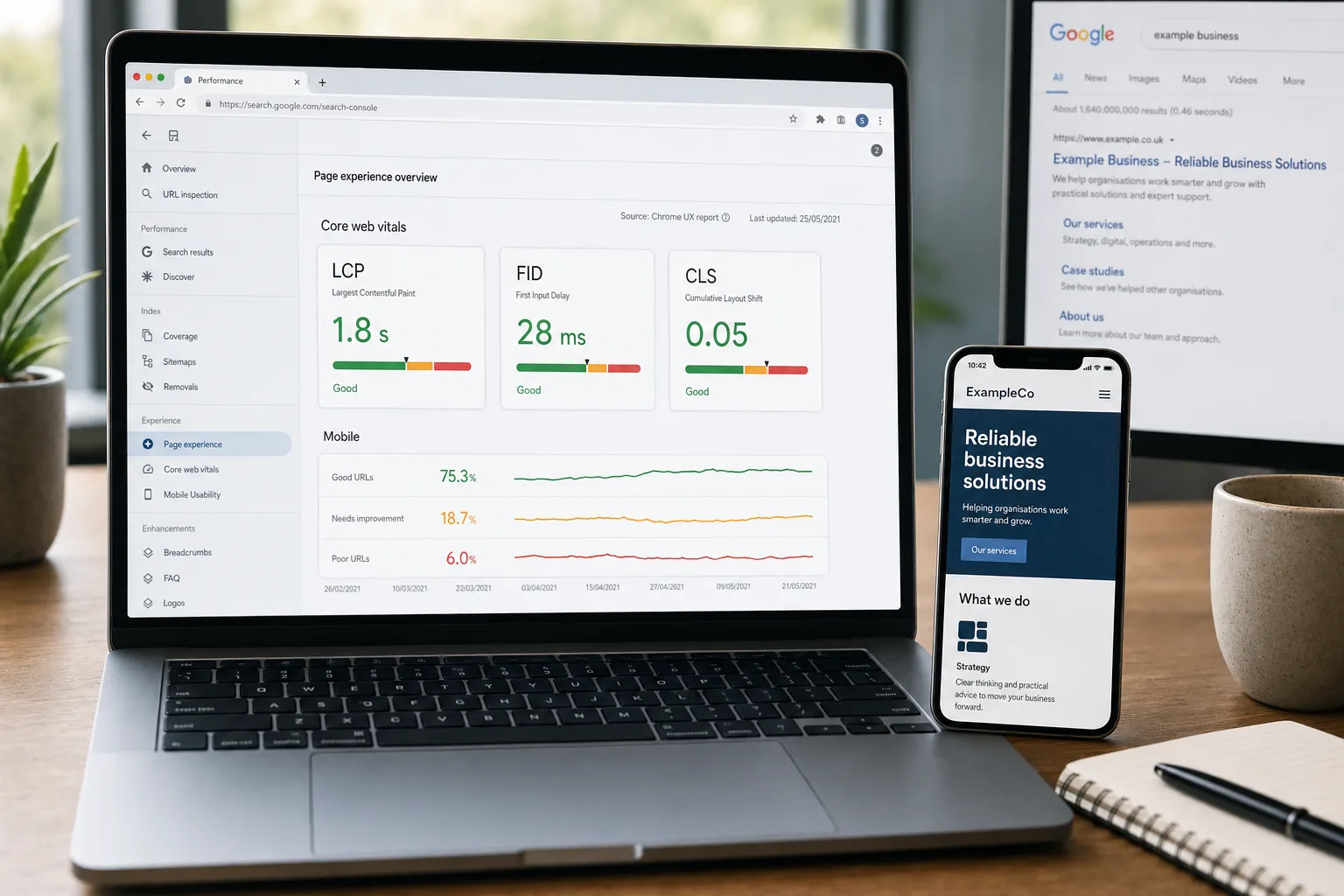
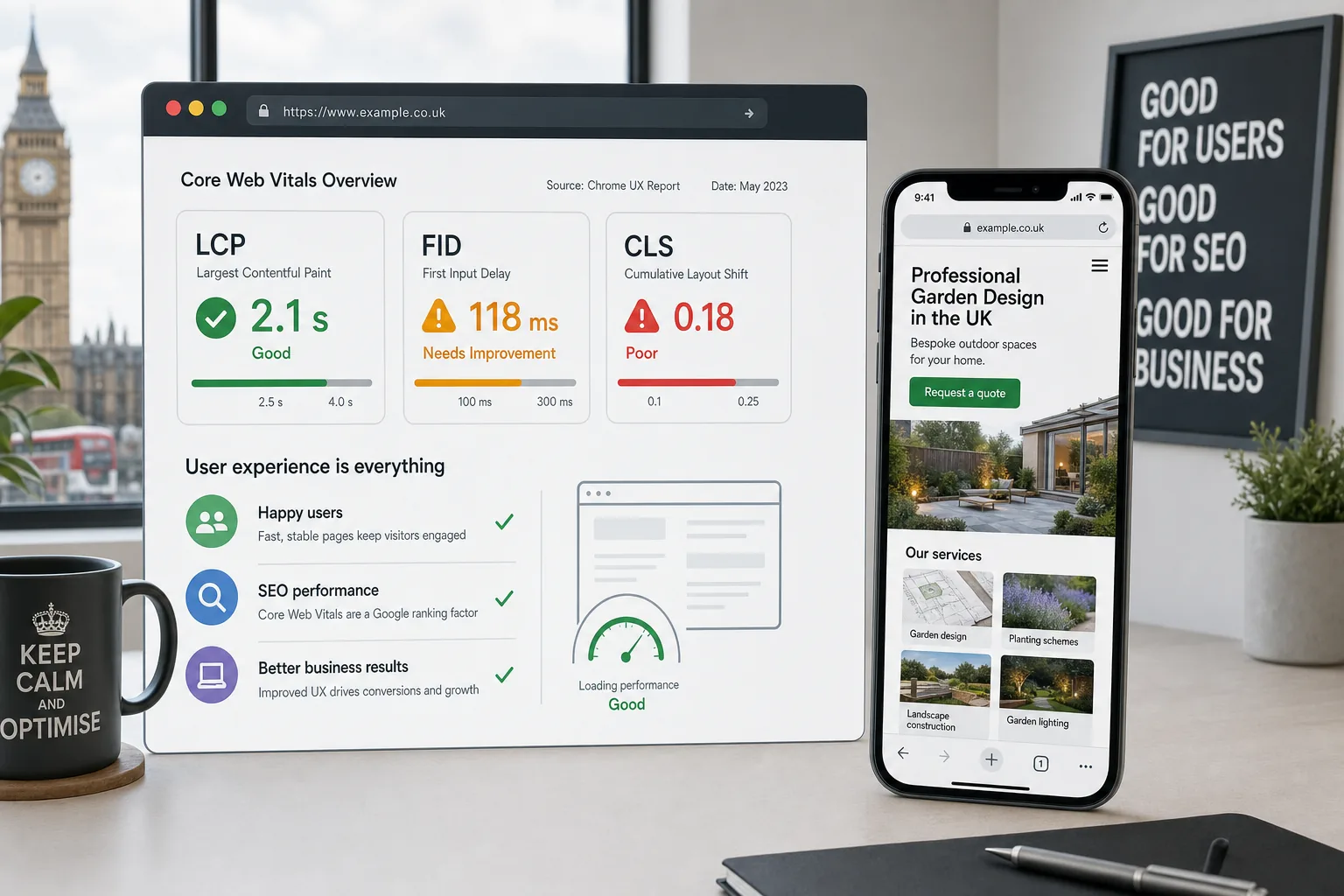
Largest Contentful Paint, usually shortened to LCP, measures how long it takes for the main visible content on a page to load. This might be a hero image, a large heading, a product image or a prominent block of text. From a user perspective, it answers a simple question: how quickly does this page feel useful?
If your homepage relies on a large banner image, video background or slow-loading third-party script, LCP may suffer. For a service business, that could mean a potential customer waits too long before seeing your main proposition. For an online shop, it could delay the display of product imagery and reduce confidence in the buying journey.
First Input Delay
First Input Delay, or FID, measures the time between a user first interacting with a page and the browser responding. For example, a visitor may tap a menu button, select a filter, open a form field or click a call-to-action button. Poor FID can make a site feel sluggish or broken, even if the page appears to have loaded visually.
In 2023, businesses should also be aware of Interaction to Next Paint, known as INP, which is being discussed as a broader way to understand responsiveness across the full page experience. However, FID remains one of the three Core Web Vitals in use at the time of writing, so it should still be monitored and improved.
Cumulative Layout Shift
Cumulative Layout Shift, or CLS, measures unexpected movement on a page. This is the frustration people feel when they go to click a button, only for an advert, image, cookie banner or font change to push the layout down. It can lead to accidental clicks, abandoned forms and a general sense that the website is poorly built.
Visual stability is particularly important on mobile, where screen space is limited. If a booking button jumps as someone tries to tap it, or a product image changes size after loading, the experience can quickly feel careless. Good CLS performance helps a website feel professional, controlled and trustworthy.
Why Core Web Vitals UX matters for business
Search visibility is one reason to care about Core Web Vitals, but it should not be the only reason. The more important commercial point is that better user experience supports better business outcomes. People are less likely to enquire, buy or share your content if the website feels slow, awkward or unreliable.
For a local service provider, a fast mobile website can help users move quickly from a social media post or search result to a contact form. For a professional services firm, a stable and well-structured site can strengthen credibility. For an e-commerce business, smoother product pages and checkout steps can reduce hesitation. In each case, the improvement is not merely technical; it affects how people perceive the organisation.
Core Web Vitals also help teams make better decisions during website design projects. Instead of discussing performance in vague terms, designers, developers and marketers can work from shared measurements. This makes it easier to prioritise fixes, balance creative ideas with performance, and build a website that looks good without becoming bloated.
Core Web Vitals and SEO in June 2023
Google uses page experience signals, including Core Web Vitals, as part of its wider approach to search quality. They do not replace relevant content, useful information, good site structure or authority. A fast but unhelpful page is unlikely to perform well simply because it loads quickly. However, when competing pages offer similar relevance and quality, user experience can play a valuable supporting role.
For UK business owners, this means Core Web Vitals should be treated as part of an integrated SEO strategy. Keyword research, technical SEO, content planning, local search optimisation and conversion-focused design all still matter. Core Web Vitals help ensure that when people find your pages, they are not discouraged by slow loading, delayed interaction or unstable layouts.
It is also worth remembering that many website visits now begin away from traditional search. A potential customer might come from an Instagram bio link, a LinkedIn post, a Facebook advert, an email newsletter or a QR code on printed material. The same performance issues apply. If the landing page is slow after a social media click, the campaign may look weaker than it really is because the website is failing to support it.
Common causes of poor Core Web Vitals
Many Core Web Vitals issues come from everyday website choices rather than one dramatic technical fault. A website can gradually become slower as new plugins, tracking scripts, media files and design sections are added over time.
- Oversized images: Large images uploaded directly from a camera or design file can delay page loading, especially on mobile connections.
- Heavy themes or templates: Some website themes include far more code and functionality than a business actually needs.
- Too many plugins: On content management systems such as WordPress, excessive plugins can add scripts, styles and database calls.
- Uncontrolled third-party scripts: Analytics, chat widgets, advertising pixels, embedded maps and social feeds can all affect loading and responsiveness.
- Unreserved media space: Images, adverts and embeds without set dimensions can cause content to shift as the page loads.
- Slow hosting or poor server configuration: If the server takes too long to respond, the rest of the page experience suffers.
- Render-blocking resources: CSS and JavaScript files can prevent useful content from appearing quickly if they are not managed carefully.
These issues are common across brochure websites, e-commerce stores, membership sites and campaign landing pages. The good news is that many can be improved without completely rebuilding the website, provided the work is properly audited and prioritised.
Practical ways to improve performance and UX
The best approach is to combine technical improvements with sensible design decisions. A website should not be stripped of personality, branding or useful features simply to chase a score. Instead, performance should be built into the creative and technical process from the start.
Optimise images and media
Images are often the largest assets on a page. Use appropriately sized images, compress files before upload and consider modern image formats where they are supported by your platform and audience. Avoid using a huge desktop image on a mobile layout when a smaller version would work better.
Video can be powerful, but it should be handled carefully. Autoplay background videos may look impressive in a design presentation, yet they can slow down loading and distract users from the primary message. If video is important, make sure it is implemented in a way that does not block the main content from appearing.
Design mobile journeys first
Many users will experience your website on a mobile device, particularly when arriving from social media or local search. Mobile-first design is not only about fitting content onto a smaller screen. It is about making decisions easier, reducing unnecessary steps and ensuring calls to action are visible without causing layout shifts.
For example, a restaurant should make menus, opening hours and booking options easy to reach. A trades business should make service areas, proof of work and contact details clear. An e-commerce brand should keep product imagery, delivery information and checkout steps quick and stable.
Review scripts and integrations
Marketing teams often rely on analytics, remarketing tags, live chat, form tools, heatmaps and social media embeds. These can be valuable, but they should be reviewed regularly. If a script is no longer needed, remove it. If it is essential, check whether it can be loaded more efficiently.
This is an area where marketing and development teams should work together. Removing the wrong tracking code can affect reporting, but leaving every old tag in place can damage the user experience. A balanced audit helps protect both data and performance.
Improve layout stability
To reduce CLS, reserve space for images, banners, embeds and adverts. Make sure fonts are handled carefully so that text does not jump noticeably during loading. Cookie notices and promotional banners should be designed in a way that does not unexpectedly push key content around.
Small layout improvements can have a large effect on perceived quality. A stable page feels more polished, particularly when users are completing forms or comparing products.
How to measure Core Web Vitals
Core Web Vitals can be assessed using a mixture of lab data and field data. Lab data is useful for testing in controlled conditions, while field data shows how real users experience your pages. Both have value.
PageSpeed Insights can provide a useful starting point because it combines diagnostic suggestions with real-world data where available. Lighthouse can help developers identify technical opportunities during testing. Search Console can show whether groups of pages are passing or failing Core Web Vitals based on real user data. The Chrome User Experience Report can also provide broader insight for eligible sites.
When reviewing results, avoid focusing only on the homepage. Important landing pages, service pages, product pages, blog posts and checkout steps may perform very differently. A campaign landing page that receives paid social traffic, for instance, should be tested directly rather than assumed to be fine because the homepage performs well.
It is also sensible to test after major website changes. New design sections, plugin updates, tracking additions or content uploads can all affect performance. Core Web Vitals should be part of ongoing website maintenance, not a one-off task completed at launch.
Where domain registration and hosting fit in
Core Web Vitals are mostly influenced by website build quality, content, scripts and hosting performance rather than the domain name itself. However, early digital decisions can still support a better long-term website strategy.
When registering a domain, choose a name that is easy to read, spell and share. For UK businesses, consider whether a .co.uk, .uk or other relevant extension fits your brand and audience. Avoid overly long names, confusing hyphens or spellings that make word-of-mouth recommendations difficult. A clear domain helps users remember your website and reduces friction across search, email, print and social media.
Hosting is more directly connected to performance. A well-configured hosting environment can improve server response times, reliability and scalability. Businesses should consider whether their hosting is suitable for the website platform, expected traffic and any e-commerce or booking functionality. A slow server can make optimisation harder, even when the front-end design is well built.
Core Web Vitals and brand perception
People make quick judgements online. A website that loads cleanly and responds smoothly can make a business feel organised, modern and attentive. A slow or unstable website can suggest the opposite, even if the business itself is excellent.
This is especially important when your website supports wider branding and marketing activity. If your social media content is polished but the website is frustrating, the brand experience becomes inconsistent. If your search advert promises a simple booking process but the form lags or shifts, trust is weakened. Core Web Vitals help connect the promise made in marketing with the reality of using the website.
Strong UX also supports accessibility and inclusivity. While Core Web Vitals are not a complete accessibility framework, many performance improvements benefit a wider range of users and devices. Faster pages, clearer layouts and stable interactions can help people with older phones, slower connections or less patience for complicated journeys.
A sensible action plan for UK businesses
If you are unsure where to start, treat Core Web Vitals as part of a wider website health check. The goal is not to chase perfect scores for their own sake, but to identify issues that affect real customers and commercial goals.
- Identify your key pages: Prioritise pages that drive enquiries, sales, bookings or campaign traffic.
- Measure current performance: Use recognised testing tools and review both mobile and desktop results.
- Look for user impact: Connect technical findings to actual frustrations, such as slow hero content or unstable forms.
- Prioritise fixes: Start with improvements likely to make the biggest difference to users and business outcomes.
- Review design choices: Check whether visual elements, animations or media are helping or hindering the journey.
- Monitor over time: Re-test after website updates, campaigns and new integrations.
For many businesses, the most valuable improvements come from aligning design, development and marketing. A fast website that does not communicate clearly will still struggle. A beautiful website that loads slowly will waste opportunities. The strongest results come when performance, brand, content and conversion are planned together.
Frequently asked questions
What do Core Web Vitals measure?
Core Web Vitals are a set of user experience metrics used to assess the loading performance, interactivity and visual stability of a web page. They sit within a broader approach to page experience, but they are particularly useful because they turn common frustrations into measurable signals. Largest Contentful Paint, usually shortened to LCP, measures how long it takes for the main visible content on a page to load. This might be a hero image, a large heading, a product image or a prominent block of text. From a user perspective, it answers a simple question: how quickly does this page feel useful? If your homepage relies on a large banner image, video background or slow-loading third-party script, LCP may suffer.
Where do domain registration and hosting fit in?
Core Web Vitals are mostly influenced by website build quality, content, scripts and hosting performance rather than the domain name itself. However, early digital decisions can still support a better long-term website strategy. When registering a domain, choose a name that is easy to read, spell and share. For UK businesses, consider whether a.co.uk,.uk or other relevant extension fits your brand and audience. Avoid overly long names, confusing hyphens or spellings that make word-of-mouth recommendations difficult. A clear domain helps users remember your website and reduces friction across search, email, print and social media. Hosting is more directly connected to performance. A well-configured hosting environment can improve server response times, reliability and scalability.
What should we know about a sensible action plan for UK businesses?
If you are unsure where to start, treat Core Web Vitals as part of a wider website health check. The goal is not to chase perfect scores for their own sake, but to identify issues that affect real customers and commercial goals. Identify your key pages: Prioritise pages that drive enquiries, sales, bookings or campaign traffic; Measure current performance: Use recognised testing tools and review both mobile and desktop results; Look for user impact: Connect technical findings to actual frustrations, such as slow hero content or unstable forms; Prioritise fixes: Start with improvements likely to make the biggest difference to users and business outcomes; Review design choices: Check whether visual elements, animations or media are helping or hindering the journey; Monitor over time: Re-test after website updates, campaigns and new integrations.
Final thoughts
Core Web Vitals UX remains important because it reflects how people actually experience your website. It encourages businesses to think beyond appearance and consider speed, responsiveness and stability as part of brand quality. For UK business owners investing in website design, SEO, social media marketing or wider digital strategy, that is a useful and practical mindset.
A website should help people move confidently from interest to action. By improving Core Web Vitals, you can reduce friction, support search performance, make campaigns work harder and create a more professional experience for your audience. In a competitive online market, that kind of usability is not a luxury. It is part of building trust.