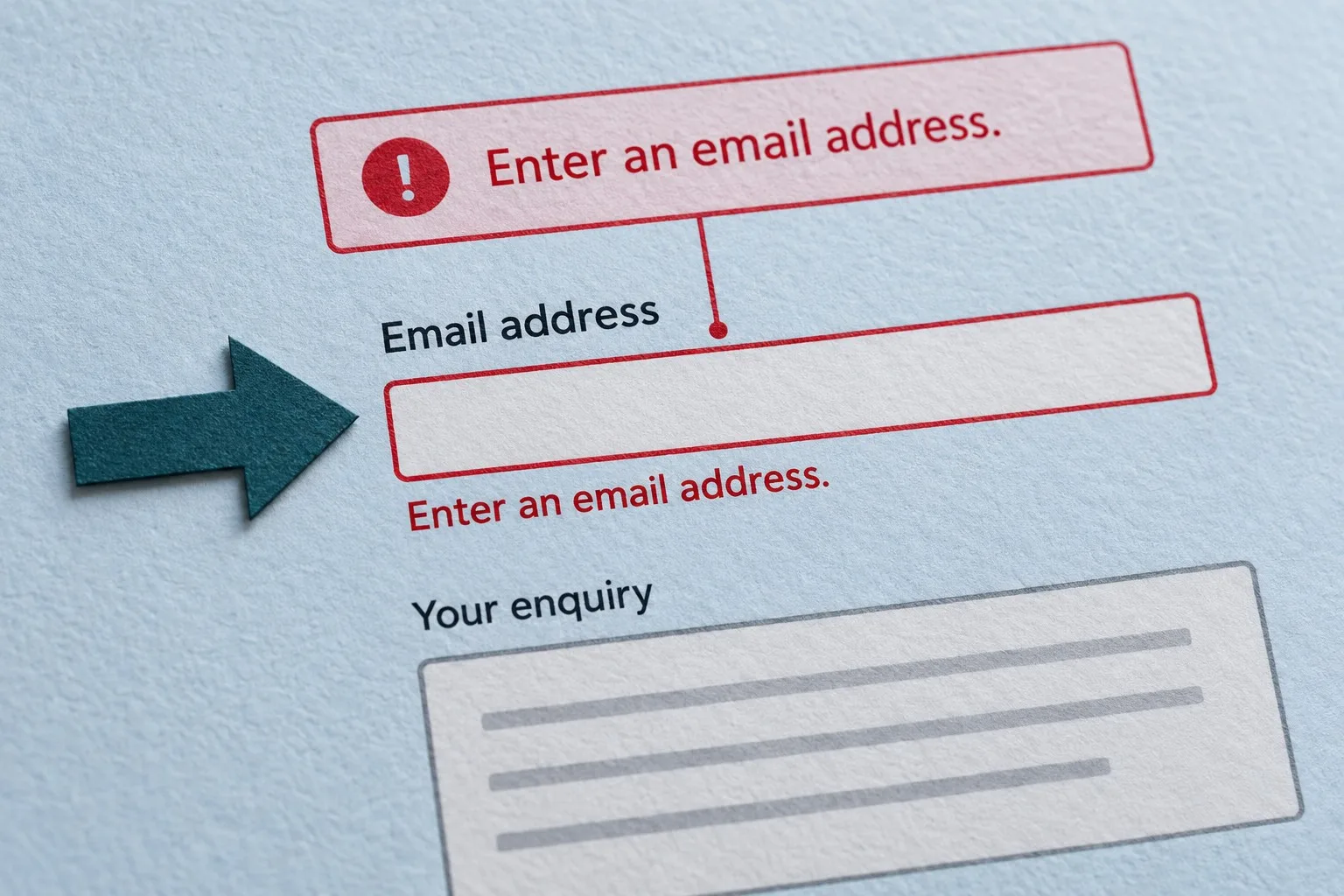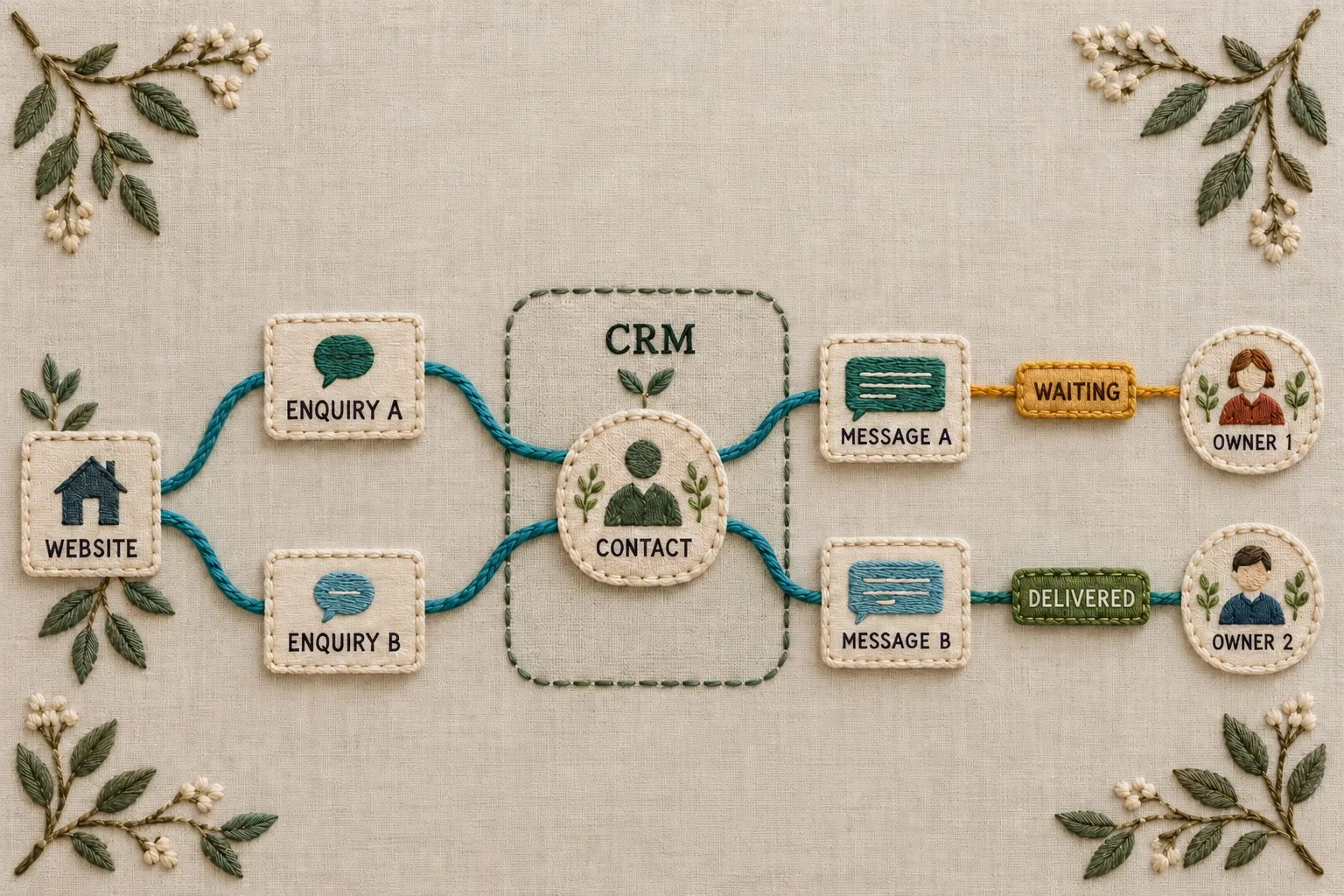
Connecting an enquiry form to a CRM should make follow-up more reliable. Yet a connection can appear to work while losing messages, overwriting useful records or leaving requests without an owner. The important outcome is that each accepted enquiry reaches the right business process with its meaning and history intact.
Plan the full route from form submission to a person taking action. Define what the website accepts, what the CRM records and what happens when the connection fails. A notification email or a successful connector test is helpful evidence, but neither proves that the entire lead-handling process is dependable.
Decide what an enquiry becomes in the CRM
Most CRMs distinguish several kinds of record, such as contacts, organisations, opportunities and activities. Agree which records a new enquiry should create or update. A person asking a general question does not necessarily represent a qualified sales opportunity.
Separate the contact from the enquiry. One customer may submit several requests about different services over time. If the integration stores only the latest message on the contact, staff may lose the history needed to understand what happened.
Describe the desired outcome using an ordinary example. A website request from an existing customer might add a new enquiry activity, preserve the original contact details and create a task for the relevant team. This is more useful than a requirement stating only that the form must sync with the CRM.
Map fields and meanings explicitly
Create a field map between the website and the CRM. Record the source field, destination property, expected format, required status and handling of missing values. Labels that look similar can represent different things in the two systems.
Use controlled values where the business needs consistent reporting or routing. For example, the website's service choices should map to agreed CRM categories. Decide what happens if the form introduces a new service before the CRM list is updated.
Keep the customer's message distinct from administrative notes. Preserve the original wording where appropriate rather than quietly replacing it with a summary. If staff later add a classification, store it in a field designed for that purpose.
Review the supplier's current submission rules, including declared fields and authenticated submission behaviour. A connector cannot necessarily submit arbitrary information merely because the website form can collect it. Test the actual API contract and validation rules. Our API contract and validation guide provides the related checks.
Define contact matching without losing enquiry history
Agree how the integration finds an existing contact. An email address may be a useful matching key, but consider shared inboxes, changed addresses and incomplete entries. Define when the system can update automatically and when staff should review a possible match.
Specify which fields may be overwritten. A new enquiry with a blank company name should not necessarily erase a verified company value. Equally, an old CRM record should not silently replace the details a customer has just supplied. Keep the business rule explicit.
Give the accepted enquiry its own reference where the design supports that. The same reference can connect the website record, CRM activity and delivery log. This helps staff establish whether a message was received once or processed several times.
Contact deduplication and submission deduplication solve different problems. Two enquiries from one person may both be legitimate. Two deliveries of the same accepted enquiry should not create two follow-up tasks. Test both cases separately.
Design failure handling before launching
Decide what the website can honestly confirm to the customer. If the enquiry is safely stored in a controlled queue but CRM delivery is pending, the message may confirm receipt without claiming that a CRM action has completed. If the request has not been saved, the customer needs a different response.
Make the delivery state visible to staff. Useful states distinguish waiting, delivered and requiring attention. Record the failure reason in a way the support team can investigate without exposing credentials or unnecessary customer information.
Agree which failures can be retried and which need correction. A temporary service interruption differs from a missing required property or expired account permission. Retrying an invalid submission repeatedly will not repair the field map.
Provide an operational fallback. This might be a controlled review queue or a separate notification to an authorised team. Keep one authoritative enquiry record so that the fallback does not create conflicting versions that staff cannot reconcile.
Assign leads and define the next action
Delivery to the CRM is only an intermediate step. Agree how the enquiry receives an owner and what action is expected. Routing may depend on service, location, customer status or a team rota. Make the default route explicit for cases that do not match a rule.
Check that assigned staff can see the relevant record and original message. A task without access to its supporting information forces the team to search across systems. Notifications should help people find the work rather than becoming another unmanageable inbox.
Define how unassigned or overdue enquiries become visible. Review ownership when staff leave or responsibilities change. An integration tied to a former employee's account can continue creating records while nobody receives useful follow-up alerts.
Keep marketing preferences separate from enquiry handling
Record relevant preference information accurately and carry it through the field map. Do not treat the act of asking about a service as a general instruction to subscribe the person to every campaign. Have the responsible person agree the appropriate treatment for the business's use and current requirements.
Keep operational responses and optional marketing journeys distinct in the specification. Staff should be able to answer an enquiry without the integration quietly triggering unrelated messages. Review any CRM automation that runs when a contact is created or a property changes.
Limit access and collected information to the agreed task. Protect account credentials and use suitable integration permissions. The person reviewing a delivery error may need its reference and status without needing unrestricted access to every customer record.
Test the journey with a controlled set of enquiries
Prepare test cases for a new customer, an existing customer, a repeated request and a duplicate delivery. Include missing optional values, unusual but valid names and service selections that exercise each routing rule. Use test records that the team can identify clearly.
For each case, check the website response, stored enquiry, CRM records, ownership and resulting notifications. Verify that the original message remains available and that no unrelated automation runs. A single connector response cannot establish all those facts.
Test failure conditions deliberately in a suitable environment. Ask the implementation team to simulate an unavailable destination, an invalid field and a permission problem. Confirm that the request is preserved where intended and that the responsible person can find and resolve it.
Reconcile counts for the controlled test set. Establish how many enquiries the website accepted and how many corresponding records reached the CRM. Investigate discrepancies while the examples are known, rather than assuming that a small difference is ordinary reporting noise.
Monitor the connection as part of daily operations
Use a regular reconciliation between accepted enquiries and completed CRM deliveries. Review failures and ageing items with a named owner. A low-volume business can often begin with a concise operational list rather than a complex dashboard.
Track outcomes beyond delivery. Are enquiries assigned, contacted and classified consistently? If the CRM receives every message, but the follow-up process is unclear, the integration has not achieved the business objective.
Include maintenance in the handover. Record the connector owner, field map, account permissions, failure route and test cases. Review the connection when forms, CRM properties, services or supplier arrangements change.
Giraffe Digital's website design service supports clear enquiry journeys, while digital strategy considers how business tools and measurement fit together. A reliable CRM connection joins those concerns: preserve the accepted request, deliver it transparently and give a person a clear next action.
Frequently asked questions
How should we decide what an enquiry becomes in the CRM?
Most CRMs distinguish several kinds of record, such as contacts, organisations, opportunities and activities. Agree which records a new enquiry should create or update. A person asking a general question does not necessarily represent a qualified sales opportunity. Separate the contact from the enquiry. One customer may submit several requests about different services over time. If the integration stores only the latest message on the contact, staff may lose the history needed to understand what happened. Describe the desired outcome using an ordinary example. A website request from an existing customer might add a new enquiry activity, preserve the original contact details and create a task for the relevant team. This is more useful than a requirement stating only that the form must sync with the CRM.
How should we define contact matching without losing enquiry history?
Agree how the integration finds an existing contact. An email address may be a useful matching key, but consider shared inboxes, changed addresses and incomplete entries. Define when the system can update automatically and when staff should review a possible match. Specify which fields may be overwritten. A new enquiry with a blank company name should not necessarily erase a verified company value. Equally, an old CRM record should not silently replace the details a customer has just supplied. Keep the business rule explicit. Give the accepted enquiry its own reference where the design supports that. The same reference can connect the website record, CRM activity and delivery log. This helps staff establish whether a message was received once or processed several times.
How should we assign leads and define the next action?
Delivery to the CRM is only an intermediate step. Agree how the enquiry receives an owner and what action is expected. Routing may depend on service, location, customer status or a team rota. Make the default route explicit for cases that do not match a rule. Check that assigned staff can see the relevant record and original message. A task without access to its supporting information forces the team to search across systems. Notifications should help people find the work rather than becoming another unmanageable inbox. Define how unassigned or overdue enquiries become visible. Review ownership when staff leave or responsibilities change. An integration tied to a former employee's account can continue creating records while nobody receives useful follow-up alerts.
How should we keep marketing preferences separate from enquiry handling?
Record relevant preference information accurately and carry it through the field map. Do not treat the act of asking about a service as a general instruction to subscribe the person to every campaign. Have the responsible person agree the appropriate treatment for the business's use and current requirements. Keep operational responses and optional marketing journeys distinct in the specification. Staff should be able to answer an enquiry without the integration quietly triggering unrelated messages. Review any CRM automation that runs when a contact is created or a property changes. Limit access and collected information to the agreed task. Protect account credentials and use suitable integration permissions. The person reviewing a delivery error may need its reference and status without needing unrestricted access to every customer record.
How should we monitor the connection as part of daily operations?
Use a regular reconciliation between accepted enquiries and completed CRM deliveries. Review failures and ageing items with a named owner. A low-volume business can often begin with a concise operational list rather than a complex dashboard. Track outcomes beyond delivery. Are enquiries assigned, contacted and classified consistently? If the CRM receives every message, but the follow-up process is unclear, the integration has not achieved the business objective. Include maintenance in the handover. Record the connector owner, field map, account permissions, failure route and test cases. Review the connection when forms, CRM properties, services or supplier arrangements change. Giraffe Digital's website design service supports clear enquiry journeys, while digital strategy considers how business tools and measurement fit together.