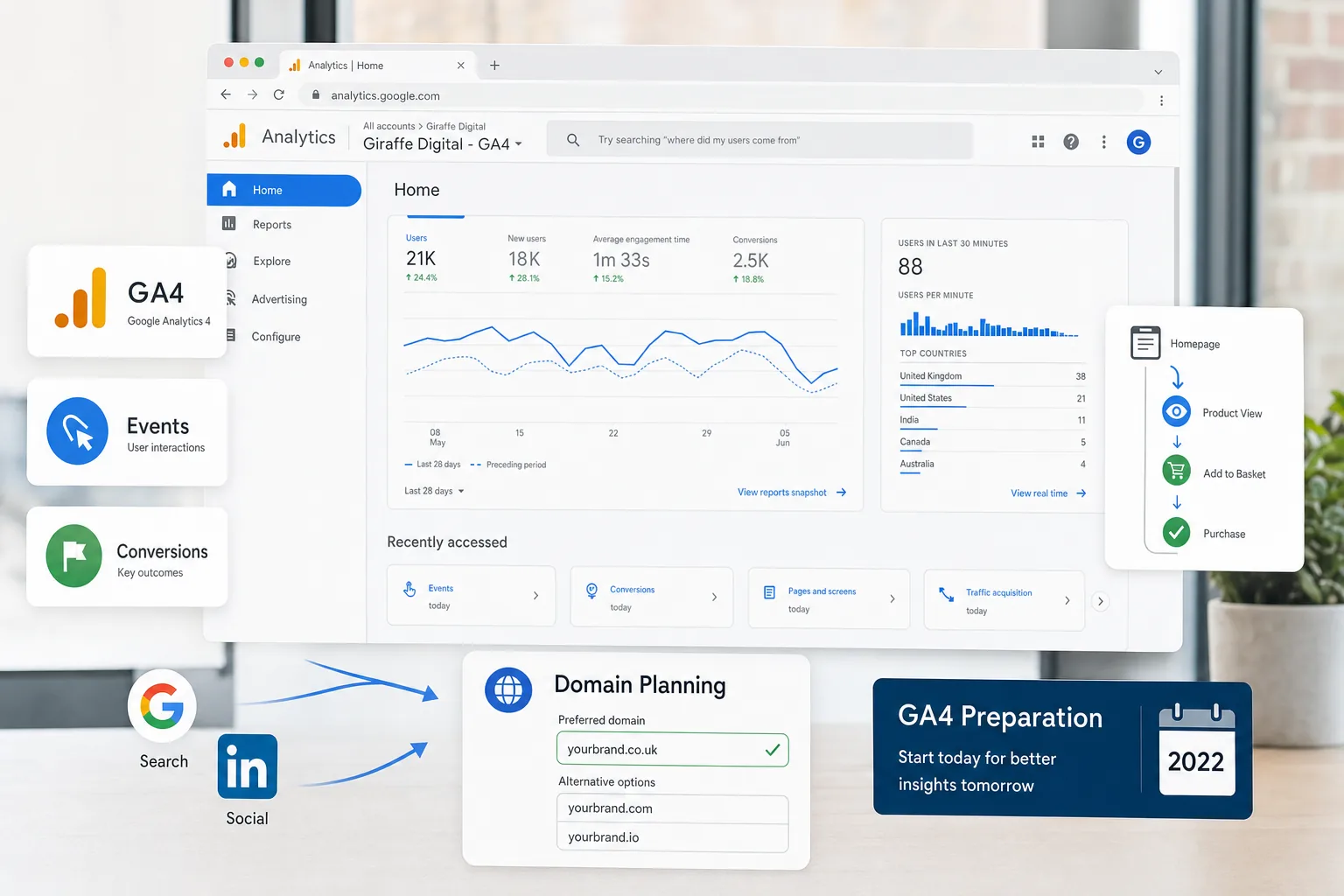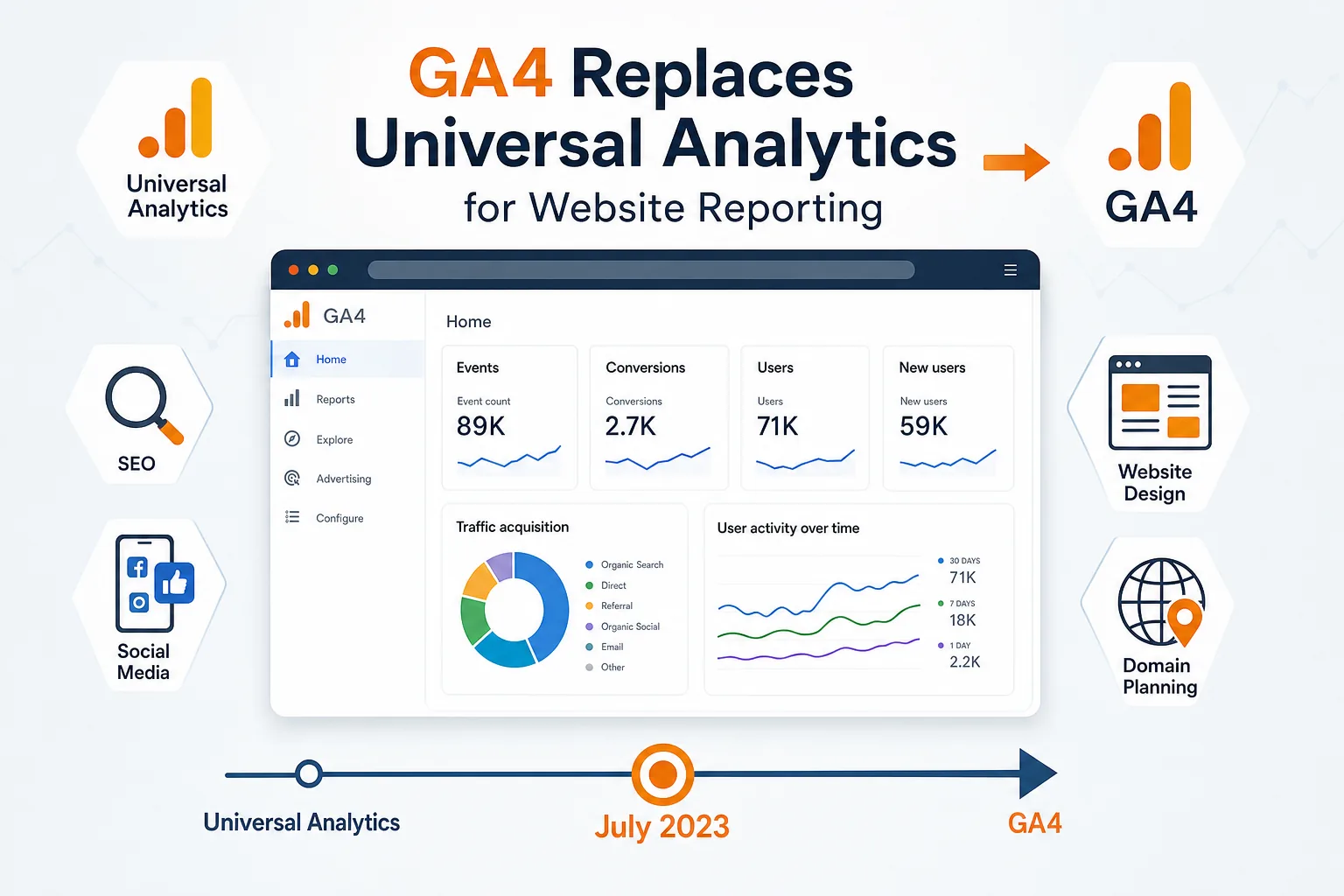
Google Analytics 4 is no longer something to leave on a future to-do list. Universal Analytics is being replaced, and standard Universal Analytics properties are due to stop processing new data from 1 July 2023. For UK business owners, this is an important moment to review how website performance is measured, how marketing activity is reported, and whether current tracking is providing useful information for decision-making.
GA4 is not simply a new version of the old reporting interface. It uses a different measurement model, focuses more heavily on events, and is designed to help businesses understand user journeys across websites and apps. That change can feel unfamiliar at first, particularly if you have spent years looking at Universal Analytics reports such as sessions, bounce rate, goals and source reports. However, with the right set-up, GA4 can provide a clearer picture of how visitors find your website, what they do when they arrive, and which actions matter most to your business.
Why Universal Analytics is being replaced
Universal Analytics was built around sessions, page views and a reporting model that suited an earlier era of websites. Many businesses now rely on a broader mix of digital touchpoints, including mobile browsing, social media campaigns, e-commerce journeys, enquiry forms, live chat, downloadable resources and repeat visits across devices. Privacy expectations have also changed, and measurement platforms need to work in a more flexible way.
GA4 has been developed around events rather than sessions alone. An event might be a page view, a button click, a file download, a video engagement, a form submission or an e-commerce action. This approach is more adaptable because it can be tailored around the actions that are genuinely valuable to your organisation.
The move also means that businesses should not wait until the July deadline to begin tracking in GA4. Historical data from Universal Analytics will not automatically become like-for-like GA4 data. The two systems measure activity differently, so figures may not match exactly. Setting up GA4 early gives your business time to collect comparable data, learn the new reports and make sure key website actions are being recorded correctly.
What is different about GA4 analytics
The most important difference is the event-based measurement model. In Universal Analytics, many businesses relied on page views, sessions and destination-based goals. In GA4, almost every interaction is treated as an event, and selected events can be marked as conversions. This allows reporting to be based on the behaviours that matter, rather than only on the number of visits a page receives.
For example, a professional services business may want to track clicks on telephone numbers, enquiry form submissions, brochure downloads and visits to key service pages. An e-commerce website may need to track product views, basket additions, checkout steps and purchases. A local business may value direction clicks, contact page visits and completed appointment requests. GA4 can be configured around these actions, making reports more useful for owners and marketing teams.
Another visible change is the reporting interface. GA4 reports are organised differently, with sections for reports, explorations, advertising and configuration. Standard reports can answer common questions, while explorations allow deeper analysis of user paths, funnels and segments. There is a learning curve, but the structure encourages businesses to think more carefully about what they need to know.
GA4 also includes enhanced measurement options, which can automatically collect some interactions, such as scrolls, outbound clicks, site search, video engagement and file downloads, when enabled. These features are helpful, but they should still be checked. Automatic measurement is not a substitute for a considered tracking plan, especially where a website has custom forms, booking tools, third-party payment journeys or unusual navigation.
The practical business value of moving to GA4 now
The main value of GA4 analytics is not simply compliance with a platform change. It is the opportunity to improve the quality of your website reporting. Many businesses have analytics installed but rarely use the data to make decisions. Others have inherited old goals, filters or tracking code that no longer reflect how the website works. The change to GA4 is a good reason to tidy up measurement and focus on practical outcomes.
A well-configured GA4 property can help answer questions such as:
- Which marketing channels are bringing engaged visitors to the website?
- Which pages encourage people to enquire, buy, call or download?
- Where do users drop out of a form, checkout or content journey?
- Which social media campaigns generate meaningful website activity?
- Do visitors use the website differently on mobile, tablet and desktop?
- Which content topics support search visibility and lead generation?
These answers can support better decisions across website design, SEO, content planning and advertising. For instance, if GA4 shows that mobile visitors are abandoning a service page quickly, it may indicate that the page layout, load speed, call-to-action placement or form design needs improvement. If organic search visitors are engaging well with advice-led content, that may support further investment in search-focused articles or landing pages.
GA4 is also useful for management reporting. Instead of focusing only on headline traffic, businesses can report on engaged sessions, conversions, traffic quality and user behaviour. This is often more meaningful than celebrating a rise in visits that does not lead to enquiries or sales.
How GA4 affects website design and user experience
Good analytics and good website design should work together. GA4 can reveal whether visitors are using your website in the way you intend. A well-designed website should guide users towards useful information and clear next steps, whether that means making an enquiry, booking a consultation, purchasing a product or downloading a guide.
When planning a new website or redesigning an existing one, GA4 tracking should be considered from the beginning rather than added as an afterthought. Key pages, navigation labels, forms, calls to action and downloadable assets should all be reviewed in terms of measurement. If an important action cannot be tracked, it will be harder to understand whether the design is working.
For example, a website may have several routes to the same enquiry form, including service pages, blog articles and a contact page. GA4 can help identify which routes are most effective. If users frequently reach the form but do not submit it, the issue may be the form length, the wording, trust signals, page speed or mobile usability. If users do not reach the form at all, the calls to action may need to be more prominent or better aligned with the content.
GA4 should also be considered alongside technical website performance. Slow-loading pages, unclear navigation and poor mobile layouts can affect engagement and conversion rates. Analytics will not fix those issues directly, but it can help identify where to look. Combined with a sensible design review, GA4 can support a more user-focused and commercially effective website.
GA4, SEO and content marketing
For search marketing, GA4 analytics provides useful insight into the behaviour of organic visitors after they arrive on the website. Search engine rankings and impressions are only part of the picture. A page that attracts traffic but fails to keep visitors engaged may need better content, clearer structure or a stronger call to action.
GA4 can help identify which landing pages bring engaged organic visitors, which topics support conversions, and which pages may need improvement. When used alongside search performance data, it becomes easier to understand both visibility and value. For example, a blog article might attract a large number of visits from informational searches, while a service page may attract fewer visits but generate more enquiries. Both can have a role, but they should be judged by the right measures.
Content planning should also be informed by user journeys. If visitors read an advice article and then view a related service page, that may show that educational content is supporting commercial intent. GA4 explorations can help uncover these paths and give businesses a stronger basis for future content decisions.
It is important not to treat analytics as a replacement for strategy. GA4 can show what users did, but the business still needs to interpret why that might be happening. Strong SEO still depends on useful content, technically sound pages, relevant internal linking, clear structure and a website that satisfies the user’s search intent.
Tracking social media marketing more clearly
Social media can be difficult to evaluate if reporting stops at likes, comments and follower growth. Those measures may be useful in context, but most businesses also need to understand what happens after someone clicks through to the website. GA4 analytics can help connect social media activity with website behaviour.
Campaign tracking is particularly important. Using consistent UTM parameters on links from social posts, adverts, email newsletters and profile links can make GA4 reports much easier to interpret. For example, a spring campaign promoting a new service could use tagged links to distinguish between organic social posts, paid social activity and email promotion. This allows the business to see which activity brought engaged visitors and which led to conversions.
For UK businesses using social media to build trust, promote local services or support e-commerce sales, GA4 can show whether visitors from different platforms behave differently. One platform may drive a high volume of casual visits, while another may bring fewer visitors who are more likely to complete an enquiry form. That insight can help shape content, budget and creative decisions.
Domain registration, branding and measurement considerations
GA4 is also relevant when businesses are planning a new website, changing a domain name or launching a new brand. Domain choices can affect brand recognition, user trust and marketing consistency. A clear, memorable domain that matches the business name or core proposition is usually easier to promote across search, social media, email and offline marketing.
For UK businesses, it is worth considering whether a UK-focused domain extension supports customer confidence, especially where the business serves a local or national UK audience. It can also be sensible to register obvious variations of a domain to protect the brand and reduce confusion, while ensuring that the main website uses one clear primary address.
When changing domains or launching a new website, analytics planning is essential. GA4 should be set up before launch where possible, with key events and conversions tested. Redirects, tracking code placement, form confirmation pages, e-commerce steps and campaign links should all be checked. If this work is missed, the launch period may produce unreliable data just when the business most needs to understand performance.
A sensible GA4 preparation checklist
Every business has different reporting needs, but a useful GA4 preparation plan should include several core steps. The aim is to collect reliable data, avoid rushed decisions near the deadline and ensure that reports are useful to the people making decisions.
- Create or confirm the GA4 property: Make sure the business has a GA4 property in place and that it is collecting data from the correct website.
- Check the tracking installation: Confirm that the GA4 tag is present on the right pages and is not duplicated or missing from key templates.
- Define important events: Identify the actions that matter, such as enquiries, purchases, calls, downloads, bookings or newsletter sign-ups.
- Mark key events as conversions: In GA4, conversions should reflect meaningful business outcomes rather than every minor interaction.
- Review enhanced measurement: Check which automatic events are enabled and whether they are recording accurately.
- Set up campaign tagging: Use consistent UTM tracking for social media, email and advertising campaigns.
- Connect relevant Google tools: Where appropriate, link GA4 with Search Console and Google Ads to improve reporting and campaign insight.
- Preserve important Universal Analytics information: Identify reports or historical data that may be needed in future and plan exports where required.
- Train internal users: Make sure the people using reports understand the main differences between Universal Analytics and GA4.
- Review reports regularly: Schedule time to look at trends, not just isolated numbers, and relate findings to business actions.
Avoiding common GA4 mistakes
One common mistake is assuming GA4 will automatically reproduce every Universal Analytics report. It will not. Some familiar metrics have changed, and some reports need to be rebuilt or approached differently. Businesses should avoid judging GA4 by whether it looks exactly like the old platform and instead focus on whether it answers the right commercial questions.
Another mistake is tracking too much without a clear purpose. Because GA4 is event-based, it is possible to collect a large number of interactions. However, more data does not always mean better insight. If every minor click is treated as important, reporting can become noisy and hard to interpret. Start with the actions that matter most and expand measurement when there is a clear reason.
Businesses should also be careful with internal traffic, test submissions and staff usage. If a team regularly checks the website, submits test forms or uses internal links, this can affect reports. GA4 offers options for identifying internal traffic, but these need to be configured thoughtfully.
Finally, do not leave GA4 entirely to chance during a website redesign. Changes to forms, page URLs, navigation, checkout tools or content management systems can alter tracking. Analytics should be included in the launch checklist so that reporting remains consistent.
Using GA4 as part of a wider digital strategy
GA4 analytics is most valuable when it sits within a wider digital strategy. It should inform website improvements, SEO priorities, social media planning, advertising decisions and content development. The best reports are not just collections of numbers; they help a business decide what to do next.
For a growing business, that might mean identifying which services deserve stronger landing pages. For an e-commerce retailer, it may mean improving the checkout process or product page content. For a local organisation, it could mean understanding which search terms, social posts and location pages are supporting enquiries. In each case, analytics should lead to practical improvements.
The move from Universal Analytics to GA4 is a useful opportunity to reset reporting around business goals. Rather than simply copying old goals and dashboards, review what the website is meant to achieve. Decide which actions are valuable, which audiences matter, and which marketing channels need clearer measurement.
With the July 2023 deadline approaching, now is the right time to check that GA4 is installed, configured and understood. Businesses that act early will have more reliable data, fewer reporting gaps and a better foundation for future digital marketing decisions.
Frequently asked questions
What should we know about the practical business value of moving to GA4 now?
The main value of GA4 analytics is not simply compliance with a platform change. It is the opportunity to improve the quality of your website reporting. Many businesses have analytics installed but rarely use the data to make decisions. Others have inherited old goals, filters or tracking code that no longer reflect how the website works. The change to GA4 is a good reason to tidy up measurement and focus on practical outcomes. A well-configured GA4 property can help answer questions such as: Which marketing channels are bringing engaged visitors to the website?; Which pages encourage people to enquire, buy, call or download?; Where do users drop out of a form, checkout or content journey?; Which social media campaigns generate meaningful website activity?; Do visitors use the website differently on mobile, tablet and desktop?; Which content topics support search visibility and lead generation?.
What should we know about a sensible GA4 preparation checklist?
Every business has different reporting needs, but a useful GA4 preparation plan should include several core steps. The aim is to collect reliable data, avoid rushed decisions near the deadline and ensure that reports are useful to the people making decisions. Create or confirm the GA4 property: Make sure the business has a GA4 property in place and that it is collecting data from the correct website; Check the tracking installation: Confirm that the GA4 tag is present on the right pages and is not duplicated or missing from key templates; Define important events: Identify the actions that matter, such as enquiries, purchases, calls, downloads, bookings or newsletter sign-ups; Mark key events as conversions: In GA4, conversions should reflect meaningful business outcomes rather than every minor interaction; Review enhanced measurement: Check which automatic events are enabled and whether they are recording accurately; Set up campaign tagging: Use consistent UTM tracking for social media, email and advertising campaigns; Connect relevant Google tools: Where appropriate, link GA4 with Search Console and Google Ads to improve reporting and campaign insight; Preserve important Universal Analytics information: Identify reports or historical data that may be needed in future and plan exports where required; Train internal users: Make sure the people using reports understand the main differences between Universal Analytics and GA4; Review reports regularly: Schedule time to look at trends, not just isolated numbers, and relate findings to business actions.