
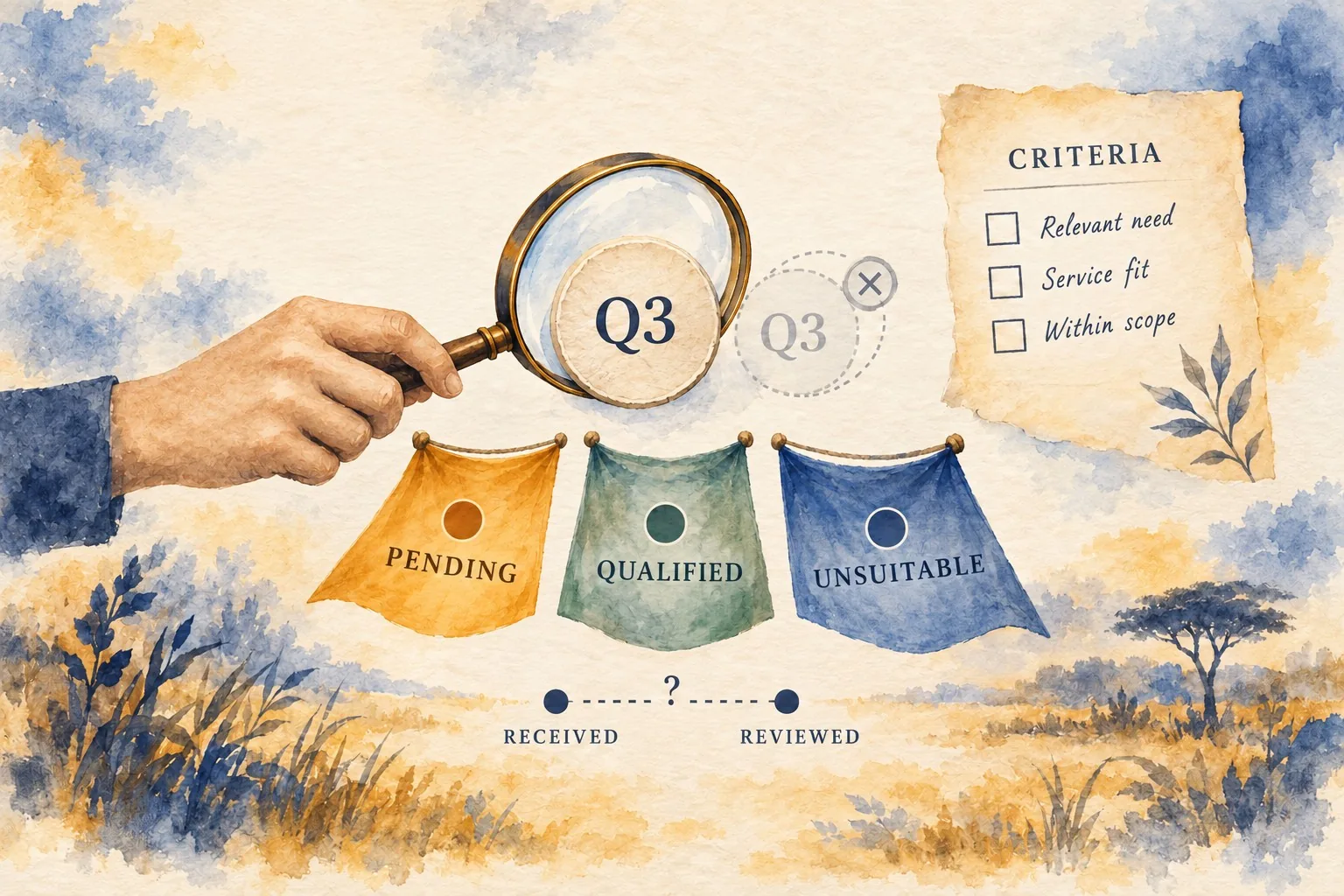
A website enquiry is not automatically a qualified enquiry. Someone may ask about a service you do not offer, submit a duplicate request or need a different kind of help. If analytics reports treat every submission as an equally suitable opportunity, they can obscure the information the business needs for planning.
Defining a qualified enquiry starts with a shared business meaning. Then the team needs a consistent review process, reliable records and an appropriate way to report the result. This guide explains how to create that definition and connect it to reporting without pretending that a browser event can determine suitability on its own.
Choose the decision the measure should support
Ask what the business wants to learn. You might want to understand whether a service page attracts relevant requests, whether campaigns lead to useful conversations or how much review work different enquiry types create. These questions may require several measures rather than one broad total.
Define the audience for the report. A marketing team may need trends by service or campaign, while an operational team needs to see requests waiting for review. A business owner may want to understand the relationship between enquiries, conversations and accepted work. Keep the distinctions visible.
Write what the qualified enquiry measure will mean before building the report. If colleagues describe it differently, resolve the disagreement. A precise definition prevents a dashboard from giving the appearance of agreement while different people interpret the same figure in incompatible ways.
Agree qualification criteria with the receiving team
Ask the people handling enquiries what makes a request suitable for the next step. Relevant criteria could include a genuine need for an offered service, sufficient information to understand the request and a supported location or project type. The actual criteria should follow your service and working process.
Distinguish qualification from eventual purchase. A relevant request may not become a customer, and an early enquiry may need clarification before staff can judge suitability. Do not define qualified as “already bought” unless that is genuinely the measure you intend. Give each stage its own name.
Use examples to check the definition. Review a normal suitable request, an irrelevant service request, an incomplete enquiry and a duplicate contact about an existing request. Ask two informed colleagues to classify the examples independently, then discuss disagreements. This reveals rules that sound clear but leave different interpretations in practice.
Create a review state for incomplete information
Some enquiries cannot be judged immediately. A person may provide a brief question without the detail needed for the next step. Create an understandable pending state and explain how staff obtain clarification. Avoid forcing uncertain requests into qualified or unsuitable categories merely to complete the report.
Record why a request is pending. The team might be waiting for a project description, a contact response or a service review. Use reasons that support action. A vague label such as “needs attention” can leave the request in a queue without explaining what anybody should do.
Decide who can change the state and what evidence supports that change. The review process should be light enough to use consistently but clear enough that another colleague can understand the record. Qualification should reflect the agreed business criteria rather than an individual salesperson's unexplained preference.
Separate enquiry records from website events
A form submission can be recorded on the website, while qualification may happen later in a customer management system or another approved working record. Identify which system holds the authoritative decision and how the report receives it. Do not assume the analytics installation already knows what staff decided.
GA4 recommended events include generate_lead and qualify_lead. The latter represents a lead being marked as meeting qualification criteria. These events require appropriate configuration; their names do not supply your business definition or make the qualification decision automatically. Our analytics event definition and validation guide provides the related checks.
Ask the analyst or developer to explain the proposed implementation. It may be more appropriate to report qualification in the customer system, connect approved records to a separate report or implement a supported analytics route. Compare the options through the information needed, the reliability of the link and the business's approved handling arrangements.
Choose what one counted item represents
Specify whether you are counting submissions, distinct enquiry records, people or events. These are not interchangeable. One person can submit several requests, and one request can involve several messages or status changes. The reporting definition should match the question you are trying to answer.
For a distinct enquiry count, agree how duplicates and continuing conversations are handled in the working records. Staff need a way to recognise another message about an existing request without losing genuinely separate needs from the same customer. Keep the rule practical and documented.
Test what happens if a qualified record is edited or reviewed again. Ask the reporting owner to show whether the update creates another counted qualification or updates the existing state. A report should not inflate its total because the team corrected a detail or retried a failed transfer between systems.
Define reporting dates and comparison groups
Agree which date places an enquiry in a report. The submission date, qualification date and first conversation date answer different questions. A request received at the end of one month may be qualified in the next. Explain that behaviour so normal review delays do not appear as unexplained discrepancies.
If you report a qualification rate, use a clearly defined group and denominator. For example, you might review the enquiries received during a particular period and show how many have been qualified by an agreed later date. Include the pending count so readers understand whether the group has finished review.
Avoid dividing this month's qualifications by this month's submissions without checking whether they concern the same group. The resulting figure may combine requests received at different times. Ask the reporting owner to demonstrate the calculation with a small set of example records before relying on it.
Validate the report against the working records
Create controlled examples with known states and expected counts. Include a suitable enquiry, a pending request, an unsuitable request, a duplicate and an amended qualification. Compare the report with the authoritative records and investigate any disagreement.
Check useful breakdowns too. A service or campaign field needs an agreed meaning and a dependable source. If some records have no recorded campaign context, show that limitation rather than assigning a guessed source. A complete-looking chart can be less useful than an honest report with an explained unknown category.
Do not pass personally identifiable information, such as email addresses, through ordinary Analytics collection. Ask the implementation owner to inspect URLs, form data and event fields for inappropriate personal details. Base the qualified enquiry measure on approved states and categories, and review any record-linking design against the tool's policies and your business's information handling arrangements. The report should not receive the full text of private customer conversations. Our analytics validation and information handling guide provides the related checks.
Maintain the definition when the business changes
Record the criteria, examples, counted item, relevant dates, source system and report owner. Include a version or review date for the definition itself. This helps future analysts understand the measure and lets staff recognise when a service change requires a review.
If criteria change, explain the effect on comparisons. A broader service area or a revised offer may legitimately change which requests qualify. Keep that decision visible rather than presenting the resulting trend as though the business meaning stayed constant.
Review whether staff can use the process without excessive effort. If qualification is repeatedly left unfinished, investigate the reason. The definition may require information collected too late, or the ownership may be unclear. Improving the working process supports reporting quality.
Use qualified enquiries as one part of the journey
Giraffe Digital's digital strategy services connect website content, journeys and measurement. Qualified enquiry reporting supports that work when it describes a real, consistently recorded stage in the customer process.
Keep submissions, qualification, conversations and accepted work distinct. Define each measure clearly and use it for the decision it can support. That gives the business more useful evidence than a single conversion total whose meaning nobody has agreed.
Frequently asked questions
How should we choose the decision the measure should support?
Ask what the business wants to learn. You might want to understand whether a service page attracts relevant requests, whether campaigns lead to useful conversations or how much review work different enquiry types create. These questions may require several measures rather than one broad total. Define the audience for the report. A marketing team may need trends by service or campaign, while an operational team needs to see requests waiting for review. A business owner may want to understand the relationship between enquiries, conversations and accepted work. Keep the distinctions visible. Write what the qualified enquiry measure will mean before building the report. If colleagues describe it differently, resolve the disagreement. A precise definition prevents a dashboard from giving the appearance of agreement while different people interpret the same figure in incompatible ways.
How should we create a review state for incomplete information?
Some enquiries cannot be judged immediately. A person may provide a brief question without the detail needed for the next step. Create an understandable pending state and explain how staff obtain clarification. Avoid forcing uncertain requests into qualified or unsuitable categories merely to complete the report. Record why a request is pending. The team might be waiting for a project description, a contact response or a service review. Use reasons that support action. A vague label such as "needs attention" can leave the request in a queue without explaining what anybody should do. Decide who can change the state and what evidence supports that change. The review process should be light enough to use consistently but clear enough that another colleague can understand the record.
How should we choose what one counted item represents?
Specify whether you are counting submissions, distinct enquiry records, people or events. These are not interchangeable. One person can submit several requests, and one request can involve several messages or status changes. The reporting definition should match the question you are trying to answer. For a distinct enquiry count, agree how duplicates and continuing conversations are handled in the working records. Staff need a way to recognise another message about an existing request without losing genuinely separate needs from the same customer. Keep the rule practical and documented. Test what happens if a qualified record is edited or reviewed again. Ask the reporting owner to show whether the update creates another counted qualification or updates the existing state.
How should we validate the report against the working records?
Create controlled examples with known states and expected counts. Include a suitable enquiry, a pending request, an unsuitable request, a duplicate and an amended qualification. Compare the report with the authoritative records and investigate any disagreement. Check useful breakdowns too. A service or campaign field needs an agreed meaning and a dependable source. If some records have no recorded campaign context, show that limitation rather than assigning a guessed source. A complete-looking chart can be less useful than an honest report with an explained unknown category. Do not pass personally identifiable information, such as email addresses, through ordinary Analytics collection. Ask the implementation owner to inspect URLs, form data and event fields for inappropriate personal details.
How should we use qualified enquiries as one part of the journey?
Giraffe Digital's digital strategy services connect website content, journeys and measurement. Qualified enquiry reporting supports that work when it describes a real, consistently recorded stage in the customer process. Keep submissions, qualification, conversations and accepted work distinct. Define each measure clearly and use it for the decision it can support. That gives the business more useful evidence than a single conversion total whose meaning nobody has agreed.