
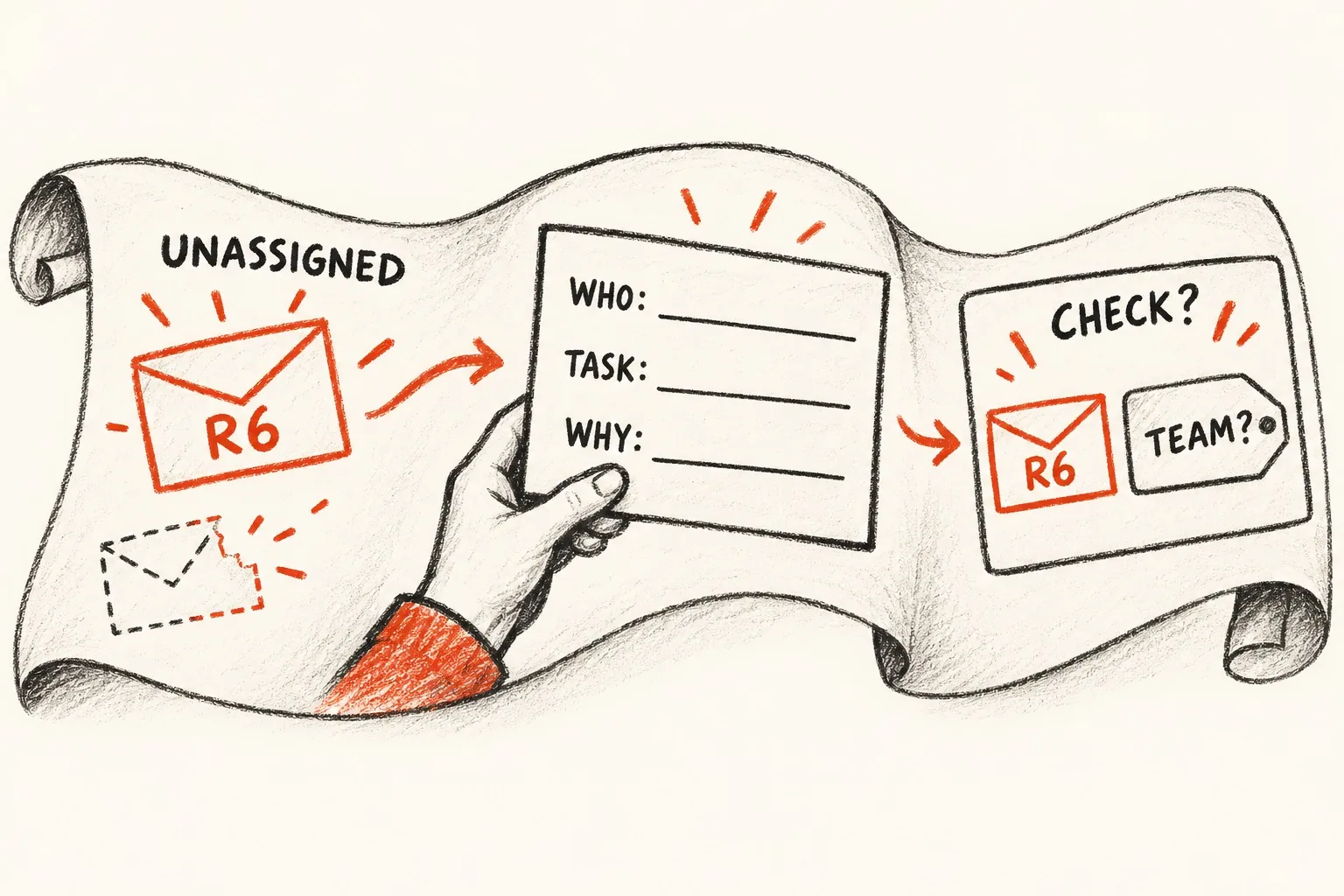
A business problem is not yet a software requirement. “Our team spends too long handling enquiries” identifies a difficulty, but it does not explain who needs to do what or how a developer should demonstrate improvement. User stories help translate that difficulty into a discussion about a person's task and the outcome they need.
A useful software user story remains connected to evidence from the working process. It describes a meaningful need, supports conversation and has reviewable completion conditions. This guide explains how a small business can prepare stories that help a supplier understand the work, without turning every initial idea into a predetermined screen or feature.
Investigate the problem before naming a feature
Collect examples of the difficulty. If enquiries are handled slowly, inspect how they arrive, what information is missing and where staff spend time. Ask the people doing the work to explain recent cases. A request for “an AI dashboard” might hide a simpler need to see unassigned enquiries and decide who should respond.
Separate the observed problem from the proposed solution. Write down the evidence, affected people and consequences. Label assumptions that have not been checked. This gives the development team a basis for asking useful questions instead of assuming that the first feature suggested is the correct answer.
Choose one task to explore. A broad problem may involve routing, preparation, response and reporting. Trying to describe all of those in one story can make it difficult to judge scope or completion. Start with a coherent piece of work that somebody can recognise as useful.
Describe the actor, task and reason
A user story identifies the person using the service, what they need and why they need it. Acceptance criteria describe the outcomes used to check completion. This structure helps a business software team connect a proposed feature with the need it serves and an observable result. Our requirements and user stories guide provides the related checks.
For an enquiry workflow, an initial story could describe a service coordinator who needs to identify requests awaiting assignment so the right team can prepare a response. This explains the purpose without insisting that the solution must be a particular dashboard layout or a specific notification tool.
Use a recognisable role rather than a vague “user” where the distinction matters. A service coordinator, an account manager and a customer may need different views and actions. Include enough context to explain the task while avoiding unnecessary detail about a particular employee's preferences.
Keep the desired outcome meaningful
Ask what becomes easier or more dependable when the story is delivered. A reason such as “so that I can use the new software” adds little information. The outcome should explain the work the person needs to complete and why the business cares about it.
For example, the coordinator's task might help prevent requests waiting without an owner. Another story might help the assigned colleague see the customer's original question before responding. These outcomes are related, but they describe different needs and can lead to different completion checks.
Do not invent a benefit that the evidence cannot support. If the business has not measured response times, describe the intended improvement and how it will be checked. A user story can establish a goal without promising a percentage reduction that nobody has demonstrated.
Add acceptance criteria through concrete examples
Acceptance criteria should make the agreed behaviour reviewable. For the coordinator's story, the team could require that an authorised coordinator can see unassigned requests, select an eligible team and confirm that the assignment is recorded. Each condition supports the task rather than listing unrelated features.
Work through examples with staff and the developer. A normal request has the information needed for assignment. An incomplete request needs review. A request already assigned by another colleague should not silently be treated as unassigned. Ask what the person should see and what record should result in each case.
Describe the expected outcome before specifying a technical mechanism. The supplier may propose several ways to achieve it. Where the business genuinely needs a particular rule, record it clearly and identify who approved it. For example, assignment may be restricted to particular teams because of the service they handle.
Include important exceptions without overwhelming the story
List the exceptions that change the person's task. Missing information, an unavailable team or a record changed by another user may need agreed behaviour. Keep the examples focused on the story's purpose, and connect broader issues to separate requirements where appropriate.
A story does not replace the project's information handling, access, performance or support requirements. Ask the technical team how those wider expectations will be documented and applied. Keep them visible in the brief so they are not assumed to be covered merely because the user story sounds complete.
Record what the system should communicate when the task cannot be completed. Staff need to understand whether a change was saved, is awaiting review or failed. An unexplained error can leave the person repeating an action without knowing whether the first attempt took effect.
Break large requests into useful tasks
A request such as “manage the complete customer relationship” is too broad to review as one story. Explore the tasks inside it: locate a record, understand the current request, assign responsibility, prepare a response and record the next action. Discuss which parts need to work together in an initial release.
A smaller story should still describe something useful. Dividing the work into “build database”, “build screen” and “add button” may help the developer organise implementation, but those labels do not tell the business whether a person can complete the task. Keep technical delivery tasks connected to the customer or staff outcome.
Check dependencies between stories. A colleague cannot review assigned requests if there is no dependable way to assign them. A report may depend on agreed statuses and consistent records. Identify those relationships before treating every story as an independent item on a list.
Use stories to support supplier discussions
Give the supplier the problem evidence, stories, examples and known constraints together. Ask them to explain their understanding of the workflow and any uncertainty that affects the proposal. A story is a starting point for a useful conversation, not a substitute for one.
Review suggested solutions against the original purpose. A supplier may propose a different interface or a supported function in an existing tool. Consider whether it satisfies the task and operating requirements. The business should be able to explain why a chosen approach fits, rather than judging it only by the number of features presented.
Giraffe Digital's digital strategy services provide a starting point for looking at how website journeys and working tools connect. Stories are useful within that planning when they preserve the link between a business problem and the task the proposed software must support.
Review a prototype before committing to every detail
Use a sketch or prototype to discuss the task with the people who will perform it. Ask them to work through the examples rather than simply comment on whether the screen looks attractive. Observe where the proposed interface does not supply the information they need.
Update the story and criteria when the discussion changes your understanding. Keep a short record of meaningful decisions, including any assumption that remains unresolved. Avoid allowing a prototype to introduce new scope without an explicit review of its purpose and effort.
Some questions need a technical test as well as a screen prototype. If a story depends on retrieving information from another system, ask the developer to verify that connection through an appropriate controlled exercise. A drawing of the desired result does not demonstrate that the required data is available.
Use the stories during acceptance and handover
When the software is ready for review, run the agreed scenarios and compare the results with the acceptance criteria. Include the staff who understand the task. Record any disagreement precisely so the team can distinguish a defect, a misunderstood requirement and a newly requested change.
Keep completed stories and their evidence with the operating documentation. They help future staff and suppliers understand why the software behaves as it does. Revisit the relevant stories when the business process changes, rather than assuming the original rules remain suitable indefinitely.
Good user stories make a software brief more understandable. Begin with an observed problem, describe a person's task, agree reviewable outcomes and use examples to resolve uncertainty. That gives the business and developer a shared basis for building something useful.
Frequently asked questions
How should we investigate the problem before naming a feature?
Collect examples of the difficulty. If enquiries are handled slowly, inspect how they arrive, what information is missing and where staff spend time. Ask the people doing the work to explain recent cases. A request for "an AI dashboard" might hide a simpler need to see unassigned enquiries and decide who should respond. Separate the observed problem from the proposed solution. Write down the evidence, affected people and consequences. Label assumptions that have not been checked. This gives the development team a basis for asking useful questions instead of assuming that the first feature suggested is the correct answer. Choose one task to explore. A broad problem may involve routing, preparation, response and reporting. Trying to describe all of those in one story can make it difficult to judge scope or completion.
How should we keep the desired outcome meaningful?
Ask what becomes easier or more dependable when the story is delivered. A reason such as "so that I can use the new software" adds little information. The outcome should explain the work the person needs to complete and why the business cares about it. For example, the coordinator's task might help prevent requests waiting without an owner. Another story might help the assigned colleague see the customer's original question before responding. These outcomes are related, but they describe different needs and can lead to different completion checks. Do not invent a benefit that the evidence cannot support. If the business has not measured response times, describe the intended improvement and how it will be checked.
How should we include important exceptions without overwhelming the story?
List the exceptions that change the person's task. Missing information, an unavailable team or a record changed by another user may need agreed behaviour. Keep the examples focused on the story's purpose, and connect broader issues to separate requirements where appropriate. A story does not replace the project's information handling, access, performance or support requirements. Ask the technical team how those wider expectations will be documented and applied. Keep them visible in the brief so they are not assumed to be covered merely because the user story sounds complete. Record what the system should communicate when the task cannot be completed. Staff need to understand whether a change was saved, is awaiting review or failed.
How should we use stories to support supplier discussions?
Give the supplier the problem evidence, stories, examples and known constraints together. Ask them to explain their understanding of the workflow and any uncertainty that affects the proposal. A story is a starting point for a useful conversation, not a substitute for one. Review suggested solutions against the original purpose. A supplier may propose a different interface or a supported function in an existing tool. Consider whether it satisfies the task and operating requirements. The business should be able to explain why a chosen approach fits, rather than judging it only by the number of features presented. Giraffe Digital's digital strategy services provide a starting point for looking at how website journeys and working tools connect.
How should we use the stories during acceptance and handover?
When the software is ready for review, run the agreed scenarios and compare the results with the acceptance criteria. Include the staff who understand the task. Record any disagreement precisely so the team can distinguish a defect, a misunderstood requirement and a newly requested change. Keep completed stories and their evidence with the operating documentation. They help future staff and suppliers understand why the software behaves as it does. Revisit the relevant stories when the business process changes, rather than assuming the original rules remain suitable indefinitely. Good user stories make a software brief more understandable. Begin with an observed problem, describe a person's task, agree reviewable outcomes and use examples to resolve uncertainty. That gives the business and developer a shared basis for building something useful.