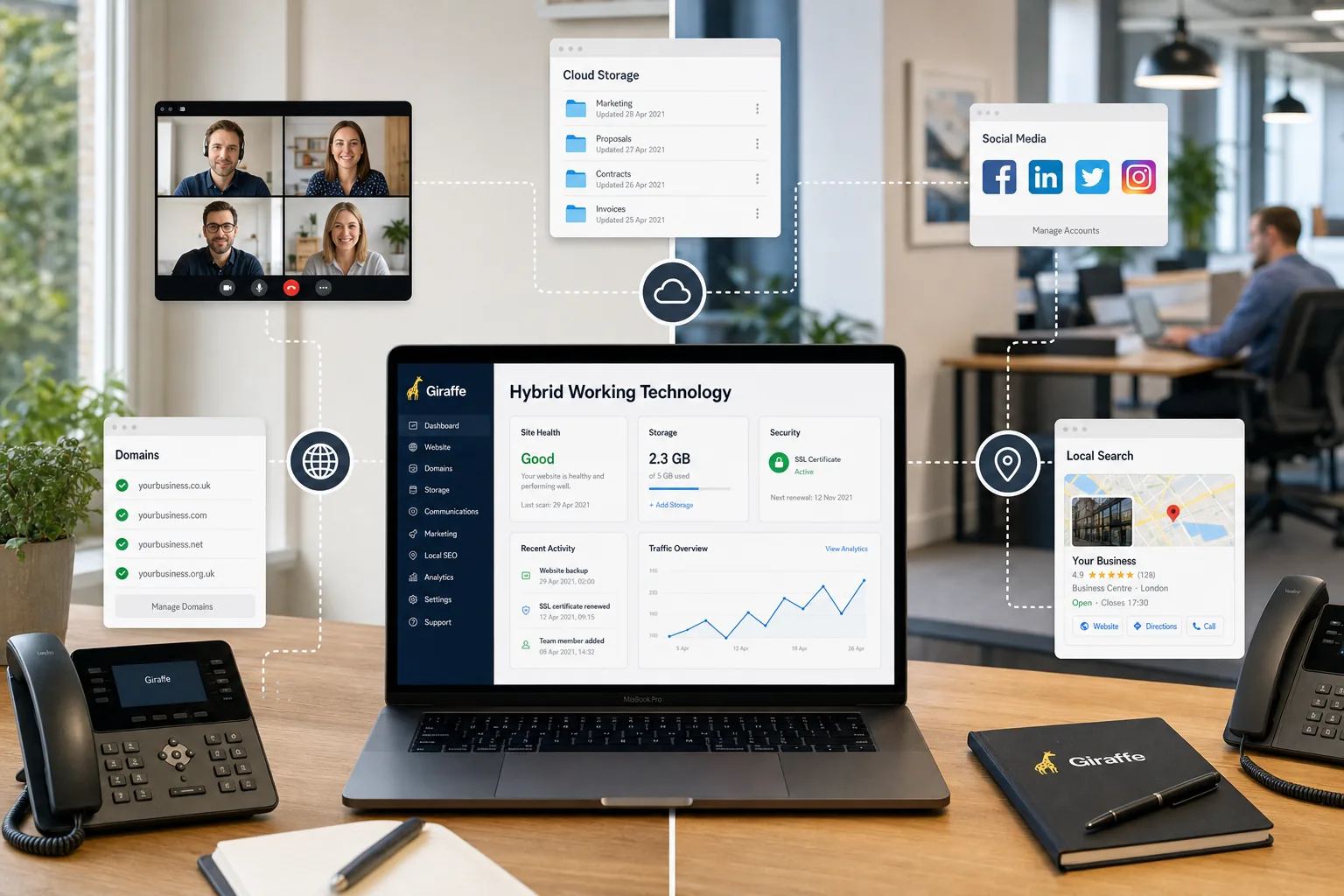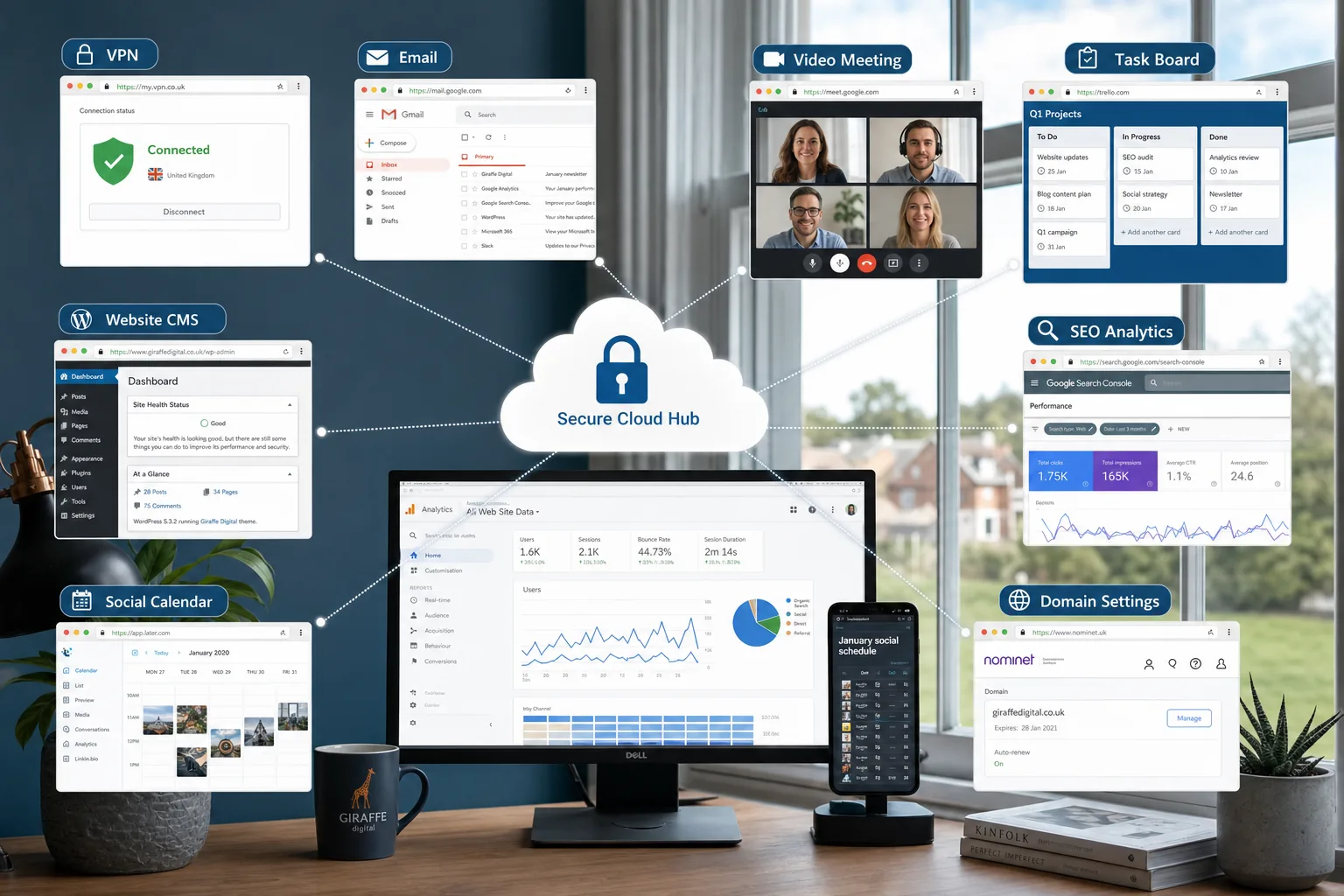
Remote working technology is no longer a fringe consideration for large organisations or digital agencies. For many UK businesses, it is becoming a practical requirement for continuity, productivity, recruitment and customer service. Whether staff work from home one day a week, collaborate across several offices or need reliable access while travelling, the right technology can make the difference between a flexible business and a fragmented one.
The most successful approach is not simply to buy a collection of apps. Remote working works best when it is planned around business processes: how people communicate, where files are stored, how customers make enquiries, how marketing activity is managed and how security is maintained. In January 2020, mature tools are already available for video calls, cloud storage, project management, digital marketing and website administration. The challenge for business owners is choosing and implementing them in a way that supports growth rather than creating confusion.
Why remote working technology matters for modern businesses
For many business owners, the immediate benefit of remote working is flexibility. Staff can work effectively while visiting clients, attending events, avoiding unnecessary travel or handling focused work away from a busy office. However, the wider business value is often more significant. Remote access to systems can reduce bottlenecks, improve responsiveness and make it easier to attract skilled people who may not live within a short commute.
It can also improve resilience. A business that depends entirely on one office, one desktop computer or one local server is more vulnerable to disruption. By contrast, a business with secure cloud-based email, shared documents, online task management and a well-maintained website can keep serving customers even when circumstances change.
From a marketing perspective, remote working technology also helps teams stay consistent. Blog posts, social media updates, website amendments, email campaigns and search marketing tasks can all be planned and reviewed online. This is particularly useful for businesses that work with an external web design or digital marketing partner, because approvals, content drafts and performance reports can be shared without waiting for face-to-face meetings.
The core tools every remote working setup should consider
A useful remote working environment usually combines several categories of technology. The exact tools will vary, but the underlying functions are broadly the same.
Cloud email, calendars and contacts
Email remains central to most UK businesses, so it is important that staff can access it securely from more than one location and device. A professional cloud email system should provide reliable inbox access, shared calendars, contact management, spam filtering and administrative controls. Shared calendars are particularly useful for scheduling calls, marketing deadlines, website updates and client meetings.
Business owners should avoid relying on personal email accounts for business communication. Professional email addresses connected to the company domain create a more credible impression and make it easier to manage staff changes, security policies and brand consistency.
Video meetings and voice calls
Video conferencing has improved considerably, and by early 2020 many businesses are already comfortable using online meetings for sales discussions, internal catch-ups and supplier reviews. Platforms such as Microsoft Teams, Skype, Zoom and Hangouts Meet can all support remote conversations, screen sharing and group discussions. The right choice depends on your existing systems, how many people need to join and how much control you need over access and recordings.
Video meetings should not be treated as a complete replacement for all communication. A short call can be useful for decisions, introductions and problem-solving, while written notes are better for agreed actions. Encourage staff to share agendas beforehand and confirm outcomes afterwards, especially where website changes, design approvals or campaign budgets are involved.
Cloud storage and document collaboration
Cloud storage allows authorised people to access documents from different locations, provided permissions are set correctly. Services such as OneDrive, SharePoint, Google Drive and Dropbox are commonly used by businesses to share proposals, spreadsheets, images, campaign plans and design assets.
The key issue is organisation. A shared drive without naming conventions or permissions can quickly become messy. Create clear folders for marketing, website content, finance, operations and client work. Use version control where possible and avoid emailing multiple copies of important documents, as this often leads to confusion over which file is current.
Task management and project visibility
Remote teams need a clear view of what has been agreed, who is responsible and when work is due. Project management tools such as Trello, Asana, Basecamp and similar systems can be helpful for tracking website design tasks, content calendars, technical fixes, campaign ideas and internal projects.
For small businesses, a simple board with columns such as Ideas, To do, In progress, Waiting for approval and Complete can be enough. The aim is not to create administration for its own sake, but to prevent important work from being hidden in email threads.
Security should be planned from the start
Remote access introduces security considerations that should not be left until later. A flexible business still needs to protect customer data, payment information, passwords, intellectual property and marketing accounts. Good security does not have to be intimidating, but it does require discipline.
Start with strong password policies and two-factor authentication where it is available. Staff should not reuse passwords across business tools, social media accounts and personal services. A reputable password manager can help teams store and share credentials more safely than spreadsheets or email messages.
Where staff need access to internal systems, a virtual private network may be appropriate. A VPN can provide a more secure connection to company resources, particularly when people are working away from the office. Businesses should also review device security, including operating system updates, antivirus protection, screen locking and procedures for lost or stolen equipment.
For UK organisations, data protection remains a central consideration. Remote working processes should support GDPR compliance by limiting access to personal data, documenting who can see what and ensuring data is not copied unnecessarily to personal devices. If your business handles sensitive information, it may also be worth reviewing guidance connected to Cyber Essentials and seeking specialist advice.
Your website becomes even more important
When customers, prospects and partners interact with your business remotely, your website becomes a more important part of the experience. It may be the first place people look for opening hours, services, contact details, portfolio examples, support information and trust signals. A dated or difficult website can make an otherwise capable business appear unprepared.
A strong business website in 2020 should be mobile-friendly, fast enough to use comfortably, secure over HTTPS and easy to update. It should make key actions obvious, such as calling the business, submitting an enquiry, booking a consultation or requesting more information. If your staff are working in different locations, your website can also reduce repetitive queries by answering common questions clearly.
Remote working technology and website design often overlap. For example, a business might use its website to publish knowledge base articles, capture sales enquiries, integrate with a customer relationship management system or collect briefing information before a consultation. The better your website handles these tasks, the less your team has to rely on manual follow-up.
It is also important to think about content administration. If several people are involved in updating the website, assign roles carefully. Not everyone needs full administrator access. A clear publishing process helps prevent accidental changes, duplicated pages or inconsistent messaging.
Search marketing considerations for January 2020
Search visibility remains a major source of enquiries for many UK businesses, and remote working should not mean search marketing activity pauses. In fact, businesses with distributed teams may find it easier to create regular content if responsibilities are clearly assigned.
Effective SEO in 2020 is built on relevance, technical quality and useful content. Business owners should pay attention to page titles, meta descriptions, headings, internal links, image optimisation and clear service pages. Search engines are increasingly good at understanding natural language, so content should be written for real customers rather than stuffed with repetitive keywords.
For local businesses, location pages, consistent contact details and well-written service content are especially important. Make sure your website clearly explains where you operate, what you provide and how people can contact you. If remote consultations are available, say so in plain language, but avoid overcomplicating the message. Customers want clarity.
Technical SEO should not be ignored. A slow website, poor mobile experience, broken links or confusing navigation can reduce the effectiveness of your marketing. Use analytics and search performance data to identify which pages attract visitors and which enquiries matter most. In January 2020, tools such as Google Analytics and Google Search Console remain essential for understanding organic search performance and user behaviour.
Social media marketing for distributed teams
Social media can support remote working by keeping your brand visible and making communication easier. Platforms such as LinkedIn, Facebook, Instagram and Twitter all have different roles, depending on your audience. For business-to-business organisations, LinkedIn is often useful for expertise-led content, staff updates and professional networking. For more visual or consumer-facing brands, Instagram and Facebook may be more relevant.
The biggest mistake is treating social media as a last-minute task. A remote team benefits from a simple content calendar that sets out upcoming posts, campaign themes, seasonal messages, blog articles and key announcements. This allows posts to be drafted, reviewed and scheduled without relying on one person remembering everything.
Brand consistency matters. Create basic guidance for tone of voice, image style, hashtags, approval routes and how to respond to enquiries. If several staff have access to social accounts, make sure permissions are managed properly and that login details are not shared casually. Two-factor authentication should be enabled where available.
Social media is also useful for distributing website content. A well-written article, case study, guide or frequently asked questions page can be shared across channels to drive relevant visitors back to your site. This works best when the website is designed to convert attention into action, rather than simply acting as an online brochure.
Domain names, email and brand protection
Your domain name is a core part of your digital identity. It affects your website address, business email, customer confidence and brand recognition. When planning remote working technology, check that your domain ownership, renewal settings and administrative access are properly documented.
Choose a domain that is clear, memorable and aligned with your business name. For UK organisations, a relevant UK domain can support trust and recognition, while a broader domain may be useful if you trade internationally. It is often sensible to secure obvious variations of your brand name where appropriate, but the main website should have one clear primary address.
Avoid registering domains through personal accounts that only one employee can access. Ownership should sit with the business, and access details should be held securely. Keep renewal reminders up to date and make sure more than one responsible person knows how to manage essential domain settings.
Domain settings also affect email reliability. If your business sends newsletters, transactional emails or website form notifications, technical records may need to be configured correctly to improve deliverability and reduce the chance of messages being treated as suspicious. Your web or IT partner can help check these details.
Making remote working technology part of your business process
Technology alone will not create an effective remote working culture. The systems must be supported by clear expectations. Staff need to know when they are available, which tools to use for different types of communication, how quickly to respond and where important information should be stored.
For example, urgent operational issues may require a phone call, while website content changes might be best recorded in a task management system. Design feedback should be consolidated rather than sent as scattered messages from several people. Marketing approvals should have named decision-makers to avoid delays.
It is also worth reviewing meeting habits. Remote working can lead to too many calls if every small decision becomes a meeting. Short written updates, shared documents and task boards can often reduce the need for constant discussion. Use meetings for collaboration, clarification and decisions, not for reading information that could have been shared in advance.
Remote working technology checklist for business owners
If you are reviewing remote working technology for your business, start with the essentials. The following checklist can help identify gaps and priorities.
- Confirm that business email, calendars and contacts are accessible securely from appropriate devices.
- Set up a reliable video meeting tool and agree when it should be used.
- Organise shared file storage with clear folders, permissions and naming conventions.
- Use a task management system to track website, marketing and operational work.
- Enable two-factor authentication on important accounts where available.
- Review password management and remove access for former staff or suppliers.
- Check that your website is mobile-friendly, secure, clear and easy to update.
- Maintain SEO activity with useful content, technical checks and performance measurement.
- Create a simple social media calendar and approval process.
- Document domain ownership, renewal settings and key technical records.
Preparing for a more flexible future
Remote working technology should be viewed as an investment in capability rather than a temporary convenience. It can help your business respond faster, operate with fewer location-based restrictions and present a more professional digital experience to customers.
For UK business owners, the best starting point is to connect technology decisions with commercial aims. If you want more enquiries, your website and SEO strategy matter. If you want smoother collaboration, your file storage and task management need attention. If you want stronger brand visibility, social media planning and content creation should be built into the working week.
A well-planned remote working setup supports people, protects information and strengthens your online presence. By choosing practical tools, setting sensible processes and keeping your website at the centre of your digital activity, your business can work more flexibly without losing focus or professionalism.