Twitter has become one of the most useful public channels for businesses that want to be found, trusted and contacted quickly. For many UK customers, sending a tweet now feels easier than making a phone call or filling in a long website form. That makes Twitter customer service an important part of a modern digital presence, not a separate novelty to be handled only when time allows.
Used well, Twitter can help a business answer questions, deal with problems, show personality and build awareness among people who may not yet be ready to buy. Used poorly, it can leave complaints unanswered in public view. The difference is rarely about having the largest marketing budget. It is usually about having a clear process, a well-designed website to support it and a consistent approach to brand communication.
Why Twitter customer service matters
Twitter is fast, public and easy to search. That combination makes it valuable for customers and potentially risky for businesses. A customer who is unhappy with delivery, confused about a product or unable to find information on your website may mention your business in a tweet. If you reply helpfully, other people can see that you are responsive. If you ignore the message, that silence can be seen as part of the experience.
For small and medium-sized businesses, this visibility can be an advantage. Good service on Twitter can make a company appear approachable and organised. A prompt reply to a simple question about opening hours, stock availability or appointment times can prevent a lost sale. A polite response to a complaint can show that the business takes responsibility and is willing to help.
Twitter customer service is not only about solving problems. It can also reduce pressure on telephone lines and email inboxes by answering common questions in a concise way. If several people are asking the same thing, you may discover that your website needs clearer information. In that sense, Twitter is a listening tool as much as a broadcasting platform.
Set clear expectations before customers need help
A business Twitter account should make it obvious who is speaking, what the account is for and when customers can expect a reply. Your profile should include a clear business description, a location where relevant and a link to the correct website page. If the account is monitored during office hours only, it is sensible to say so in the profile or in a regular update.
It is better to set realistic expectations than to imply that support is available at all times. Customers are usually more patient when they know what to expect. A simple line such as “We reply Monday to Friday during office hours” can prevent frustration. If urgent enquiries should go through another route, make that route clear.
Your tone should match your brand. A local retailer may use a warm and conversational style, while a professional services firm may need a more measured voice. In either case, replies should be polite, useful and human. Avoid sounding like a press release. Twitter rewards clarity and brevity, but that does not mean replies should feel rushed or dismissive.
Create a simple response process
Good Twitter customer service depends on consistency. Even a small business should decide who checks the account, how often it is checked and what happens when a question requires input from another member of staff. Without a process, messages are easily missed, duplicated or answered in different tones.
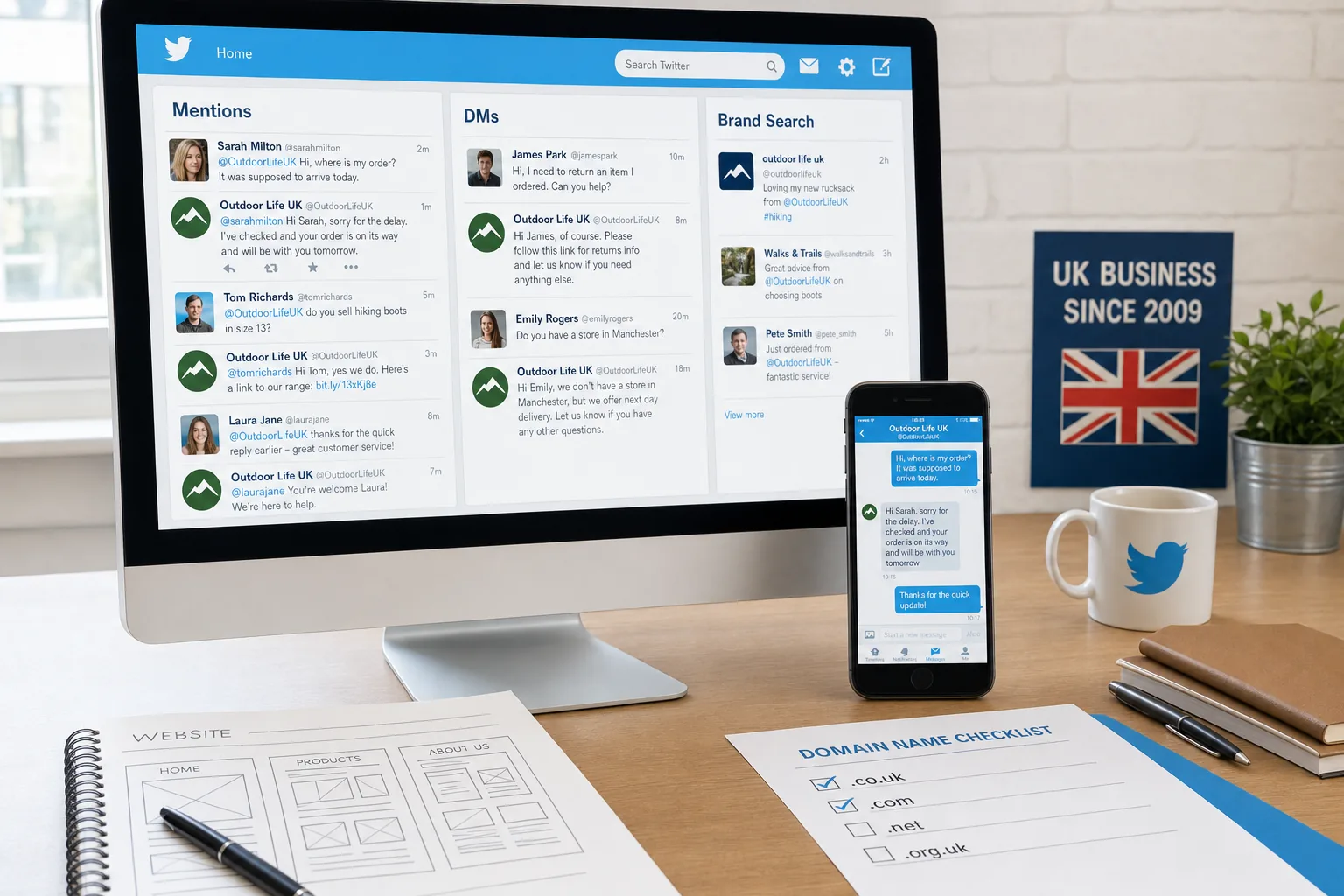
Start by monitoring three areas: direct mentions of your username, searches for your business name and common misspellings or product names. Some customers will not use your correct Twitter handle, so a search for the brand name is important. Twitter search, saved searches, lists and dashboard tools can help keep these messages visible.
It is useful to group enquiries by type. For example:
- Simple questions: opening hours, delivery areas, booking availability or product details.
- Website issues: broken links, unclear forms, missing contact information or checkout problems.
- Complaints: late delivery, service disappointment, billing confusion or product faults.
- Sales interest: people asking for recommendations, availability or next steps.
- General brand mentions: praise, comments, event mentions or shared content.
Simple questions can often be answered publicly. Complaints may begin publicly but should be moved to a more suitable channel if personal details are needed. Direct Messages can be useful where available, although in many cases both accounts will need to follow one another before private messages can be exchanged. Never ask customers to post private information such as addresses, phone numbers, order references or payment details in a public tweet.
Respond publicly, then move private when necessary
A strong public reply shows that the business is listening. For example, if a customer tweets that they have not received a confirmation email, a useful first response might be: “Sorry about that. Please send us your order reference by private message or email and we’ll check it for you.” This acknowledges the problem without exposing personal information.
When a complaint is emotional, resist the temptation to defend the business in detail on the public timeline. Twitter is not a good place for long arguments. A calm reply, a clear next step and a promise to investigate will usually serve the brand better. If the business has made a mistake, say so plainly and explain what will happen next.
Not every negative mention requires the same level of response. A genuine customer issue should be acknowledged. Abuse, spam and obvious provocation should be handled carefully and, where appropriate, not rewarded with attention. The key is to avoid appearing indifferent to real customers.
Use Twitter to improve the website experience
Customer questions on Twitter often reveal weaknesses in website design. If people repeatedly ask where you are based, your location may not be visible enough. If they ask how to book, your call to action may not be clear. If they tweet because a form does not work on a mobile phone, your website may be costing you enquiries.
In 2014, more customers are browsing on smartphones and tablets, so a website should be easy to read and use on smaller screens. Responsive web design can support this by adapting layouts to different devices. If your Twitter profile sends people to a website that is difficult to use on a phone, you risk losing the attention you have earned.
Consider creating specific pages for common Twitter enquiries. A clear contact page, delivery information page, booking page or frequently asked questions page can make replies more useful. Instead of trying to explain everything in a short tweet, you can provide a brief answer and link to a helpful page on your own website.
Those pages should be written for customers first and search engines second. Use plain headings, natural phrases and clear calls to action. If customers often use a certain phrase when asking a question on Twitter, it may also be the phrase they type into a search engine. That insight can help with search engine optimisation, provided the page remains genuinely useful and is not overwritten for keywords.
Build brand awareness without shouting
Twitter is often treated as a place to promote offers, but constant self-promotion quickly becomes tiring. Brand awareness is built through repeated, useful contact. That may include answering questions, sharing advice, commenting on relevant local events, linking to helpful blog posts and recognising customers who say positive things about the business.
A good content mix might include service updates, practical tips, behind-the-scenes photographs, links to new website content, answers to common questions and occasional promotions. The aim is to give people a reason to remember the brand before they need it.
Hashtags can help people discover a conversation, but they should be used with care. A local business might use a relevant town or event hashtag when appropriate. A business-to-business company may use industry terms sparingly. Too many hashtags can make a tweet look untidy and less trustworthy. One or two relevant hashtags are usually more effective than a long list.
Twitter also gives businesses an opportunity to show expertise. A web design agency, for example, might answer common questions about mobile-friendly layouts, domain choices, content planning or search visibility. A retailer might provide product care tips. A professional firm might comment on frequently misunderstood parts of its service. When useful advice is shared consistently, followers begin to associate the brand with competence.
Connect Twitter with SEO and digital marketing
Twitter activity should support your wider digital marketing rather than sit apart from it. Your Twitter profile can appear in search results, especially when people search for your brand name. Make sure the username, profile name and website link are consistent with your brand identity. A confusing handle or outdated profile can make the business look less professional.
Links from tweets may not work in the same way as traditional website links for search engine ranking, but Twitter can still influence search marketing indirectly. It can help content get discovered, encourage visits to your website and create opportunities for people to reference your pages elsewhere. If a useful article answers a real customer question, Twitter can help put it in front of the right audience.
When planning blog posts or website resources, pay attention to the questions people ask on Twitter. If several customers ask how to choose the right service, how long a process takes or what they need before making an enquiry, those are strong topics for your website content. This is where customer service, content marketing and SEO overlap.
Measure what you can. Look at referral traffic in your website analytics, note which types of tweets attract replies or visits and record common customer service themes. If you have access to Twitter’s own analytics or an advertising account, use the information to understand which updates are gaining attention. Do not measure success only by follower numbers. A smaller audience that asks questions, shares content and visits your website can be more valuable than a large but passive following.
Choose and protect the right domain name
Your Twitter account should point to a domain name that customers can trust and remember. For UK businesses, a clear domain is an important part of brand awareness. It should be easy to spell, easy to say over the phone and as close as possible to the business name. If the business trades mainly in the UK, a UK-focused domain can help signal relevance, while a broader domain may be useful for companies with wider ambitions.
Avoid unnecessary hyphens, confusing abbreviations and spellings that are difficult to explain. If your Twitter username is short but your domain is long and complicated, customers may hesitate before clicking. Consistency across your domain, email address, Twitter handle and printed materials helps make the brand easier to recognise.
When registering a domain, use accurate ownership details, keep renewal dates organised and make sure the business retains control of the domain rather than leaving it tied to an individual employee’s personal account. It is also sensible to register obvious variations where appropriate, especially if they protect the brand from confusion. The aim is not to collect domains unnecessarily, but to secure the names that genuinely matter to the business.
Use paid promotion carefully
Twitter advertising can be useful for increasing visibility, promoting content or attracting relevant followers, but it should be handled with a clear objective. Promoted Tweets and promoted accounts can put the brand in front of more people, yet paid reach will not fix weak messaging or poor customer service.
Before using paid promotion, make sure the account looks active, the profile is complete and the website page you are linking to is ready to convert visitors. If you promote a tweet that sends people to a slow, unclear or outdated page, the campaign may generate clicks without enquiries. Good website design and clear content remain essential.
Targeting should be relevant to the audience you want to reach. For a local service business, geography matters. For a specialist consultancy, interests and industry relevance may be more important. Keep promoted messages simple and direct people to a page that matches the promise made in the tweet.
Common mistakes to avoid
Many businesses begin using Twitter with enthusiasm and then lose momentum. An inactive account can create doubt, especially if customers see unanswered questions. If the business cannot commit to frequent updates, it should still monitor mentions and keep profile information accurate.
Another common mistake is treating every tweet as an advert. People follow accounts that are useful, interesting or responsive. They rarely follow accounts that simply repeat sales messages. A service-led approach is more effective because it creates trust before a sale is requested.
Businesses should also avoid arguing publicly, deleting criticism without good reason or using automated replies that feel inappropriate. Automation may have a place for scheduling planned updates, but customer service needs judgement. A complaint about a delayed order should not receive a cheerful generic marketing message.
Finally, do not leave Twitter disconnected from the rest of the business. If the person managing the account cannot get answers from sales, support or management, customers will notice. Social media works best when it reflects a genuinely organised company.
A simple starting plan
If your business wants to make better use of Twitter customer service, start with a simple plan rather than trying to do everything at once.
- Review the profile, biography, imagery and website link for accuracy and clarity.
- Decide who is responsible for checking mentions and searches each working day.
- Create a short set of tone and response guidelines for common enquiries.
- List the questions customers ask most often and improve the relevant website pages.
- Use Twitter to share those helpful pages, not just promotional messages.
- Record recurring issues and feed them back into website design, operations and marketing.
- Review website visits and enquiries from Twitter to understand what is working.
This approach keeps Twitter tied to business value. It helps the company answer customers quickly, improve online content and build a more recognisable brand.
Frequently asked questions
How should we create a simple response process?
Good Twitter customer service depends on consistency. Even a small business should decide who checks the account, how often it is checked and what happens when a question requires input from another member of staff. Without a process, messages are easily missed, duplicated or answered in different tones. Start by monitoring three areas: direct mentions of your username, searches for your business name and common misspellings or product names. Some customers will not use your correct Twitter handle, so a search for the brand name is important. Twitter search, saved searches, lists and dashboard tools can help keep these messages visible. It is useful to group enquiries by type. For example: Simple questions: opening hours, delivery areas, booking availability or product details; Website issues: broken links, unclear forms, missing contact information or checkout problems; Complaints: late delivery, service disappointment, billing confusion or product faults; Sales interest: people asking for recommendations, availability or next steps; General brand mentions: praise, comments, event mentions or shared content.
What should we know about a simple starting plan?
If your business wants to make better use of Twitter customer service, start with a simple plan rather than trying to do everything at once. Review the profile, biography, imagery and website link for accuracy and clarity; Decide who is responsible for checking mentions and searches each working day; Create a short set of tone and response guidelines for common enquiries; List the questions customers ask most often and improve the relevant website pages; Use Twitter to share those helpful pages, not just promotional messages; Record recurring issues and feed them back into website design, operations and marketing; Review website visits and enquiries from Twitter to understand what is working. This approach keeps Twitter tied to business value.
Final thoughts
Twitter is not a replacement for a good website, a reliable email process or a well-run business. It is a public service and communication channel that can strengthen all of those things when used properly. For UK business owners, the opportunity is to be present where customers already ask questions and form opinions.
The strongest results come when Twitter customer service is linked with clear website design, consistent branding, sensible domain choices and useful content. A helpful tweet may solve one customer’s problem, but it can also show many others that the business is attentive and trustworthy. In a competitive online market, that kind of visibility is worth taking seriously.