Virtual consultations have quickly moved from being a convenient extra to an essential way of doing business. For many UK organisations, the ability to speak to customers, advise prospects and continue service delivery without meeting face to face is now a practical necessity. Whether you run a professional service, a clinic, a showroom, a training business or a local independent brand, video calls can help maintain trust, answer questions and keep enquiries moving while daily routines are disrupted.
The businesses that adapt well are not simply adding a video call link to an email. They are thinking carefully about how customers find them, how appointments are booked, what happens before and after a consultation, and how their website and digital marketing make the process feel clear and reassuring. A good virtual consultation should feel organised, personal and useful, not like a rushed substitute for an in-person meeting.
Why virtual consultations are becoming normal
Customers are already becoming more familiar with video calls through platforms such as Zoom, Skype, Microsoft Teams, Google Hangouts, FaceTime and WhatsApp. While not every customer will be confident at first, many people are willing to try if the benefit is obvious and the instructions are simple. This gives businesses an opportunity to continue meaningful conversations when customers cannot visit their premises, attend an event or sit down in a meeting room.
For service-led businesses, virtual consultations can be used to understand a customer’s needs before recommending a solution. A solicitor can discuss the outline of a matter, a designer can review a room or brief, a fitness instructor can assess goals, a financial adviser can explain the next steps, and a healthcare or wellbeing provider can decide whether an online appointment is suitable. For retail and showroom businesses, video can be used to demonstrate products, compare options and provide more confidence than a product page alone.
The main business value is continuity. Virtual consultations allow you to keep speaking to people while they are actively researching, asking questions and making decisions. They also reduce friction. Instead of asking someone to wait until a physical meeting is possible, you can offer a clear next step now. In many cases, that next step can be a short introductory call, a more structured consultation, a product demonstration or a guided walkthrough.
Make the consultation easy to book from your website
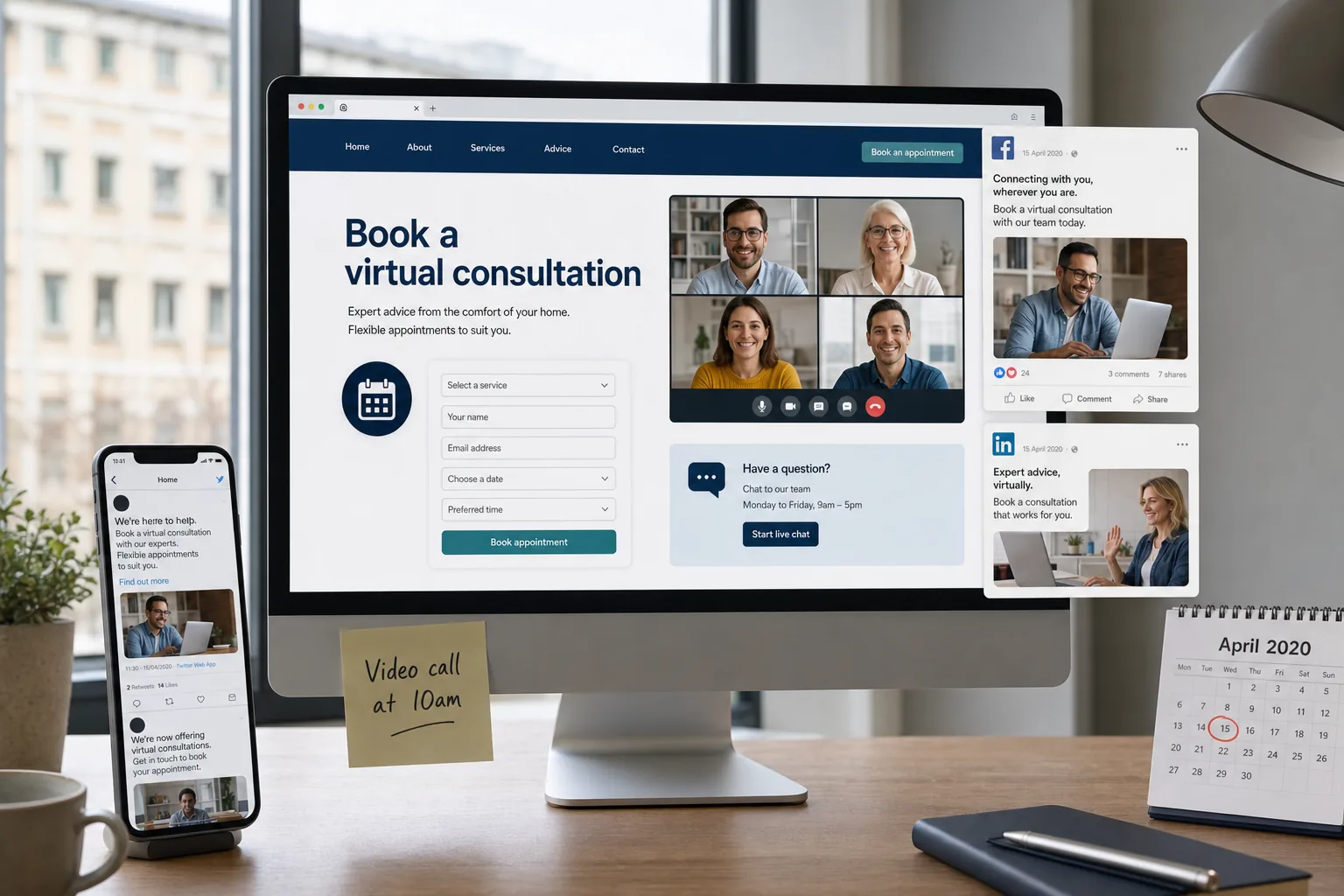
Your website should be the central point for explaining and promoting virtual consultations. If customers have to search through old social media posts or email back and forth several times to understand the process, you will lose enquiries. A clear page on your website can explain who the consultation is for, how long it usually takes, which platform you use, what the customer should prepare and what happens afterwards.
Good website design is particularly important here because customers may be uncertain. Strong calls to action such as Book a virtual consultation, Request a video appointment or Speak to us online can guide visitors towards the right action. The wording should match the level of commitment. For example, a free discovery chat, a private advice session and a detailed design consultation are different experiences, so the page should set expectations clearly without overcomplicating the journey.
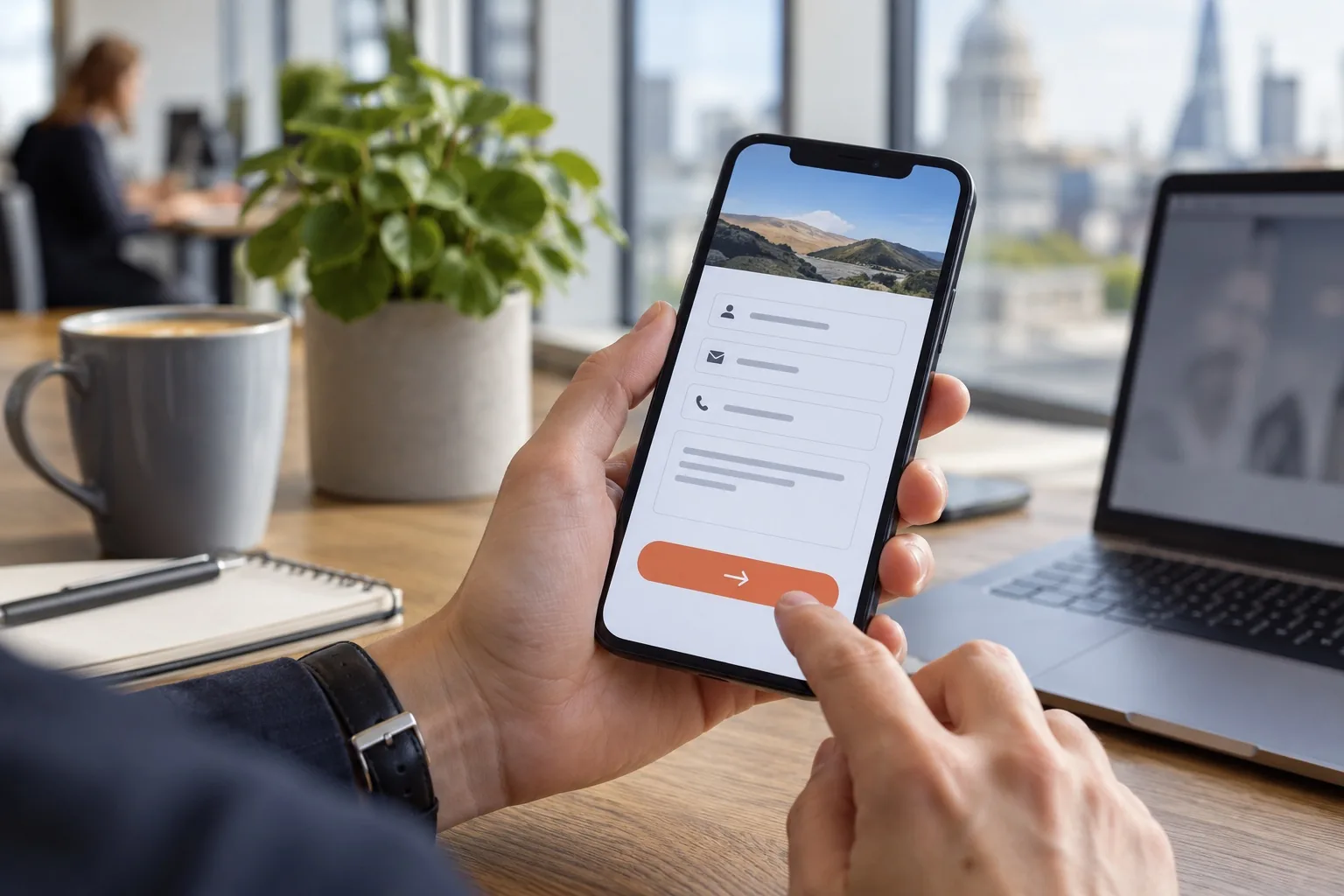
Consider adding a simple booking form that collects only the essential details. Name, email address, telephone number, preferred appointment time and a short note about the enquiry may be enough for many businesses. If you need specific information before the call, ask for it in plain language. Avoid long forms unless they are genuinely required, as they can discourage customers who are already making a new type of booking.
Your consultation page should also work well on mobile. Many people will discover your service through social media or local search, then click through on a phone. Buttons should be easy to tap, the form should be simple to complete and the next step should be obvious. If the appointment is confirmed by email, include clear instructions and a fallback telephone number in case the customer struggles to join the call.
Choose technology that suits your customers
There is no single platform that suits every business. The right choice depends on your audience, the type of conversation and the level of privacy required. Some customers will already be familiar with Zoom or Skype, while others may prefer a simple link they can open in a browser or an app they already use. If you work with consumers, ease of access is often more important than advanced features. If you work with other organisations, platforms such as Microsoft Teams may already fit their working patterns.
Before offering virtual consultations publicly, test the process with colleagues or trusted contacts. Check sound quality, lighting, screen sharing, appointment links, waiting rooms or joining instructions, and what the customer sees before the call begins. A consultation can quickly feel unprofessional if the host cannot find the right link, the microphone fails or the customer receives confusing instructions five minutes before the appointment.
It is also worth preparing a simple structure for the call. Start by confirming the customer’s needs, explain how the consultation will work, ask relevant questions, provide useful guidance and agree the next action before ending. If you need to share documents, website pages, product images or a presentation, have them ready in advance. The smoother the experience, the more confidence the customer will have in your business.
Think carefully about privacy and suitability
Not every conversation is suitable for a casual video call. If you handle sensitive personal, medical, legal or financial information, make sure your process reflects your data protection responsibilities. Use secure accounts, avoid sharing meeting links publicly, and be clear about whether calls are recorded. If a consultation needs to be confidential, encourage the customer to join from a private space and explain any identification or consent steps before the appointment.
For some businesses, an initial virtual consultation can be used to decide whether a full appointment should take place in another format. Being honest about the limits of video is important. Customers will appreciate practical guidance, especially if you explain what can be handled online and what may need to wait or be managed differently.
Use SEO to make virtual appointments discoverable
If you now offer virtual consultations, your website content should say so clearly. Customers are searching for services that can still operate, and search engines need clear signals about what you provide. Add relevant wording to service pages, location pages, frequently asked questions and contact pages where it is genuinely useful. Phrases such as virtual consultations, online appointments, video consultations and remote advice can help describe the service in language customers may use.
Avoid simply repeating keywords without adding value. A stronger approach is to answer the questions people are likely to ask. For example: Can I book an online consultation? How does the video appointment work? Do I need to install anything? Can I speak to someone before placing an order? What information should I prepare? These questions can be built into a dedicated page or a short FAQ section.
Local SEO also matters. A business can be online and local at the same time. A customer in Brighton, Manchester, Bristol or Glasgow may still prefer a local provider, even if the first conversation happens by video. Make sure your website explains the areas you serve and whether virtual consultations are available to customers outside your usual location. Keep your business listings accurate, including opening hours and temporary service changes where appropriate.
Fresh content can support search visibility too. A blog post explaining how your online consultations work, a guide to preparing for an appointment or a simple service update can help customers understand your offer. The aim is not to publish content for the sake of it, but to remove uncertainty and show that your business is active, organised and ready to help.
Promote virtual consultations through social media
Social media is one of the quickest ways to tell existing followers that you now offer virtual consultations. A short announcement post can work well, but it should not be the only message. People may miss a single update, and some will need to see the idea explained a few times before they feel ready to book. Use a mix of practical posts, short videos, customer guidance and behind-the-scenes updates to show how simple the process is.
For example, a home interiors business might share a post explaining how to prepare room measurements before a video design chat. A training provider could publish a short clip showing how an online session is structured. A professional adviser might share a checklist of documents to have ready. These posts provide value while also gently promoting the consultation service.
Keep the tone reassuring. Many customers are dealing with unusual circumstances and may be cautious about trying something new. Clear captions, simple instructions and direct links to your website can make the next step feel manageable. If you are running paid social media campaigns, make sure the advert leads to a dedicated landing page rather than a general homepage. The landing page should match the promise of the advert and make booking straightforward.
Protect your brand with the right domain name
As more business moves online, your domain name becomes even more important. It should be easy to remember, simple to spell and clearly connected to your brand. If you are launching a new consultation service, campaign or microsite, choose a domain that feels credible and avoids unnecessary hyphens, confusing abbreviations or spellings that could be misheard over the phone.
When registering a domain name, use a reputable domain registration provider, keep the ownership details under the control of the business, and make sure renewal reminders go to an email address that will continue to be monitored. It is sensible to register obvious variations where there is a clear brand protection reason, but avoid buying lots of unnecessary domains without a plan. A focused, well-managed domain is usually more valuable than a collection of unused addresses.
If your existing website already has authority and search visibility, it is often better to add a virtual consultation section to the current site than to launch a separate domain. This keeps your content, enquiries and SEO value in one place. A separate domain may be useful for a distinct brand or campaign, but it should not create confusion for customers or split your marketing efforts without good reason.
Design the customer journey before the first call
A successful virtual consultation is more than the call itself. Think about the full journey from first discovery to follow-up. A customer might see a social media post, visit your website, read the consultation page, complete a form, receive a confirmation email, join the call, receive a proposal and then decide whether to proceed. Each step should feel consistent with your brand.
Branding matters because virtual services can feel less tangible. Your website design, emails, appointment reminders, presentation materials and follow-up documents should look and sound as though they belong to the same organisation. Consistent colours, typography, tone of voice and messaging help create trust. Even small details, such as a well-written confirmation email, can make the experience feel more professional.
It is also useful to prepare follow-up templates. After a call, customers often need a summary, a link, a quotation, a document or a reminder of the agreed next step. Sending this promptly shows that the consultation had purpose. It also gives your sales or service process a better chance of continuing, rather than leaving the customer to remember everything discussed on the call.
Measure what is working and improve gradually
As with any digital marketing activity, virtual consultations should be reviewed and improved. Track how many website visitors reach the consultation page, how many complete the enquiry form and how many appointments become genuine opportunities. If people visit the page but do not book, the content may be unclear, the form may be too long or the call to action may not be prominent enough.
Ask customers for informal feedback. Did they understand how to join? Was the appointment useful? Was anything missing from the website? Their answers can highlight practical improvements that are easy to make. You may find that customers need a clearer preparation checklist, a shorter introductory call option or a more visible button on mobile pages.
Virtual consultations are likely to become a normal part of many business models because they are convenient, flexible and efficient. They will not replace every in-person conversation, but they can strengthen your service, widen your reach and make it easier for customers to take the first step. By combining the right technology with clear website design, sensible SEO, consistent branding and helpful social media marketing, UK businesses can offer online appointments that feel professional rather than temporary.
The key is to make the process simple for the customer: explain the value, show them how to book, guide them through the call and follow up clearly afterwards.
If your business is adding virtual consultations, now is the time to review how your website, search visibility and digital marketing support that change. A clear online journey can turn uncertainty into confidence and help customers keep choosing your business, even when the way you meet them has changed.