Website performance is no longer a technical nicety reserved for large online retailers. For a growing UK business, the speed, stability and neatness of a website can influence enquiries, sales, search visibility and the way people feel about the brand. A slow page can make a capable organisation look careless, while a fast, well-structured site gives visitors confidence before they have read a single line of copy.
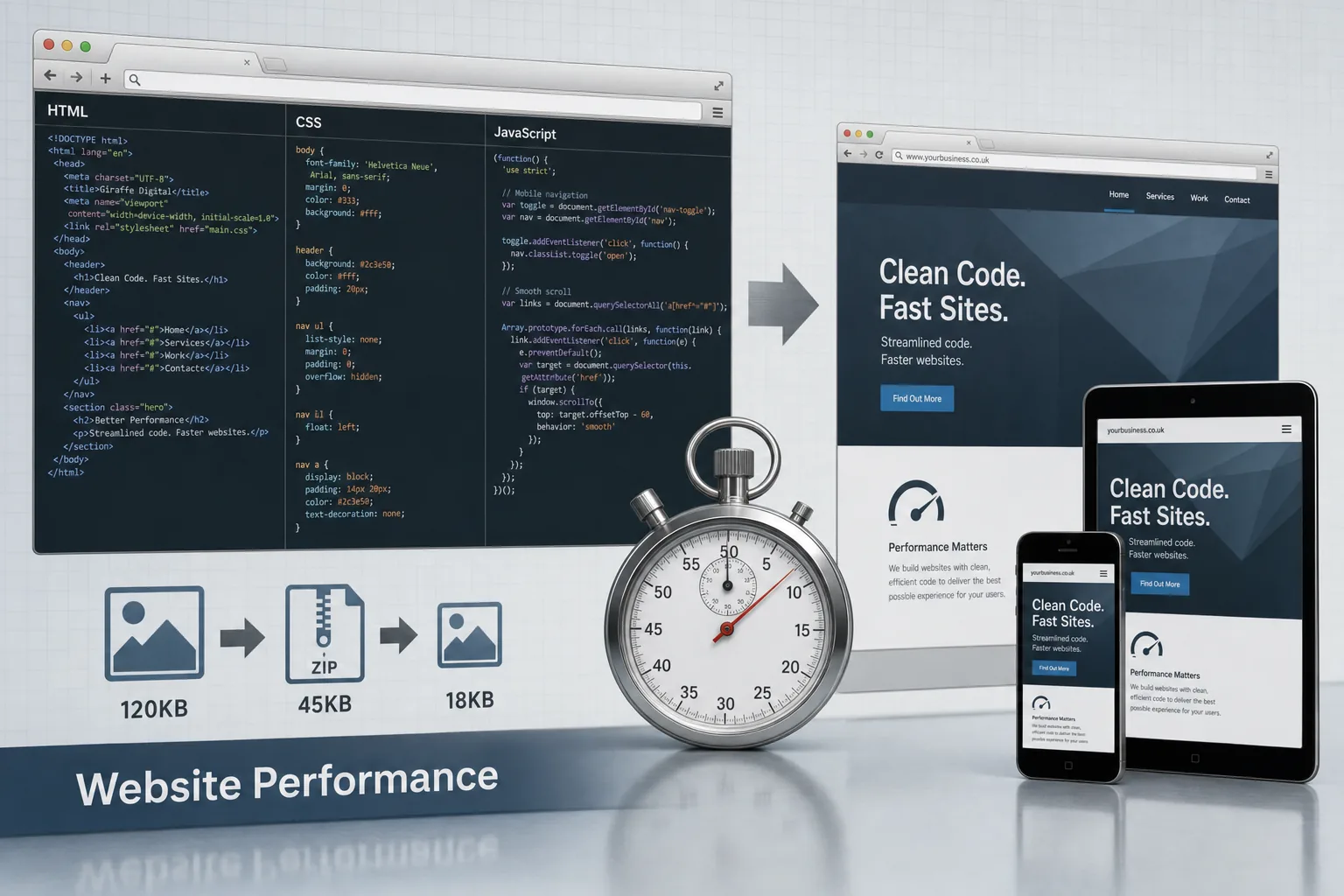
Cleaner code sits at the heart of this. It is not simply about pleasing developers or passing a validation test. Cleaner HTML, sensible CSS, restrained JavaScript and carefully prepared images all help pages load more quickly and behave more reliably across desktop computers, tablets and mobile phones. In August 2013, with more customers browsing on varied devices and connections, performance should be considered from the very start of a website design project.
Why website performance matters to business owners
When a prospective customer clicks through from Google, a social media post, an email campaign or an online directory, they are making a small commitment. If the page takes too long to appear, that commitment fades quickly. Many people will press the back button and choose another result, especially if they are using a mobile connection, public Wi-Fi or an older office computer.
Website performance affects several areas of commercial value. It can improve the proportion of visitors who complete an enquiry form, telephone the business, download a brochure or buy online. It can reduce wasted advertising spend because more paid visitors actually reach a useful page. It can also help existing customers find support information without frustration, reducing avoidable calls and emails.
Performance also plays a part in perception. A professional services firm with a sluggish website may unintentionally suggest that it is behind the times. A retailer with slow product pages may appear less trustworthy than a competitor with a smoother checkout process. A local organisation investing in social media may lose the benefit of its Facebook, Twitter or LinkedIn activity if shared links lead to pages that feel heavy and awkward.
Search marketing is another consideration. Google has stated that speed is one of many signals used in ranking, and faster pages can support better engagement once people arrive. It would be misleading to suggest that speed alone will secure strong rankings, but clean, accessible and efficient pages make it easier to support sound search engine optimisation. Good content, relevant page titles, useful headings, appropriate internal linking and technically tidy pages all work together.
What cleaner code really means
Cleaner code means building pages with purpose. Every element on the page should have a reason to be there. HTML should describe the structure of the content, CSS should control presentation, and JavaScript should be used where it genuinely improves the user experience rather than simply adding decoration.
Older websites often become slow because they collect layers of additions. A banner is added for one campaign, a widget for another, a tracking script for a third and a social feed because it seems fashionable. Over time, the website becomes bloated. Pages load multiple scripts, style sheets and images that no longer serve a clear purpose. The visitor sees a delay; the business sees fewer enquiries.
Cleaner HTML helps browsers render a page more efficiently and helps search engines understand the content. Logical headings, concise navigation and meaningful text links are all useful. A page should not rely on complicated table layouts or unnecessary nested elements where simpler markup would do the job. HTML5 can be used sensibly for modern structure, while still considering browser support and the needs of the audience.
CSS should be organised and should avoid repetition where possible. If the same style is declared in several places, maintenance becomes harder and mistakes become more likely. Bloated style sheets can increase download size and make future improvements slower. A well-planned design system, even for a modest business website, makes it easier to keep branding consistent and pages quick.
JavaScript deserves particular care. Libraries such as jQuery are widely used and can be valuable, but they should not be treated as an excuse to add unnecessary effects. Sliders, pop-ups, animated panels and third-party plugins can quickly make a page feel slow, especially on older machines or mobile devices. If an effect does not help visitors take the next step, it should be questioned.
Images, media and the hidden weight of a page
Images are one of the most common causes of poor website performance. A photograph taken from a camera may be far larger than required for a web page. If uploaded directly into a content management system without resizing and compression, it can make a page unnecessarily heavy.
For most business websites, images should be prepared for their intended use. A small team photograph does not need to be several thousand pixels wide. A banner image should be cropped to the correct dimensions rather than squeezed into place by the browser. File formats should be chosen sensibly: JPEG for photographs, PNG for graphics that need sharp edges or transparency, and GIF for simple graphics or limited animation where appropriate.
Video can be powerful, particularly for product demonstrations, property, training and testimonials, but it should be handled carefully. Embedding several videos on one page may slow the experience. A clear thumbnail and a well-written introduction can often encourage engagement without forcing the page to carry too much weight at the first load.
The same applies to downloadable documents. Brochures, menus, catalogues and application forms should be compressed and clearly labelled. A visitor using a phone should know before tapping whether they are about to open a large PDF. Helpful content is good marketing; unnecessarily heavy content is a barrier.
Design decisions that influence performance
Good website design is not merely how a page looks in a presentation. It is how the page works for real customers. A design that depends on oversized background images, several decorative fonts and multiple rotating panels may impress briefly, but it can undermine the practical aims of the site.
A clear layout often performs better for both people and browsers. Prominent calls to action, readable text, simple navigation and well-spaced content reduce confusion. They also reduce the need for technical tricks. A page that is straightforward to understand is often straightforward to build efficiently.
Responsive web design is now a serious consideration for many businesses. Rather than maintaining separate desktop and mobile sites, a responsive approach can allow the layout to adapt to different screen sizes. This must be planned carefully. A responsive website that downloads enormous desktop images to a phone is not truly serving mobile visitors well. Performance should be tested on actual devices and realistic connections, not only on a fast office broadband line.
Typography also has an effect. Web fonts can improve brand presentation, but too many font families and weights can slow a page. Choose the typefaces that matter and use them consistently. Branding should support communication, not obstruct it.
Content management systems and long-term discipline
Many UK businesses use a content management system so that staff can update pages, publish news and add images without involving a developer for every change. This is sensible, but it can also create performance problems if the system is not maintained.
Themes, modules, extensions and plugins should be selected carefully. A plugin that adds a small feature to the administration area may load scripts on every public page. An attractive gallery extension may create large thumbnails or inefficient code. Before adding anything, ask whether the benefit is worth the extra weight and whether the same result could be achieved more simply.
Editorial discipline matters too. Staff should know how to prepare images, write concise page titles, use headings correctly and avoid pasting messy code from word-processing documents. A content management system is only as tidy as the habits of the people using it. Basic training can prevent a great deal of technical clutter.
Regular reviews are useful. Old campaign pages, unused scripts, broken links and outdated documents should be removed or improved. A website is not a printed brochure; it needs housekeeping. Cleaner code and cleaner content often go hand in hand.
Website performance and search marketing
Search engine optimisation in 2013 is not about stuffing pages with repeated phrases. It is about making useful, relevant content easy for search engines and customers to understand. Website performance supports that aim by helping pages load quickly, reducing frustration and allowing visitors to engage with the content.
Clean code can make page structure clearer. Search engines can identify headings, navigation, body copy and links more easily when a site is built properly. Descriptive title tags, unique meta descriptions and logical internal links should be combined with fast-loading pages and helpful copy. The primary goal is to answer the visitor's question better than competing pages.
Performance is also important for paid search. If a business is paying for traffic, a slow landing page wastes opportunity. Campaign landing pages should be especially lean: a clear headline, relevant copy, a concise form or telephone call to action, and only the scripts that are genuinely needed. If a visitor has searched for a service in their area, do not make them wait through unnecessary animation before they can enquire.
Social media marketing presents similar challenges. A post on Facebook, Twitter, LinkedIn, Google+ or Pinterest may create a short burst of interest. If the page is slow, the burst is squandered. Shared content should load quickly, display the right imagery and make the next step obvious, whether that is reading an article, registering interest or contacting the business.
Domain names, hosting and technical foundations
Performance is not only about code on the page. The domain, hosting environment and technical configuration also matter. A clear and memorable domain name helps customers find and trust the website. For a UK-focused business, a suitable UK domain can be appropriate, while some organisations may also secure related international or brand-protection domains. The choice should be simple to say, easy to spell and aligned with the organisation's name or core service.
Avoid choosing a domain solely because it contains a keyword. A long or awkward name can weaken the brand and increase the chance of typing errors. Hyphens and unusual spellings should be used cautiously. It is also wise to register domains using accurate business contact details, keep renewal dates under control and ensure that more than one trusted person knows how the domain is managed.
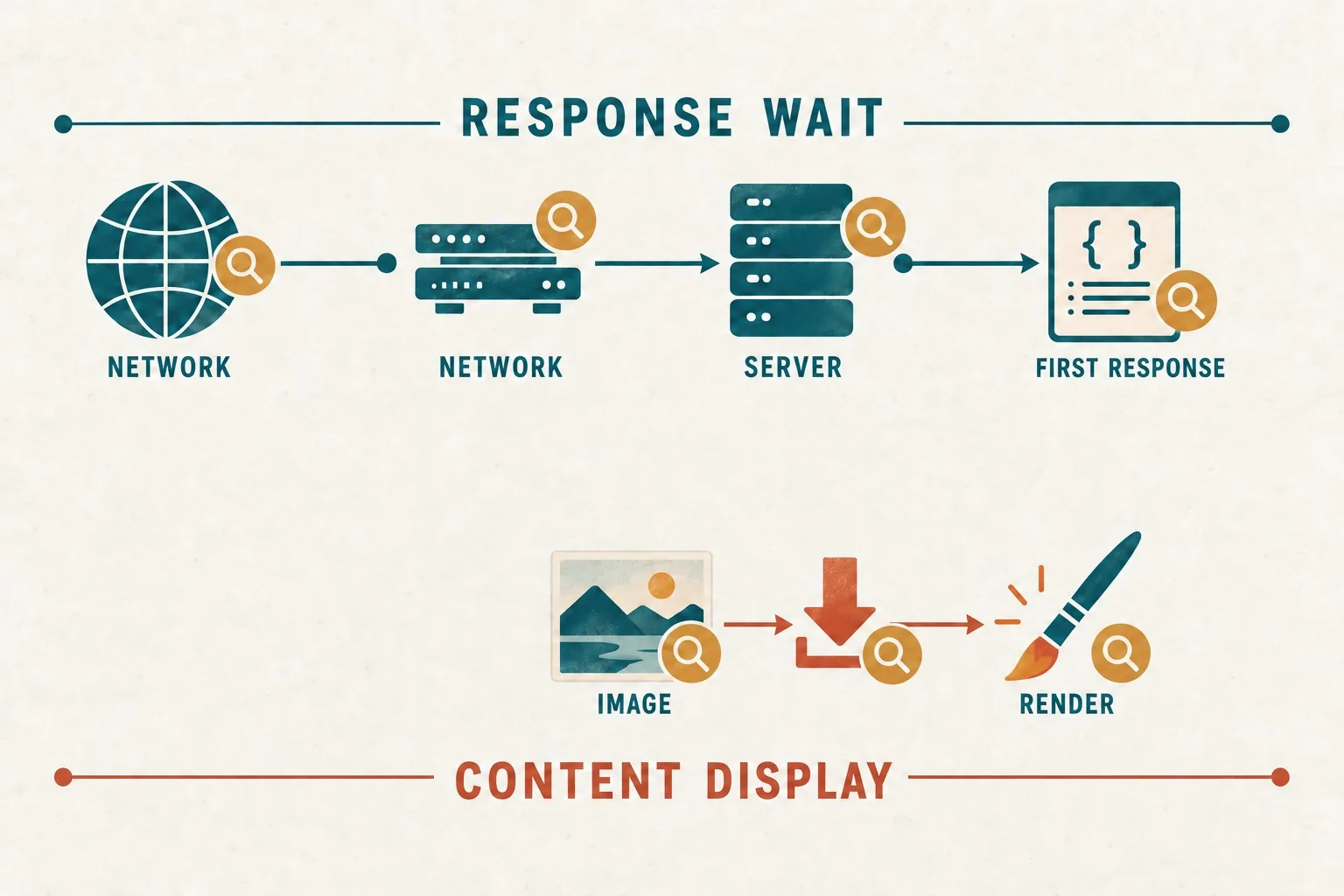
Hosting should be suitable for the purpose of the site. A brochure website, a busy e-commerce shop and a membership portal have different demands. Slow or unreliable hosting can undermine otherwise good design work. Businesses should consider server response times, uptime, support quality, backup arrangements and the ability to handle seasonal peaks or campaign traffic.
Caching, compression and sensible file delivery can improve speed when configured properly. These are technical subjects, but business owners do not need to know every detail to ask the right questions. A web partner should be able to explain how pages are being served efficiently and how the site will be monitored after launch.
Practical steps towards a faster, cleaner website
Improving website performance does not always require a complete rebuild. Start with an audit of the most important pages: the home page, key service pages, popular blog posts, product pages, contact page and any paid search landing pages. Look at how quickly they load, how large the files are and whether unnecessary scripts or images are present.
- Reduce unnecessary page elements. Remove old widgets, unused tracking scripts, redundant banners and plugins that no longer support a business goal.
- Prepare images properly. Resize, crop and compress images before uploading them, and avoid forcing the browser to shrink very large files.
- Simplify styles and scripts. Combine and streamline files where appropriate, and avoid loading code on pages that do not use it.
- Prioritise visible content. Make sure visitors can quickly see the main message, navigation and call to action.
- Test on real devices. Check the site on common desktop browsers, tablets and smartphones, including slower connections where possible.
- Keep content tidy. Remove outdated documents, fix broken links and train staff to use the content management system correctly.
It is also worth reviewing analytics data. If a page receives traffic but produces few enquiries, performance may be part of the issue. High bounce rates, short visits and poor mobile engagement should prompt further investigation. Data does not replace judgement, but it can point to pages where improvements may have the greatest commercial impact.
A cleaner website is easier to improve
One of the strongest arguments for cleaner code is that it makes future development easier. A tidy website is simpler to update, redesign, test and expand. If the business later wants to add an e-commerce section, integrate email marketing, publish more articles or run a focused campaign, the foundations are already in better shape.
Messy code creates hidden costs in time and risk. A small visual change may break another part of the page. A browser update may expose fragile scripts. A new member of staff may struggle to understand how content should be added. Cleaner code reduces these problems and gives the business more flexibility.
For business owners planning a new website, performance should be discussed before design concepts are approved. Ask how the site will be built, how images will be handled, how mobile visitors will be considered and what ongoing maintenance will involve. For businesses with an existing website, a performance review can identify practical improvements without discarding everything that already works.
Website performance is ultimately about respect for the visitor's time. Cleaner code, efficient design and sensible technical choices help people reach the information they need with less friction. That makes the website more useful, more credible and more likely to support the aims of the business.