
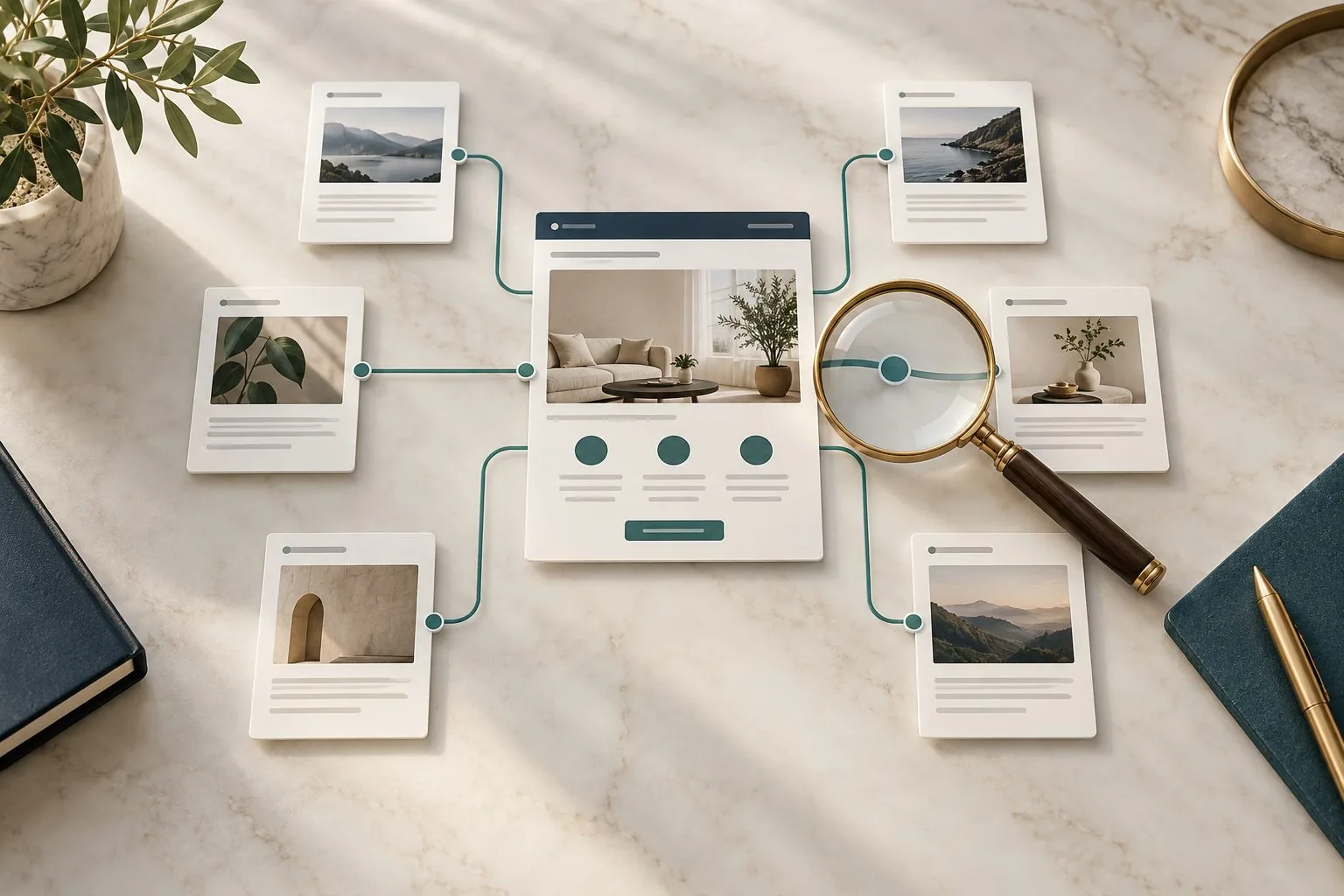
A valuable service page can be difficult to find even when it is well written. It may appear in the main menu while relevant articles never mention it. Older pages may link to a retired service address, and recent case studies may end without helping readers explore the next step. An internal link audit reveals these gaps by examining how useful pages connect.
The aim is to help visitors discover relevant information and give search engines understandable connections between pages. Start with the services that matter to the business, then assess the links that lead to them. A useful audit produces a manageable set of improvements, with reasons and owners, rather than a demand to add links everywhere.
Choose target pages through business purpose
List the service pages you want to examine and explain why each matters. Consider the service's relevance to your intended customers, the quality of its page and the role it plays in the enquiry journey. A commercially important page still needs to answer the visitor's questions before additional links can help.
Check the destination first. Does it describe the service accurately, explain who it suits and provide a clear next step? Is the business still offering it? Are the contact route and supporting examples useful? Sending more visitors to an unclear or outdated page can amplify the wrong problem.
Give each target a single preferred working URL for the audit. Record old addresses separately so that you can find links needing attention. Where there are several overlapping service pages, decide their roles before editing links. Otherwise, different editors may send similar readers to different destinations without understanding why.
Build an inventory of existing incoming links
Use a website crawl or an equivalent page inventory to identify links to each target. Record the source URL, destination, anchor wording and where the link appears. Distinguish a navigation link repeated across the site from a contextual recommendation inside a relevant article.
A repeated footer link may produce a large count without showing that the website explains the service in useful contexts. Count distinct source pages and examine their purpose. This gives you a more meaningful view of coverage than treating every repeated template link as a separate editorial recommendation.
Include old destination addresses, redirected links and links with tracking parameters where they occur. They may still lead to the correct page, but they can complicate maintenance and obscure the intended destination. Ask your developer to investigate technical behaviour where the crawl does not explain it clearly.
Check that the links are technically usable
Crawlable links normally use an anchor element with an href containing a usable URL. Use descriptive, concise anchor text and relevant surrounding context. There is no magic number of links every page should contain. Our crawlable links and indexing guide provides the related checks.
Review important calls to action and card links in the rendered page, particularly where interactive components generate them. A control that looks like a link to a visitor may behave differently in the underlying implementation. Give the developer a precise example and an expected destination rather than asking for a general technical clean-up.
Check the experience too. Does the link work with keyboard navigation? Does its wording remain understandable outside the surrounding paragraph? Is the destination what a reasonable visitor would expect? Search visibility and usability both benefit from clear, functional connections.
Find relevant pages that do not link to the service
Search your content inventory for topics related to each target service. Look for customer problems, practical questions, project examples and decisions that naturally lead to the service. An article about preparing a website brief may be a useful source for a website design page; an unrelated news item may have no reason to link there.
Read the candidate page before deciding to add a link. Shared vocabulary alone does not establish relevance. A paragraph discussing a historical project might need a case study reference, while a practical explanation of planning a new project might support a service link.
Record the proposed location and the reader's likely next question. For example, after explaining what an SEO audit should produce, the reader may want to understand the assistance available. That provides a reason for a relevant service link. Adding one simply because a keyword appears creates a weaker editorial connection.
Write anchors that explain the destination
Use wording that helps readers predict what they will find. A link labelled website design service tells them more than a generic click here. The surrounding sentence should make clear why the service is relevant at that point, without interrupting the explanation.
Avoid forcing an exact keyword phrase into every link. Repetition can make articles sound unnatural and can obscure differences between destinations. Choose wording that fits the sentence and accurately describes the target. The goal is consistent meaning, rather than identical phrasing across every source page.
Do not promise something that the destination does not provide. If a page describes an advisory service, avoid an anchor suggesting a free downloadable checklist unless that checklist exists there. A clear link builds trust by matching the expectation it creates.
Inspect connections within the customer journey
Examine the route after the service page as well as the route into it. Visitors may need an example, an explanation of the process or an enquiry form. A strong incoming link helps them arrive, but the service page still needs to help them continue.
Use representative tasks to review the sequence. Someone reading about website performance might want to understand whether they need a redesign or a smaller improvement. Give them a sensible route to relevant information without sending them through several loosely related articles before they can ask for help.
Look for unnecessary circular journeys. An article links to a service page, which links back to the same article without adding a useful next step. Reciprocal links can be appropriate, but they should each serve a purpose. Inspect the journey rather than assuming a connection is useful because it exists.
Follow a visible choice to its actual destination
Pragma’s homepage presents Expertise, Projects and Contact in the navigation, alongside choices to explore work or start a conversation. Begin a route audit with one of those visible choices, then follow its current link and record whether the destination continues the customer’s task.
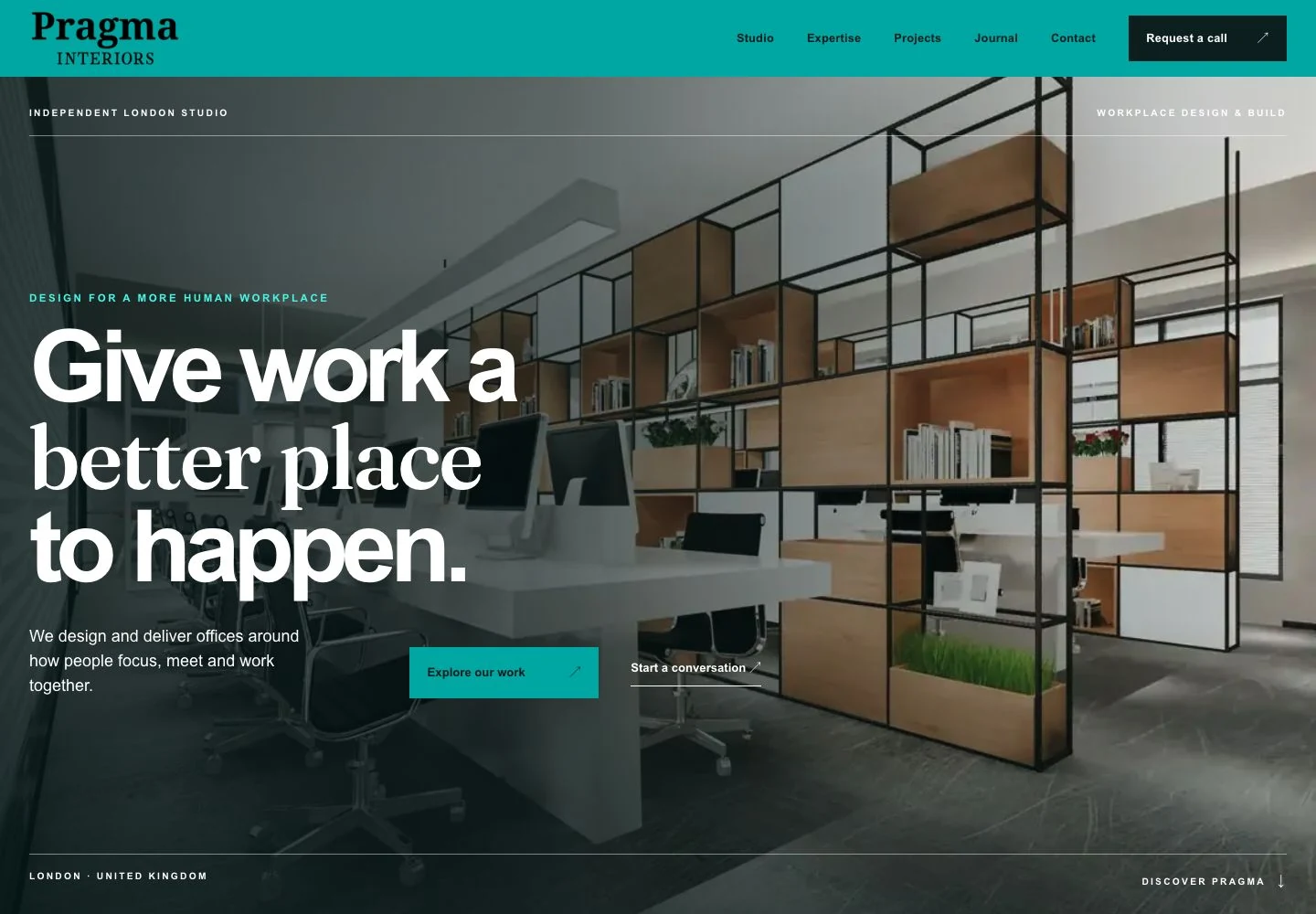
Choose a customer task, such as understanding the studio’s work before making contact. Record the source URL, exact anchor, destination and whether the destination continues that task. Include keyboard use and the final working address in the check.
- Does the anchor accurately describe what opens?
- Is the next useful step available in context?
- Does the page provide the information promised before requesting an enquiry?
Explore the project case study for the website structure and delivered work. Our SEO service connects that technical verification with clear service-page content.
Prioritise improvements by usefulness and effort
Put broken destinations and inaccurate promises near the top of the list. Then identify relevant pages with meaningful readership or a strong connection to the service. If you have reliable traffic evidence, use it to inform priority while recognising that low recorded traffic does not automatically make a page unimportant.
Create a short action record for each change: source page, current behaviour, proposed destination, revised wording and reason. Assign an editor or developer according to the work required. Template changes need different handling from a sentence added to a single article.
Keep the first set of changes manageable. A focused audit of a few important service pages often reveals recurring issues that can inform the next review. Attempting to rewrite every connection at once can make it difficult to check whether the changes actually improve the journey.
Verify the final published links
After editing, check the live source page and follow each changed link. Confirm the destination, wording and surrounding context. A correct CMS value does not always prove that the published output is correct, especially where templates or caching affect the result.
Update the audit record with the completion date and any remaining limitations. Where a destination change requires a developer's work, leave the item open until that behaviour has been checked. An editorial change and a technical repair may be separate tasks even when they affect the same link.
Repeat the crawl or inspection for the affected area. Compare the result with the intended changes, and investigate unexpected new redirects or duplicate links. Verification should answer whether the specific improvement was delivered, rather than simply producing another report.
Assess results with appropriate caution
Internal links can support discovery and clarify relationships, but changes do not guarantee a ranking increase. Search performance is affected by many factors. Record the date of your changes and examine relevant page and enquiry behaviour where measurement is available, without assigning every later movement to the link audit.
Include qualitative feedback. Can staff find the right service explanation? Can a prospective customer move from an informative article to a useful next step? Those questions can reveal improvements that a search position alone does not describe.
Giraffe Digital's search engine optimisation service can help connect content review, technical checks and practical priorities. A good internal link audit leaves your strongest service pages supported by relevant, accurate routes that readers can understand and your team can maintain.
Frequently asked questions
How should we choose target pages through business purpose?
List the service pages you want to examine and explain why each matters. Consider the service's relevance to your intended customers, the quality of its page and the role it plays in the enquiry journey. A commercially important page still needs to answer the visitor's questions before additional links can help. Check the destination first. Does it describe the service accurately, explain who it suits and provide a clear next step? Is the business still offering it? Are the contact route and supporting examples useful? Sending more visitors to an unclear or outdated page can amplify the wrong problem. Give each target a single preferred working URL for the audit. Record old addresses separately so that you can find links needing attention.
How should we check that the links are technically usable?
Crawlable links normally use an anchor element with an href containing a usable URL. Use descriptive, concise anchor text and relevant surrounding context. There is no magic number of links every page should contain. Our crawlable links and indexing guide provides the related checks. Review important calls to action and card links in the rendered page, particularly where interactive components generate them. A control that looks like a link to a visitor may behave differently in the underlying implementation. Give the developer a precise example and an expected destination rather than asking for a general technical clean-up. Check the experience too. Does the link work with keyboard navigation? Does its wording remain understandable outside the surrounding paragraph?
How should we write anchors that explain the destination?
Use wording that helps readers predict what they will find. A link labelled website design service tells them more than a generic click here. The surrounding sentence should make clear why the service is relevant at that point, without interrupting the explanation. Avoid forcing an exact keyword phrase into every link. Repetition can make articles sound unnatural and can obscure differences between destinations. Choose wording that fits the sentence and accurately describes the target. The goal is consistent meaning, rather than identical phrasing across every source page. Do not promise something that the destination does not provide. If a page describes an advisory service, avoid an anchor suggesting a free downloadable checklist unless that checklist exists there.
How should we prioritise improvements by usefulness and effort?
Put broken destinations and inaccurate promises near the top of the list. Then identify relevant pages with meaningful readership or a strong connection to the service. If you have reliable traffic evidence, use it to inform priority while recognising that low recorded traffic does not automatically make a page unimportant. Create a short action record for each change: source page, current behaviour, proposed destination, revised wording and reason. Assign an editor or developer according to the work required. Template changes need different handling from a sentence added to a single article. Keep the first set of changes manageable. A focused audit of a few important service pages often reveals recurring issues that can inform the next review.
How should we assess results with appropriate caution?
Internal links can support discovery and clarify relationships, but changes do not guarantee a ranking increase. Search performance is affected by many factors. Record the date of your changes and examine relevant page and enquiry behaviour where measurement is available, without assigning every later movement to the link audit. Include qualitative feedback. Can staff find the right service explanation? Can a prospective customer move from an informative article to a useful next step? Those questions can reveal improvements that a search position alone does not describe. Giraffe Digital's search engine optimisation service can help connect content review, technical checks and practical priorities. A good internal link audit leaves your strongest service pages supported by relevant, accurate routes that readers can understand and your team can maintain.