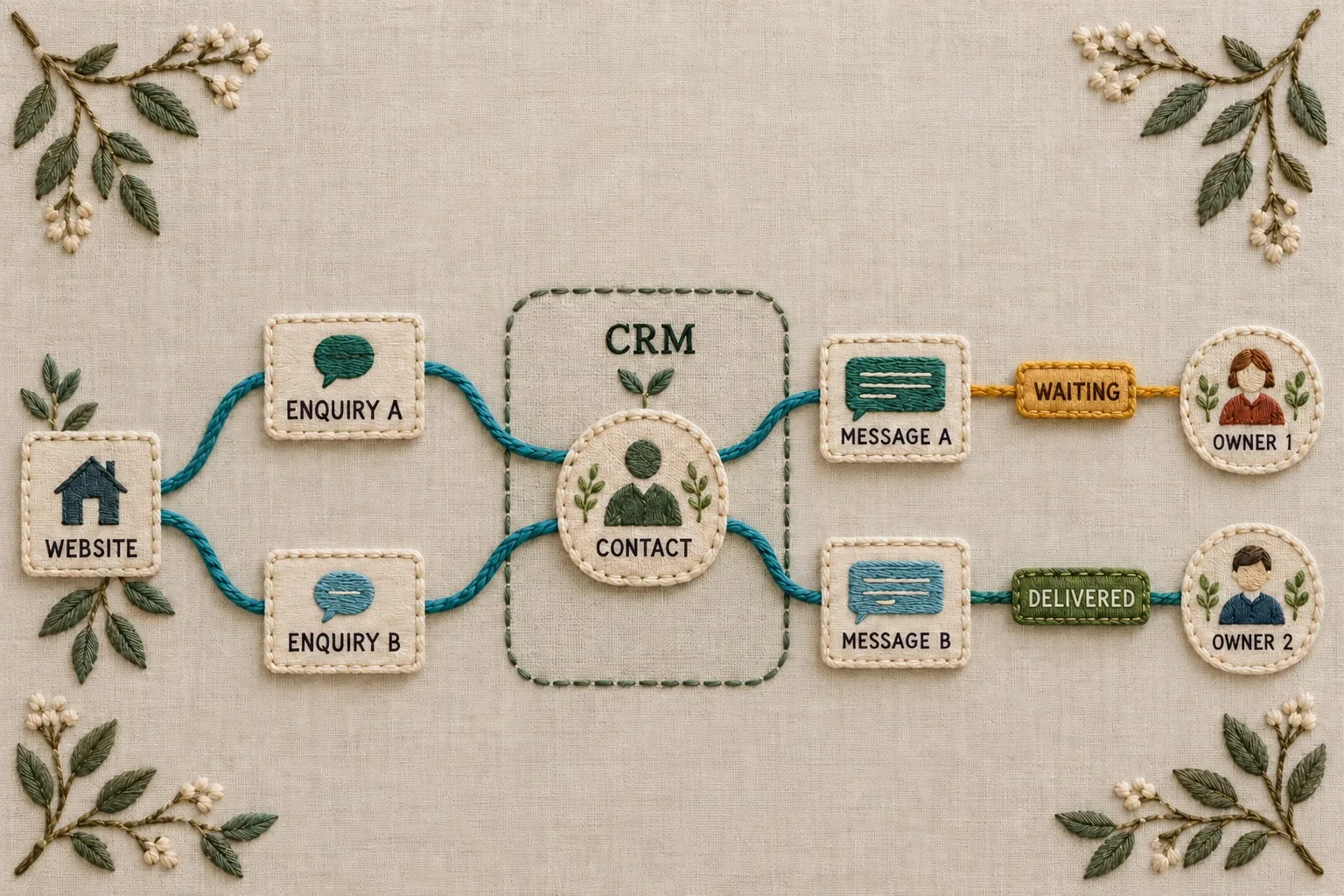

Document intake is more than extracting words from a file. The business also needs to know who supplied it, which case it belongs to, whether it replaces an earlier version and what action should follow. An automation that captures a reference number accurately but loses those relationships can create a misleading record.
Context should therefore be part of the intake design from the beginning. The workflow needs to preserve the evidence behind an extracted value and distinguish a received document from an accepted business instruction. Those decisions matter whether the extraction uses rules, optical character recognition or an AI model.
A useful first implementation handles one defined document journey, with clear boundaries and human review where needed. It should make routine work easier while leaving staff able to understand, correct and trace the resulting record.
Define the business event represented by intake
Choose a specific document type and purpose. An application attachment, a delivery note and a supplier invoice have different meanings and follow-up actions. Combining them into a general document automation before understanding those differences makes the routing harder to explain.
State what receipt establishes. A customer sending a file may have completed a submission step, but the business may still need to check completeness, relevance or approval. Record these states separately, so the workflow does not treat every uploaded document as accepted information.
Map how staff currently use the material. Which fields do they inspect, which surrounding messages matter and which other records do they compare? This reveals the context that a simple extraction demonstration might leave out.
Define the outcome in terms of the task. For example, the system might create a review item linked to the correct customer case, containing candidate fields and the source document. That is a more precise goal than automatically processing every document.
Preserve the source and its surrounding information
Record a stable source reference together with the receipt time, channel and relevant case relationship. Where appropriate, retain the accompanying message or submission instructions. Decide which context is necessary and limit access according to the business's information rules.
Keep extracted values linked to their source. A reviewer should be able to inspect the relevant page or section without searching a separate folder for an uncertain filename. The workflow should make it clear which document version supplied the value.
Consider an illustrative attachment arriving with a message saying it replaces yesterday's file. If the automation sees only the attachment, it may create another active record. Preserving the relationship between the message, the new document and the earlier submission allows the team to make the correct replacement decision.
Agree what is retained and for how long with the people responsible for the data. Keeping everything indefinitely is not a substitute for understanding the process. The automation should support the approved handling arrangement rather than silently create an uncontrolled archive.
Separate extracted values from confirmed facts
Define fields with their business meaning, not just their visual label. A date might be the issue date, delivery date or requested completion date. A total may include tax or refer to only one part of the document. The destination record needs to preserve that distinction.
Extraction confidence can help route documents for review, but does not prove that a value belongs to the right business field or that the document is current. Combine confidence with validation of identity, context and the intended decision. Our document capture and human review guide provides the related checks.
Use a candidate state where the information requires confirmation. Staff should be able to see the proposed value, the source and the reason it needs attention. Avoid writing uncertain information directly into a final operational field without an agreed decision rule.
Represent missing information honestly. An empty field, an unreadable value and a value that is not applicable are different conditions. A workflow that fills each with the same default can hide important uncertainty.
Design review around consequence and ambiguity
Identify errors that would matter to the business. Assigning a document to the wrong case may be more serious than missing a secondary description. Use that assessment to decide which conditions require review before further action.
Give reviewers an understandable queue. Include the source, related case, candidate values, relevant context and the reason for review. A task saying low confidence without showing what needs checking creates unnecessary work.
Allow more than acceptance or rejection. The reviewer may need to correct a field, change the case relationship, mark a replacement or request information. Those outcomes should feed the process in a clear way rather than be written as notes that the automation cannot use.
Decide what happens while review is pending. A document may wait without blocking unrelated work, or it may prevent a particular business action. Make that behaviour explicit, so staff do not assume that an invisible queue means the task is complete.
Control duplicates, replacements and incomplete journeys
Customers and staff may send the same file through more than one channel. The workflow should recognise possible duplication and preserve the evidence needed to decide whether the submissions are the same business event. A matching filename alone is not a reliable decision.
Define the difference between a duplicate and a revised version. A corrected document may look very similar to the original while changing a crucial field. The process must not discard it merely because several identifying details match.
Track processing states, so interrupted work can be reconciled. If a document was received, but the destination system did not confirm the update, the team should be able to investigate without creating an unrelated record automatically.
Include abandoned or incomplete submissions. A workflow may receive one attachment from a required set and need to explain what remains outstanding. Preserve the link to the overall task, so each file does not become an isolated item.
Test with realistic variations before relying on automation
Collect representative examples of the chosen document journey, using suitable test data. Include different layouts, scanned and digital files, missing fields, multiple attachments and accompanying explanations. The set should reflect ordinary work and relevant exceptions.
Specify the expected outcome for each case. Check extraction, record relationships, routing, review requirements and the final business state. A test that compares only the extracted text can miss the context errors the workflow was designed to prevent.
Observe a reviewer using the process. Confirm that they can locate the evidence, understand the queue and make the required correction. Review usability matters because an unclear human step can introduce new mistakes even when extraction is accurate.
Agree release criteria before examining the final results. Report errors by type and consequence, then decide which conditions are suitable for automation and which should continue to require review. Avoid turning a successful demonstration into an unsupported claim about every document.
Keep intake accountable after launch
Assign owners for source handling, field definitions, review and technical operation. Document changes in input formats or destination records should trigger a relevant check. Otherwise, a workflow that once worked well can gradually interpret new material incorrectly.
Review corrections and unresolved items regularly. Look for repeated missing context, confusing field definitions and cases that are routed to the wrong person. Use those findings to improve the process rather than simply lower review thresholds to clear the queue.
Giraffe Digital's digital strategy service connects customer journeys and business tools. Document intake belongs in that planning because the information arriving at a business must retain its meaning as it moves between systems.
Effective automation preserves the source, the relationship and the decision behind a record. Define those parts first, make uncertainty visible and test the full journey. That helps the business save effort without losing the context staff need to do the work correctly.
Frequently asked questions
How should we define the business event represented by intake?
Choose a specific document type and purpose. An application attachment, a delivery note and a supplier invoice have different meanings and follow-up actions. Combining them into a general document automation before understanding those differences makes the routing harder to explain. State what receipt establishes. A customer sending a file may have completed a submission step, but the business may still need to check completeness, relevance or approval. Record these states separately, so the workflow does not treat every uploaded document as accepted information. Map how staff currently use the material. Which fields do they inspect, which surrounding messages matter and which other records do they compare? This reveals the context that a simple extraction demonstration might leave out.
How should we separate extracted values from confirmed facts?
Define fields with their business meaning, not just their visual label. A date might be the issue date, delivery date or requested completion date. A total may include tax or refer to only one part of the document. The destination record needs to preserve that distinction. Extraction confidence can help route documents for review, but does not prove that a value belongs to the right business field or that the document is current. Combine confidence with validation of identity, context and the intended decision. Our document capture and human review guide provides the related checks. Use a candidate state where the information requires confirmation. Staff should be able to see the proposed value, the source and the reason it needs attention.
How should we design review around consequence and ambiguity?
Identify errors that would matter to the business. Assigning a document to the wrong case may be more serious than missing a secondary description. Use that assessment to decide which conditions require review before further action. Give reviewers an understandable queue. Include the source, related case, candidate values, relevant context and the reason for review. A task saying low confidence without showing what needs checking creates unnecessary work. Allow more than acceptance or rejection. The reviewer may need to correct a field, change the case relationship, mark a replacement or request information. Those outcomes should feed the process in a clear way rather than be written as notes that the automation cannot use. Decide what happens while review is pending.
How should we control duplicates, replacements and incomplete journeys?
Customers and staff may send the same file through more than one channel. The workflow should recognise possible duplication and preserve the evidence needed to decide whether the submissions are the same business event. A matching filename alone is not a reliable decision. Define the difference between a duplicate and a revised version. A corrected document may look very similar to the original while changing a crucial field. The process must not discard it merely because several identifying details match. Track processing states, so interrupted work can be reconciled. If a document was received, but the destination system did not confirm the update, the team should be able to investigate without creating an unrelated record automatically.
How should we keep intake accountable after launch?
Assign owners for source handling, field definitions, review and technical operation. Document changes in input formats or destination records should trigger a relevant check. Otherwise, a workflow that once worked well can gradually interpret new material incorrectly. Review corrections and unresolved items regularly. Look for repeated missing context, confusing field definitions and cases that are routed to the wrong person. Use those findings to improve the process rather than simply lower review thresholds to clear the queue. Giraffe Digital's digital strategy service connects customer journeys and business tools. Document intake belongs in that planning because the information arriving at a business must retain its meaning as it moves between systems. Effective automation preserves the source, the relationship and the decision behind a record.