Inclusive web design is no longer a specialist concern reserved for large organisations or public bodies. For UK businesses planning a new website, improving an existing one or reviewing their digital marketing, accessibility is becoming a practical part of good design. A website that is easier to read, navigate and use helps more people complete the actions that matter: making an enquiry, booking a service, buying a product, signing up to a newsletter or finding the right information quickly.
In May 2021, more business owners are recognising that accessibility is closely linked to customer experience, search visibility, brand reputation and long-term website performance. It is not only about meeting legal expectations or adding a few technical fixes at the end of a project. It is about designing digital experiences that work well for people with different needs, devices, connections, environments and levels of confidence online.
What inclusive web design means for business websites
Inclusive web design is the practice of creating websites that can be used by as many people as possible. This includes people with visual, hearing, motor or cognitive impairments, as well as people who may be temporarily affected by their circumstances. Someone using a cracked phone screen, browsing in bright sunlight, recovering from an injury, watching a video without sound or using a slow connection can all benefit from accessible design choices.
For a business website, inclusive design affects the whole user journey. It covers how pages are structured, how menus work, how forms are labelled, how colour is used, how text is written and how media content is presented. A site that depends on tiny grey text, confusing navigation or images without descriptions may exclude users before they ever reach a contact form or checkout.
The most successful approach is to consider accessibility from the start of a web design project. It is much easier to choose a clear layout, readable typeface and logical page structure early on than to repair a difficult website later. Accessibility should sit alongside branding, content, SEO and conversion planning rather than being treated as a separate technical checklist.
Why accessibility has real commercial value
Accessibility improvements are often described as ethical, and rightly so. However, they also make strong commercial sense. A more inclusive website can broaden your potential audience, reduce barriers to enquiries and improve confidence in your business. If users can find what they need without frustration, they are more likely to stay on your site and take the next step.
Clear navigation, strong contrast, descriptive headings and well-written content also support search engine optimisation. Search engines need to understand the structure and purpose of a page. When a website uses meaningful headings, descriptive link text, useful page titles and text alternatives for important images, it is often easier for both users and search engines to interpret.
Accessibility can also reduce avoidable customer service pressure. If opening hours, delivery details, booking instructions or product information are hidden in images or difficult to understand, users may need to phone or email for clarification. Presenting information clearly on the website helps customers self-serve, which can save time for both sides.
There is also a trust factor. A website that feels thoughtful, professional and easy to use reflects well on the organisation behind it. For service businesses, charities, retailers and local companies, that first impression can influence whether someone chooses to get in touch.
Design choices that make websites easier to use
Many accessibility improvements are straightforward design decisions. They do not need to make a website look plain or limit creative branding. The aim is to create an attractive site that remains practical and usable.
Use colour carefully
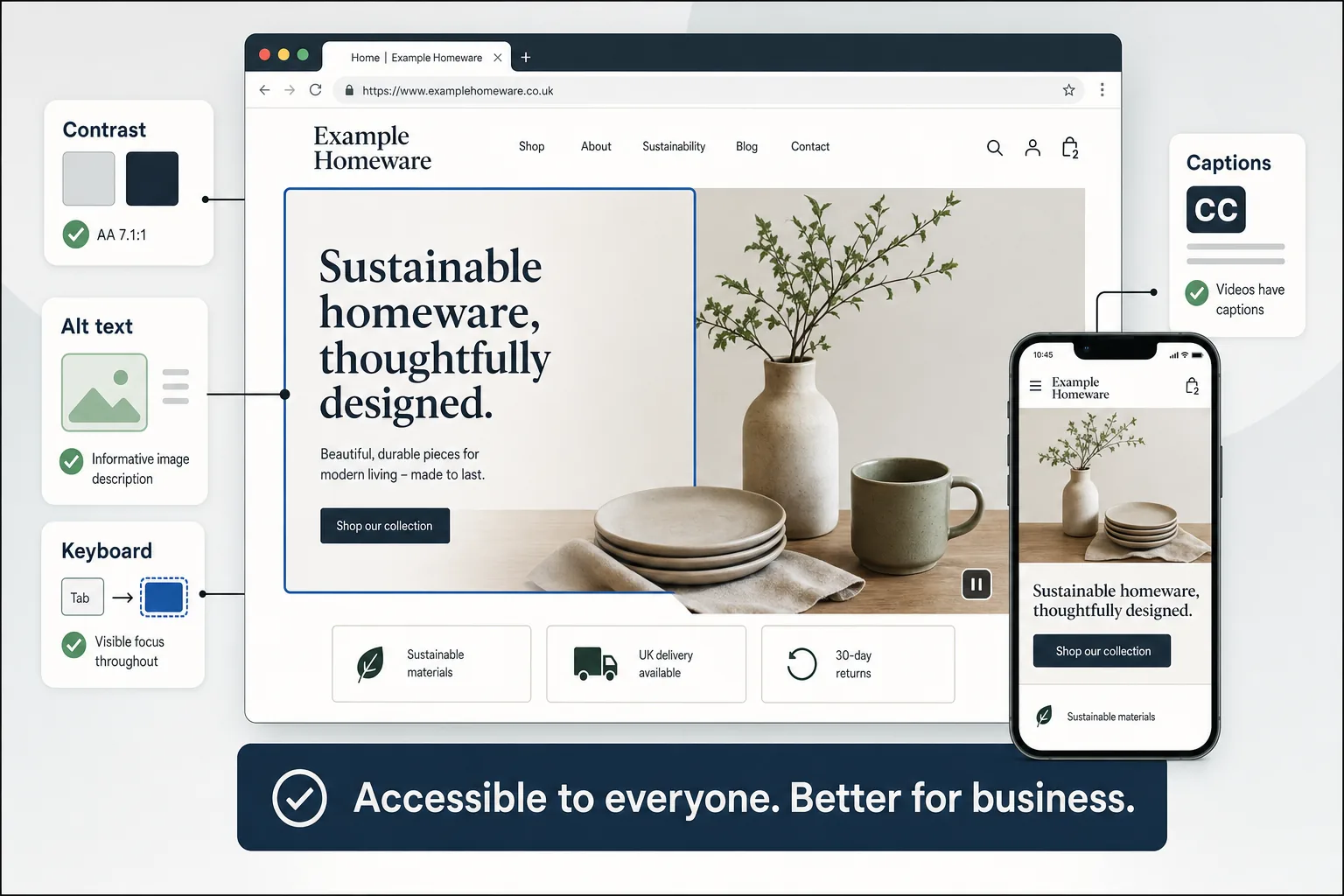
Colour can support a strong brand identity, but it should not be the only way important information is communicated. For example, a form field should not rely solely on a red border to show an error. Include a clear message explaining what needs to be corrected. Text should also have sufficient contrast against its background, especially for buttons, navigation items and calls to action.
Make text readable
Readable text helps everyone. Use comfortable font sizes, adequate line spacing and clear paragraph breaks. Avoid placing long blocks of text in all capitals or over busy images. If your website serves a professional audience, clarity is more persuasive than jargon. Visitors should be able to understand what you offer, where you operate and how to contact you without having to work hard.
Plan simple, consistent navigation
Menus should be predictable and easy to follow. Users should not have to guess where key information is located. A small business website might use clear sections such as Services, About, Case Studies, Blog and Contact. For larger sites, consider grouping related pages logically and using internal links to guide users through the journey.
Design buttons and links with purpose
Calls to action should be clear and specific. A button labelled Request a quote or Book a consultation is more useful than a vague Click here. Link text should make sense out of context because some users navigate by scanning links or using assistive technology.
Content accessibility and plain English
Inclusive web design is not only visual or technical. Content plays a major role. If the wording on a website is confusing, overly formal or full of unexplained terms, users may leave even if the design is attractive.
Write in plain English where possible. That does not mean removing expertise; it means explaining your services in a way that helps customers make informed decisions. For example, instead of saying that you provide comprehensive strategic digital transformation solutions, explain what you actually do: improve websites, manage campaigns, create content, support online sales or help generate enquiries.
Break information into short sections with helpful headings. Use lists where they genuinely make information easier to scan. Provide answers to common questions, particularly around service areas, appointment processes, delivery options, guarantees, returns or aftercare. The easier it is for a visitor to understand your offer, the more likely they are to engage.
Alternative text for images is another important content task. If an image is decorative, it may not need a detailed description. If it communicates information, the text alternative should explain the relevant meaning. For example, a photograph of a completed garden landscaping project might describe the finished patio, raised beds and seating area if those details help users understand the service.
Accessible forms, bookings and enquiries
Forms are often where business opportunities are won or lost. A beautifully designed website can still underperform if the enquiry form is difficult to complete. Each field should have a clear label, not just placeholder text that disappears when typing begins. Error messages should explain the problem and how to fix it. Required fields should be clearly indicated.
Keep forms as short as reasonably possible. If a user only wants to ask a question, do not force them through a complicated process. Where more information is necessary, group related fields together and use clear instructions. For booking or quote request forms, explain what happens next, such as when the customer can expect a response.
Keyboard accessibility is also important. Some users navigate without a mouse, either through preference or need. Menus, buttons, form fields and interactive elements should be reachable and usable by keyboard. A visible focus state helps users understand where they are on the page as they move through it.
Video, social media and inclusive marketing
Many businesses are using video, social media and short-form content to explain services and build visibility. Accessibility should extend beyond the main website into wider digital marketing activity.
Videos should include captions where possible, especially when they contain spoken information. Captions help deaf and hard-of-hearing users, but they also help people watching without sound on a mobile device. If a video contains important visual information, consider whether the surrounding text explains the key points for users who cannot view it clearly.
On social media platforms such as Facebook, Instagram, Twitter and LinkedIn, add image descriptions or alternative text where the option is available. Keep hashtags readable by using capital letters at the start of each word, such as #SmallBusinessMarketing, rather than a long run of lower-case text. Avoid placing essential information only inside an image, particularly event dates, offers or contact details. If the graphic is shared, repeat the key information in the post copy as well.
Inclusive marketing also means representing people thoughtfully in imagery and language. Businesses should avoid assumptions about age, ability, location or technical knowledge. A more inclusive tone can make your brand feel more approachable and relevant to a wider audience.
Technology, performance and search visibility
Website accessibility and technical performance often overlap. Fast-loading pages, mobile-friendly layouts and clean code all contribute to a better user experience. Many users rely on mobile devices, and not everyone has a fast connection or the latest handset. A site that is heavy, slow or difficult to navigate on a small screen may lose valuable traffic.
As Google continues to place emphasis on page experience, businesses should pay attention to loading performance, mobile usability, secure browsing and intrusive layout issues. Core Web Vitals are already a useful way to assess aspects of loading, interactivity and visual stability. While these metrics are not a replacement for good content or a sound SEO strategy, they encourage website owners to consider how a page actually feels to use.
Good technical foundations include logical HTML structure, descriptive title tags, sensible heading order and crawlable content. Avoid building important text into images when it could be placed as readable HTML. This supports accessibility and gives search engines clearer information about the page.
For businesses planning a redesign, accessibility should be included in the brief alongside SEO requirements. Redirect planning, page structure, metadata, content hierarchy and mobile testing all matter. A redesign that looks better but removes useful content, breaks links or creates accessibility barriers may damage performance rather than improve it.
Domain names and accessible brand recognition
Domain registration is often treated as a purely administrative task, but it can influence how easily people find, remember and share your business online. Choose a domain name that is clear, concise and easy to spell. Avoid unnecessary hyphens, confusing abbreviations or words that are frequently misspelt. If your business serves a UK audience, consider whether a UK-focused domain extension supports trust and recognition.
Think about how the domain sounds when spoken aloud. If a customer hears it over the phone, on local radio, in a podcast or at an event, can they type it correctly afterwards? A memorable, accessible domain can support offline marketing, email communication and word-of-mouth referrals.
Before registering a domain, check that it aligns with your business name, brand strategy and long-term plans. It is also sensible to review related social media handles so that your online presence feels consistent. Consistency reduces confusion and makes it easier for customers to recognise the right organisation across search results, social platforms and email.
Practical first steps for improving accessibility
Improving accessibility does not always require a full rebuild. Many businesses can make useful progress by reviewing their most important pages first, such as the homepage, service pages, contact page, booking process and high-traffic blog posts.
- Check readability: Review font sizes, contrast, spacing and paragraph length.
- Review navigation: Make sure key pages are easy to find from menus and internal links.
- Improve headings: Use headings to describe the content that follows, not just for visual styling.
- Add useful alternative text: Describe images that communicate important information.
- Test forms: Check labels, error messages, required fields and keyboard navigation.
- Caption videos: Add captions or text summaries for important video content.
- Check mobile usability: Test pages on real mobile devices, not only desktop previews.
- Reduce clutter: Remove unnecessary pop-ups, distracting animations or confusing page elements.
It is also valuable to ask real users for feedback. Business owners and internal teams can become too familiar with their own websites. A fresh perspective may reveal unclear wording, hidden contact details or steps in a process that feel obvious to the business but not to customers.
Building accessibility into your digital strategy
Inclusive web design works best when it becomes part of the wider digital strategy rather than a one-off exercise. When creating new landing pages, blog posts, social graphics, email campaigns or downloadable guides, accessibility should be considered from the outset. This keeps standards consistent and reduces the need for future corrections.
For UK business owners, the opportunity is clear. A more accessible website can support better customer experience, stronger SEO foundations, improved brand trust and more effective digital marketing. It helps people interact with your business in the way that suits them, whether they are browsing on a mobile, using assistive technology, comparing services or returning to complete an enquiry.
As more organisations invest in their online presence, inclusive design is becoming a marker of quality. A website that welcomes more users is not simply a compliant website; it is a better business asset. By making accessibility part of website design, content planning, social media marketing and technical optimisation, businesses can create digital experiences that are useful, resilient and ready to serve a wider audience.