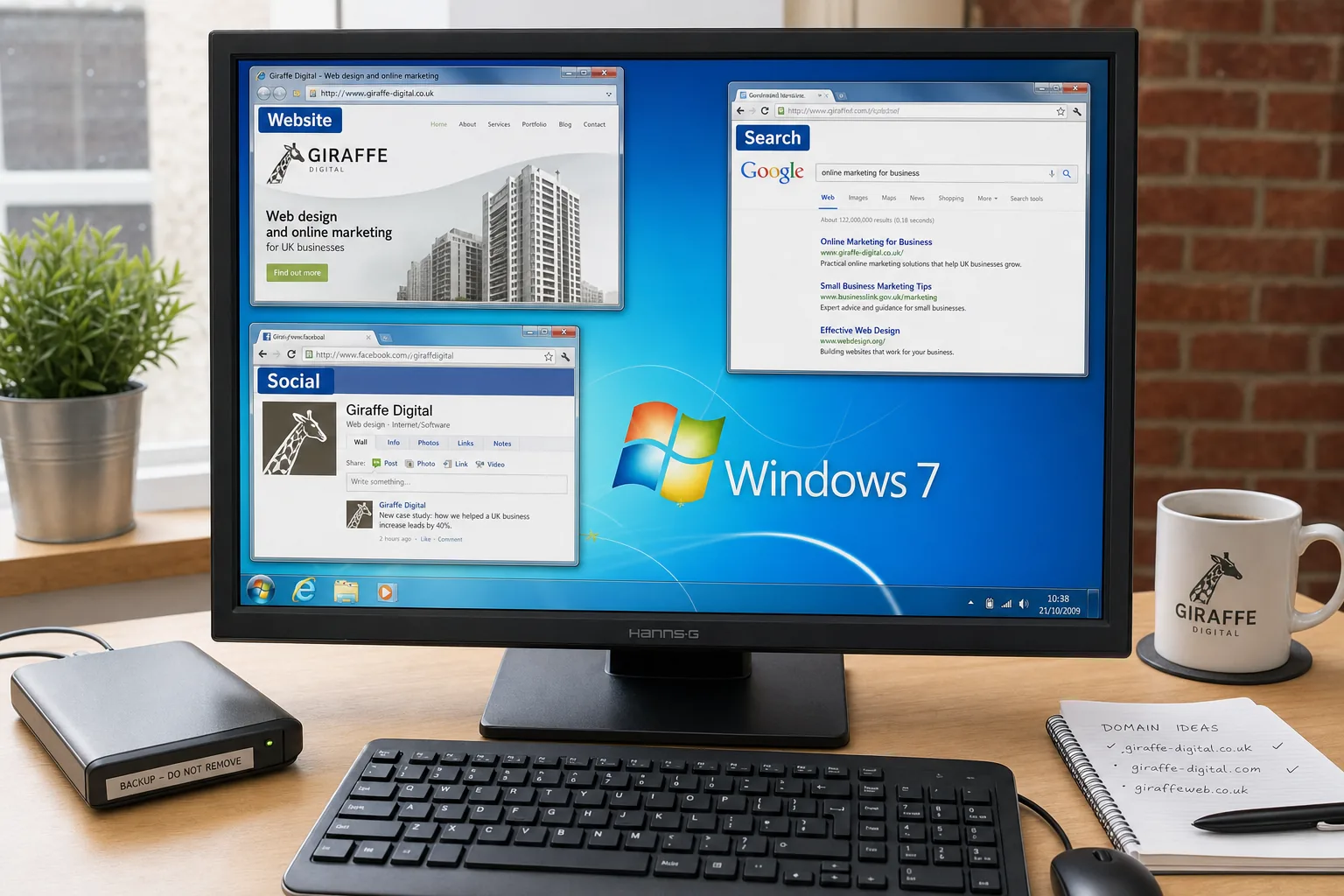
Windows 7 has arrived with a clear message for UK businesses: technology should help people work faster, stay organised and present a more professional face to customers. After the mixed reception to Windows Vista, many firms have waited before making any major change to their office computers. Windows 7 is likely to reopen that conversation, not simply because it is a new operating system, but because it can affect everyday productivity, website management, online marketing and the way a business uses digital tools.
For business owners, the decision is not only about whether the desktop looks different. It is about whether your technology supports the work you are trying to do. If your team updates a website, manages email campaigns, maintains social media profiles, handles enquiries through the web or relies on search traffic, your computers are part of your marketing infrastructure. A slow, unreliable or poorly maintained system can quietly cost time, damage presentation and create unnecessary risk.
Why Windows 7 matters to business technology
Windows 7 is designed to feel more responsive and less intrusive than Windows Vista, while retaining stronger security and a more modern foundation than Windows XP. For many small and medium-sized businesses, that balance is important. XP remains familiar and widely used, but it is now an older platform. Vista introduced useful improvements but was not welcomed by every organisation, particularly where hardware was not well matched to the software.
The most immediate business benefit of Windows 7 is likely to be usability. The revised taskbar, better window management and improved search can reduce everyday friction. That may sound modest, but across a team it can add up. Finding a document quickly, switching between a browser, email, spreadsheet and design proof, or organising multiple windows on a widescreen monitor all contribute to a smoother working day.
For companies investing in website design, search engine optimisation or online advertising, the operating system is not separate from the project. Your team will be reviewing pages, writing content, resizing images, checking enquiries, updating customer records and communicating with designers or marketing advisers. Better stability and more efficient working practices can make those activities less time-consuming and less frustrating.
Performance, hardware and the upgrade decision
Before moving to Windows 7, businesses should review their hardware carefully. A new operating system can work well on suitable machines, but it will not turn ageing equipment into a modern workstation. Memory, processor speed, hard drive condition and graphics capability all matter. If a computer already struggles with several applications open, it may be better to replace it as part of a planned refresh rather than forcing an upgrade onto unsuitable hardware.
That said, Windows 7 has been designed to run more comfortably than many users found Vista to run on comparable systems. Businesses using relatively recent PCs may find it a practical upgrade, especially where staff need to work with multiple browser windows, office documents, email, image files and website administration areas throughout the day.
It is also worth considering 64-bit editions where appropriate. Businesses working with larger files, creative software or multiple demanding applications may benefit from the ability to use more memory. However, compatibility should be checked carefully. Printers, scanners, specialist software, accounting packages and older line-of-business applications should all be tested or confirmed before any wider roll-out.
A sensible approach is to begin with one or two machines rather than upgrading every computer at once. Choose users who rely on the systems in representative ways: perhaps one administrative role, one sales or marketing role and one person involved in website updates or design approval. Their experience will help you identify issues before they affect the whole company.
Compatibility with existing business software
For many businesses, the biggest concern is not the operating system itself but the software that sits on top of it. A company may depend on a specific accounting package, customer database, estimating tool, booking system, or an older piece of industry software. If that software fails, productivity can suffer immediately.
Windows 7 Professional, Enterprise and Ultimate include Windows XP Mode, which may help with some older applications. However, it should not be treated as a universal answer. It is better to check with software suppliers, test properly and document any limitations. Where a programme is essential, it deserves a cautious approach.
Browser compatibility is also important. Internet Explorer 8 is now a significant part of the Windows environment, while many businesses also use Firefox, Safari or Chrome for testing and general browsing. If your website has not been reviewed for a while, Windows 7 is a useful prompt to check how it appears across common browsers. A site that looks acceptable on one office computer may not behave correctly for prospective customers using another browser or screen resolution.
This is particularly relevant for enquiry forms, product galleries, navigation menus and Checkout processes. A broken form or awkward menu can lose a lead. Good website design is not only about appearance; it is about making sure real visitors can use the site successfully.
Security, data protection and safer working
Security is one of the strongest arguments for taking business technology seriously. Windows 7 continues the move towards stronger permissions and better protection against unwanted changes. User Account Control has been refined so it is less disruptive than it was in Vista. Still, the principle remains useful: staff should not run every activity with unrestricted access unless there is a clear reason.
For businesses, this links directly to data protection and reputation. Customer details, email lists, supplier records, website access details and domain registration information all need to be handled carefully. A compromised computer can lead to far more than inconvenience. It can affect customer trust and interrupt trading.
Business owners should use the Windows 7 discussion as an opportunity to improve wider housekeeping. That includes keeping antivirus software up to date, applying security updates, using strong passwords, limiting administrator access, and making regular backups. Backups should not be an afterthought. If your website files, marketing images, copywriting documents, or customer spreadsheets are stored on a single machine with no reliable backup, your business is exposed.
Where portable computers are used, encryption should be considered, particularly for staff who travel or work away from the office. A lost laptop containing customer data, website passwords or confidential proposals can create a serious problem. Technology choices should be matched with clear internal procedures, s so staff know what is expected.
Website design and digital marketing workflows
Windows 7 will not improve a website on its own, but it can support a better workflow for the people who manage it. A modern business website often involves several tasks: writing new pages, editing images, approving design changes, checking search rankings, managing enquiries, sending email newsletters and reviewing visitor statistics. If the office systems are slow or disorganised, those jobs are more likely to be delayed.
For a business considering a new website, this is a good moment to review the wider digital process. Ask how content will be written, who will approve changes, how images will be stored, how enquiries will be handled and how success will be measured. A well-designed website should fit the business, not sit apart from it.
Search engine optimisation in 2009 is increasingly connected to useful content, clear structure and relevant links. Google remains a dominant source of traffic for many UK businesses, while Yahoo and Bing should not be ignored. A site built with clean navigation, descriptive page titles, relevant headings and readable copy has a stronger foundation. The technical environment in your office should make it easy to maintain that quality over time.
For example, if your company provides professional services in Portsmouth, Southampton, Chichester or across Hampshire, your website should make that clear in natural language. It should explain what you do, who you help and why a customer should enquire. Search marketing is not simply a matter of repeating phrases. It is about matching your customers' language to clear, trustworthy pages.
Social media and communication tools
Social media is becoming a regular part of business communication. Facebook pages, Twitter profiles, LinkedIn networking and YouTube videos are all being used by businesses to share updates, show personality and direct people back to useful website content. Not every platform is right for every firm, but the trend is clear: customers increasingly expect to find signs of life online.
Windows 7 can help by providing a more reliable day-to-day base for managing these channels. Staff may be switching between a browser, an image editor, email, documents, and a website content system. The easier it is to move between these tasks, the more likely the business is to keep its online presence up to date.
However, tools are only useful when there is a plan. A business should decide what it wants social media to achieve. It might be used to support customer service, announce news, share blog posts, promote events or demonstrate expertise. The website should remain the central hub wherever possible, because that is where enquiries, detailed service information and search visibility can be properly developed.
Domain names, email and professional presentation
A discussion about business technology should also include domain names and email. Your domain is part of your brand. It appears on business cards, vans, invoices, advertisements, email signatures and search results. Choosing and managing it carefully is essential.
When registering a domain, choose a name that is easy to spell, easy to say and closely connected to the business name or service. UK businesses should usually consider a .co.uk domain, and may also wish to secure the matching .com where it is suitable and available. Avoid names that are overly long, difficult to type or dependent on awkward hyphens. If customers hear your domain over the telephone, they should be able to understand it without confusion.
Businesses should also keep domain registration details organised. Renewal dates, account access and administrative contact information must be recorded securely. An unexpectedly expired domain can disrupt email and website access, potentially leading to lost enquiries. It is sensible for the business owner or a trusted senior member of staff to know where the domain is registered and who has authority to manage it.
Professional email matters as well. An email address using your own domain looks more credible than a generic personal address. It reinforces the brand with every message sent and helps customers recognise they are dealing with an established business.
Practical steps before adopting Windows 7
Businesses do not need to rush into a full upgrade simply because Windows 7 is available. The best approach is measured and practical. Start by listing the computers in use, the software each department depends upon and any devices that must continue to work. Include printers, scanners, backup drives, network equipment and specialist tools.
Next, identify the business reasons for upgrading. These might include improving speed, replacing older machines, supporting newer software, improving security or standardising the office. If there is no clear benefit for a particular machine, it may be better to wait until replacement is due. Conversely, if a computer is used for marketing, website management, presentations or customer communication, the benefits of a smoother system may be felt quickly.
Training should not be overlooked. Windows 7 is familiar enough for most users, but small changes can still slow people down at first. A short internal guide or demonstration can help staff understand the new taskbar, search features, file organisation and security prompts. Good adoption depends on confidence, not just installation.
Finally, coordinate the upgrade with your wider digital plans. If you are commissioning a new website, improving search visibility, refreshing your brand or becoming more active on social media, make sure your office technology can support that work. The most successful businesses treat technology as part of the commercial plan rather than an isolated purchase.
Making technology serve the business
Windows 7 is an important release because it arrives at a time when the web is becoming central to how businesses are found, judged and contacted. Customers are searching online, comparing suppliers, reading reviews, following updates and expecting quick responses. That makes business technology more than an internal matter.
The right operating system will not replace good strategy, strong design or clear marketing. It will, however, help your team carry out those activities with fewer obstacles. A faster, safer, and better-organised working environment supports better communication, more consistent website updates, and more professional customer handling.
For UK business owners, the key question is not simply whether to install Windows 7. The better question is whether your current technology is helping your business compete online. If your systems are slowing down staff, making website updates difficult, risking data or presenting an unprofessional image, now is the right time to review them.
Used sensibly, Windows 7 can be part of a broader improvement in business technology. Pair it with a well-planned website, clear search marketing, secure domain management and a practical social media approach, and it can help create a stronger digital foundation for the years ahead.
Frequently asked questions
What should we know about domain names, email and professional presentation?
A discussion about business technology should also include domain names and email. Your domain is part of your brand. It appears on business cards, vans, invoices, advertisements, email signatures and search results. Choosing and managing it carefully is essential. When registering a domain, choose a name that is easy to spell, easy to say and closely connected to the business name or service. UK businesses should usually consider a.co.uk domain, and may also wish to secure the matching.com where it is suitable and available. Avoid names that are overly long, difficult to type or dependent on awkward hyphens. If customers hear your domain over the telephone, they should be able to understand it without confusion.