A website photography brief should explain what customers need to understand, then identify the pictures that can help them understand it. Starting with a vague request for “some professional images” often produces a handsome collection without a clear role on the website. A useful brief connects each photograph to a page, a question and a truthful point about the business.
This matters when visitors are deciding whether to enquire, book or visit. They may want to see who will help them, what a service involves, where to arrive or what a finished result looks like. Planning website photography around those questions gives the photographer and designer a shared purpose. It also makes reviewing the finished images much more concrete.
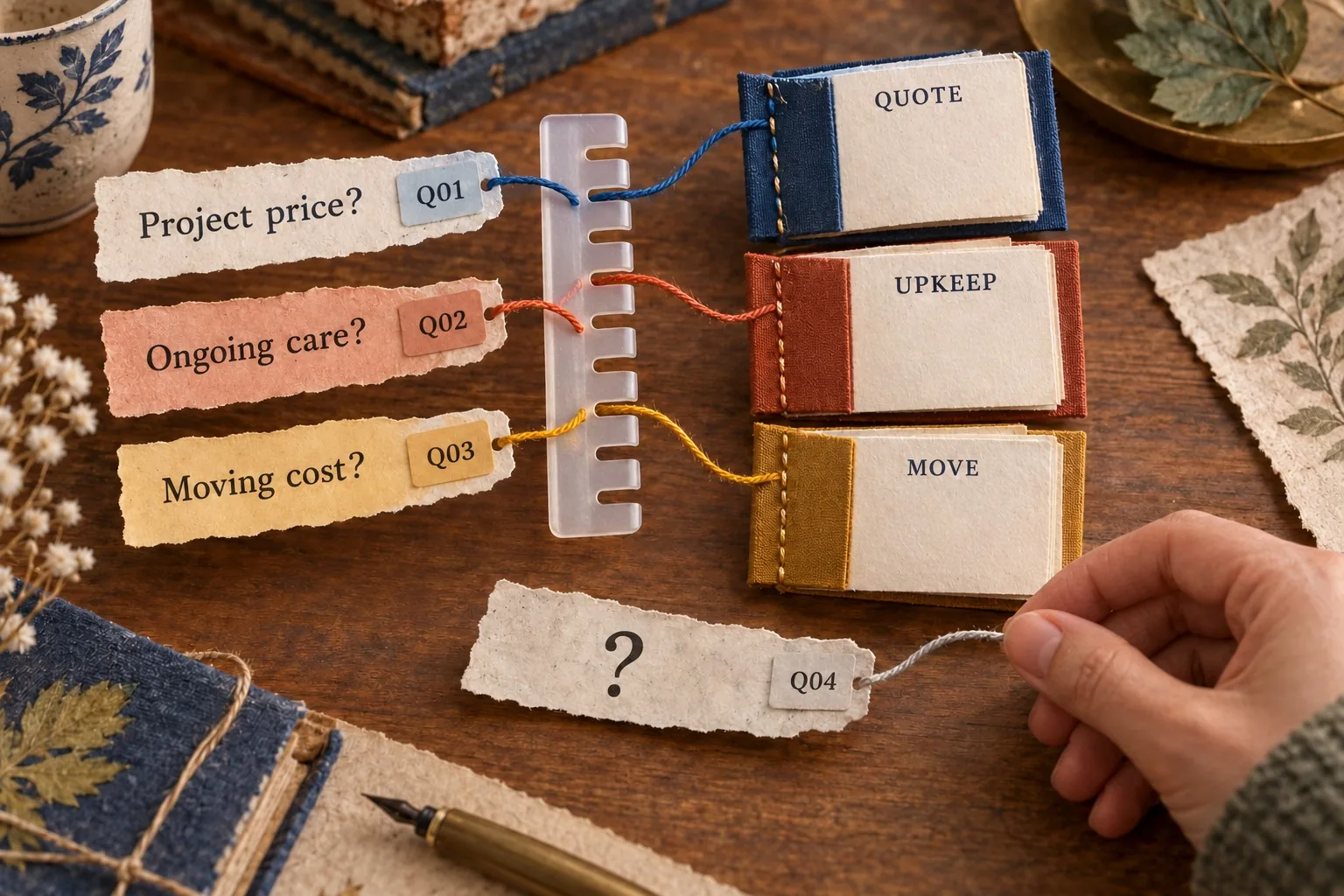
Collect questions from the actual customer journey
Start with information your team already hears. Ask the people who answer enquiries what customers regularly need clarified. Review recent questions from forms, meetings and calls, using appropriate access and information handling. Look for specific uncertainty rather than assuming every visitor wants a general impression of the business.
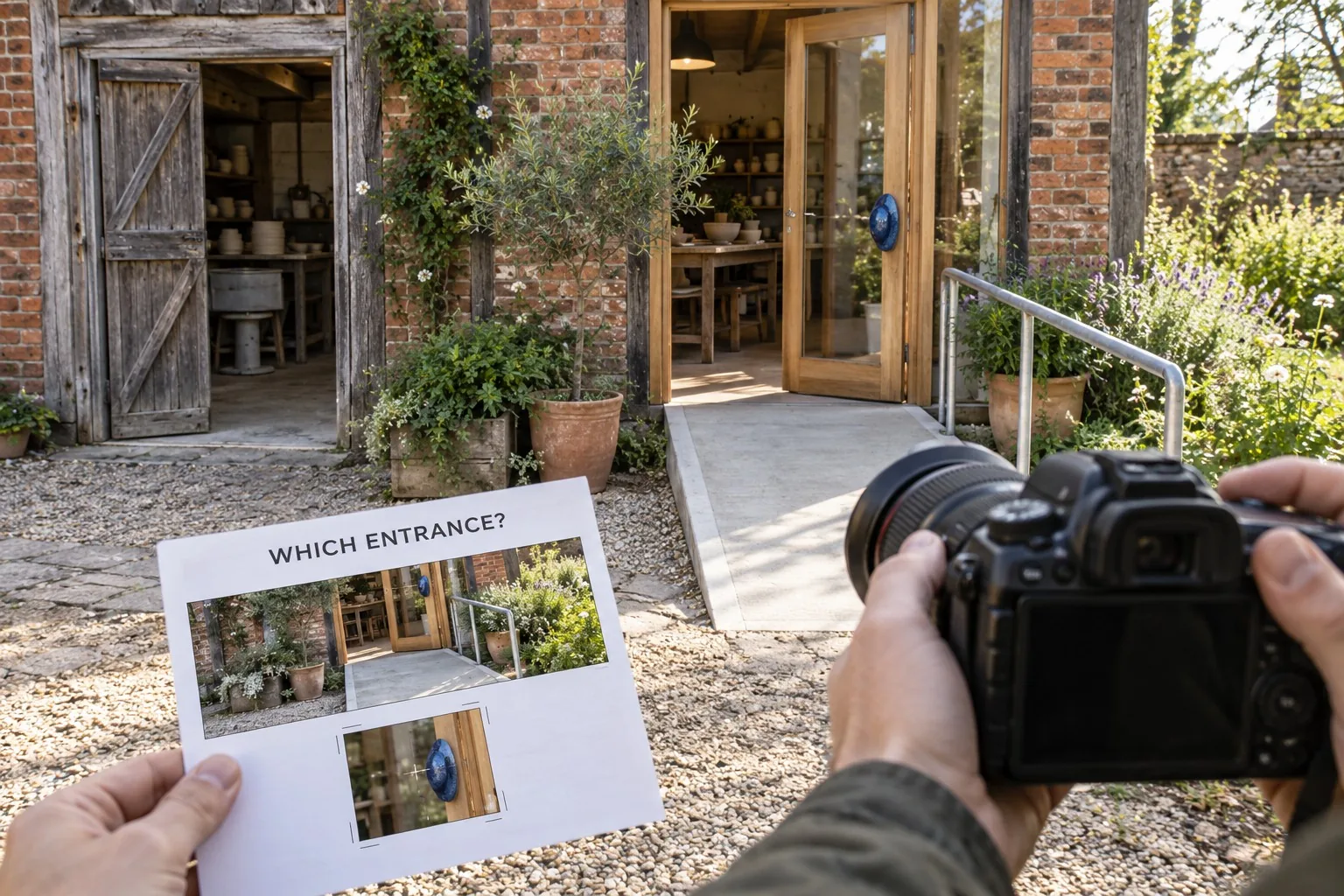
A customer arranging a visit might need to recognise the entrance. Someone commissioning a specialist service might need to understand the working process. A prospective client reviewing a project could want to see the detail behind a claimed result. Each question points towards a different photograph, and some questions will be better answered through clear text.
Record the question in ordinary language. “Will I know where to go when I arrive?” is a better starting point than “we need an exterior lifestyle asset”. The practical wording helps the photographer choose a viewpoint and helps the designer decide where the image belongs. It also gives reviewers a simple test: does the picture answer this question?
Map the questions to pages and decisions
Build a short photography plan against the proposed website structure. For each page, identify the visitor's main task and the information needed before the next action. A service page, an about page and a location page may all use photographs, but they should not depend on the same image to explain different things.
For example, an about page could show the people customers will meet and explain their roles. A location page could show the approach to the premises, with a caption identifying the entrance. A service page could show a relevant stage of work alongside an explanation of what is happening. These pictures have a reason to be there beyond filling a layout.
Discuss the plan with the designer before booking the shoot. Giraffe Digital's website design services focus on how structure, content and customer journeys work together. Photography should be considered within that structure, so the eventual layout has suitable images for its important information and actions.
Distinguish evidence from atmosphere
Some photographs help communicate the character of a business. Others support a factual point, such as showing the actual team, premises, equipment or completed work. Be clear about the purpose of each shot. An image selected for atmosphere should not be presented as evidence of a project or facility that it does not show.
If you want to illustrate a case study, identify the relevant project and the detail customers should notice. Ask whether the photograph needs an accompanying explanation to make that detail meaningful. A distant view of an installation may look impressive while revealing very little about the problem the team solved.
Use real business photographs where the image is intended to communicate a real business fact. Plan any staged scenes honestly, with appropriate people and circumstances. A photograph showing a discussion can illustrate collaboration, but it should not be labelled as a specific customer meeting unless that description is accurate. The brief should make this distinction visible to everybody reviewing the content.
Review the photograph with the information around it
The Pups N’ Walks website places real pet photography beside its local coverage, a service introduction and an enquiry route. The photograph contributes the business’s personality, while the surrounding content explains what an owner can discuss. It is useful to review those jobs together.
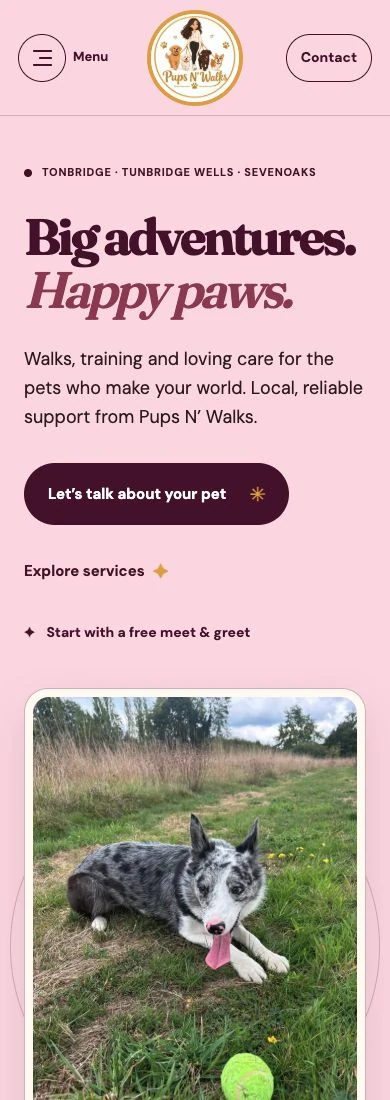
For your own brief, write the customer question beside the proposed shot. If someone needs to understand a service, ask which detail the photograph can truthfully show and which explanation still belongs in text. Use the accompanying text to explain availability, relevant qualifications and service limitations that the photograph cannot communicate.
- State the page and customer question the image will support.
- Identify the subject, useful detail and space needed for the planned layout.
- Confirm permission and review the crop beside the final wording.
This keeps the photography brief connected to website design. Once the image is selected, use our image and alternative-text guide to plan its accessible publication.
Create a shot list the photographer can use
Give each planned shot a clear purpose, subject and location. Include the page where you expect to use it, the customer question it supports and any detail that must remain visible. This is more helpful than a long list of nouns such as “team”, “office” and “products”. It describes what a successful image needs to communicate.
Add practical conditions. Explain when the relevant people or equipment will be available, who can coordinate access and which areas should be excluded. Identify anything that needs preparing without misrepresenting normal working conditions. A tidy background can improve clarity, while removing an essential part of the process might make the scene misleading.
Agree priorities. If the shoot is interrupted or a location becomes unavailable, the photographer should know which images are essential for launch and which are optional. Group related shots where that helps the session run efficiently, but retain the original page purpose so a convenient composition does not replace a needed view.
Brief composition around the actual website
Ask the designer to show the intended image positions. A wide page banner, an archive card and a small team portrait can require very different framing. Record the expected shapes and crops, including the layouts used on phones. Avoid choosing a single image size by habit and assuming it will suit every placement.
If a layout places text beside or over an image, explain which area needs to remain visually quiet. If the photograph must show a person's face, a sign or a piece of equipment, identify that as an essential feature. Ask for composition options where the same subject needs to work in several formats.
Request the final export requirements from the developer or designer. They can specify the files needed for the site's image system and how the photographs will be prepared for delivery. Keep suitable originals as agreed with the photographer. The important review is whether the supplied images work in the real page components, rather than whether every file follows one universal dimension.
Plan accessibility and captions with the content
Decide what information the photograph contributes to the page. Useful alternative text depends on an image's purpose and context. A description should convey the relevant information, rather than mechanically listing everything visible in the picture. Our website images and alternative text guide provides the related checks.
Apply that thinking to the brief. If an image helps visitors identify an entrance, note the identifying feature that needs explaining. If it supports a process step, record which part of the process it shows. When a caption is useful, plan it alongside the surrounding copy so the information is clear and consistent.
Do not ask the photographer to solve the whole accessibility task through composition alone. The designer and content editor need to review how the image is used, including any text, captions and alternative text. Some photographs may serve a decorative purpose in one placement and an informative purpose in another. Assess the actual page context.
Agree usage and protect private information
Discuss the intended uses with the photographer before commissioning the work. Website pages, social posts, printed material and paid campaigns may involve different agreed usage arrangements. Record the agreed delivery, permitted uses and any restrictions, then keep that information with the image library so later editors can make informed choices.
Arrange the necessary agreement with people appearing in the photographs and with anyone responsible for the location or project. Check your business policies and get appropriate advice where the circumstances require it. A clear plan avoids discovering after the shoot that an important image cannot be used as intended.
Look carefully at backgrounds and screens. Customer records, access details, internal documents and personal information can appear incidentally. Brief the team to prepare the environment, and review the final images for details that should not be published. Include reflections and distant screens in that review, especially when supplying large originals.
Review candidate photographs in the page layouts
Create a review sheet that pairs each selected photograph with its planned page and purpose. Ask the person responsible for the subject to check factual accuracy, and ask the designer to check the crop and composition. These are related but different judgements. A beautiful picture can still show the wrong service or lose an important feature in a card.
Preview the selections on a phone and a larger screen. Confirm that the intended detail survives the crop and that the image works with the surrounding copy. Check that visitors can understand the relevant fact without having to infer a story from a photograph alone. Use captions or clearer wording where needed.
Keep the final library organised by subject, approved use and page purpose. Include an owner who can check whether an image remains accurate as the business changes. Team members, premises and services can change, so photography needs the same practical maintenance as other website content.
A strong website photography brief turns customer questions into specific, reviewable images. Start with what people need to know, work with the page structure and test the finished selections in context. That produces a library the business can use with confidence, rather than a folder of attractive pictures waiting for a purpose.
Frequently asked questions
How should we collect questions from the actual customer journey?
Start with information your team already hears. Ask the people who answer enquiries what customers regularly need clarified. Review recent questions from forms, meetings and calls, using appropriate access and information handling. Look for specific uncertainty rather than assuming every visitor wants a general impression of the business. A customer arranging a visit might need to recognise the entrance. Someone commissioning a specialist service might need to understand the working process. A prospective client reviewing a project could want to see the detail behind a claimed result. Each question points towards a different photograph, and some questions will be better answered through clear text. Record the question in ordinary language. "Will I know where to go when I arrive?" is a better starting point than "we need an exterior lifestyle asset".
How should we distinguish evidence from atmosphere?
Some photographs help communicate the character of a business. Others support a factual point, such as showing the actual team, premises, equipment or completed work. Be clear about the purpose of each shot. An image selected for atmosphere should not be presented as evidence of a project or facility that it does not show. If you want to illustrate a case study, identify the relevant project and the detail customers should notice. Ask whether the photograph needs an accompanying explanation to make that detail meaningful. A distant view of an installation may look impressive while revealing very little about the problem the team solved. Use real business photographs where the image is intended to communicate a real business fact.
How should we brief composition around the actual website?
Ask the designer to show the intended image positions. A wide page banner, an archive card and a small team portrait can require very different framing. Record the expected shapes and crops, including the layouts used on phones. Avoid choosing a single image size by habit and assuming it will suit every placement. If a layout places text beside or over an image, explain which area needs to remain visually quiet. If the photograph must show a person's face, a sign or a piece of equipment, identify that as an essential feature. Ask for composition options where the same subject needs to work in several formats. Request the final export requirements from the developer or designer.
How should we plan accessibility and captions with the content?
Decide what information the photograph contributes to the page. Useful alternative text depends on an image's purpose and context. A description should convey the relevant information, rather than mechanically listing everything visible in the picture. Our website images and alternative text guide provides the related checks. Apply that thinking to the brief. If an image helps visitors identify an entrance, note the identifying feature that needs explaining. If it supports a process step, record which part of the process it shows. When a caption is useful, plan it alongside the surrounding copy so the information is clear and consistent. Do not ask the photographer to solve the whole accessibility task through composition alone. The designer and content editor need to review how the image is used, including any text, captions and alternative text.
How should we review candidate photographs in the page layouts?
Create a review sheet that pairs each selected photograph with its planned page and purpose. Ask the person responsible for the subject to check factual accuracy, and ask the designer to check the crop and composition. These are related but different judgements. A beautiful picture can still show the wrong service or lose an important feature in a card. Preview the selections on a phone and a larger screen. Confirm that the intended detail survives the crop and that the image works with the surrounding copy. Check that visitors can understand the relevant fact without having to infer a story from a photograph alone. Use captions or clearer wording where needed. Keep the final library organised by subject, approved use and page purpose.